Sharing an expense used to be a one-way door. Once you shared a bill it became an open split, and it stayed one — turning sharing off killed the link but left the split locked, with no way to edit it and no way back. This build fixes that, and adds two confirmations around sharing so the irreversible parts stop happening on a single click.
Take back control
Turn sharing off and the transaction now says what state it is in: sharing is off, but the split is still shared and locked from editing. Underneath are two ways out — Share again, or Take back control.
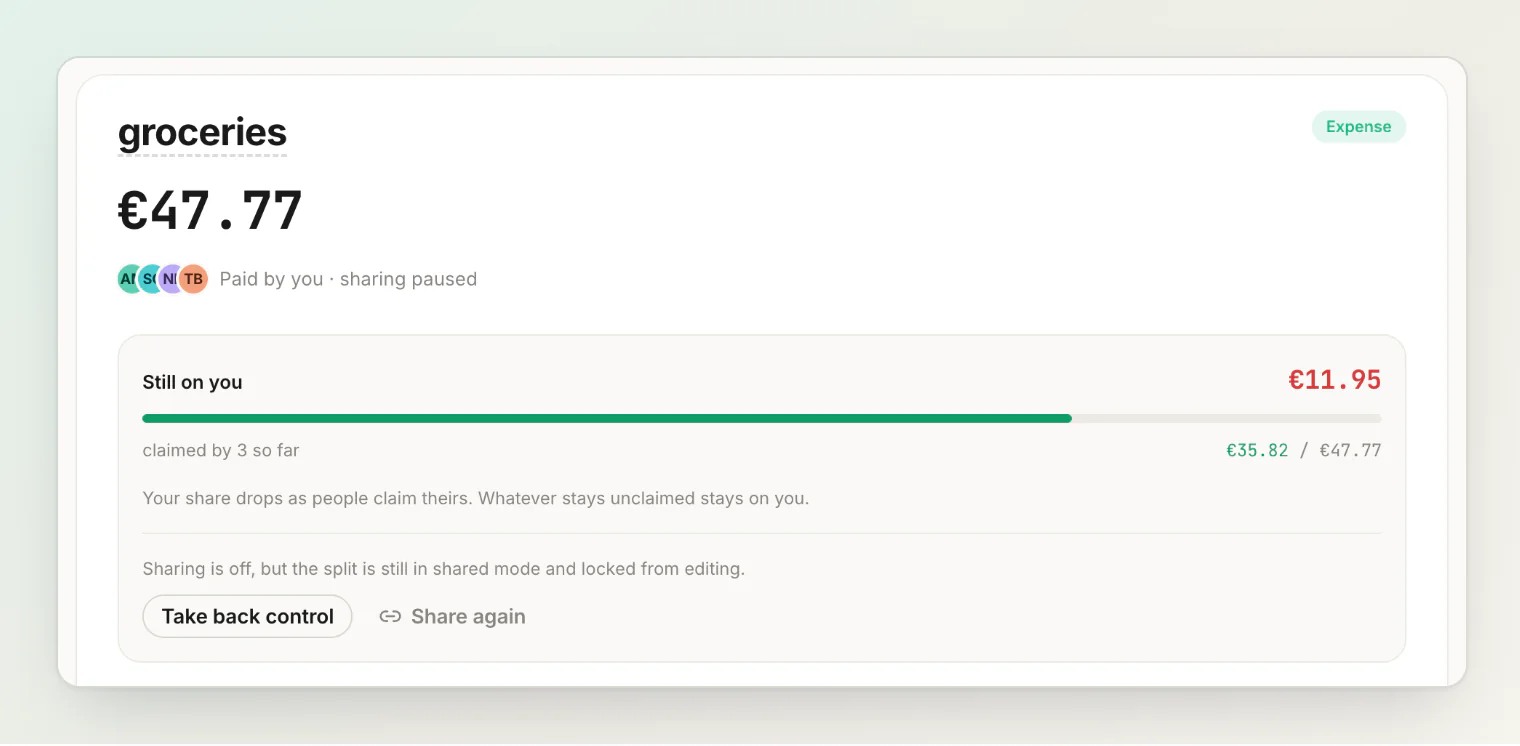
Taking control back converts the bill to a normal split that you own:
Everyone keeps the amount they claimed. Nothing is recalculated behind your back.
Whatever was unclaimed becomes your own line, instead of sitting as an implicit remainder.
The receipt items stay on the transaction.
What changes is who owns the shares. They stop being self-claimed, which means you can edit anyone's amount from then on — and the people involved get the normal approve or decline controls back on their share, so nobody is left without a say in a number you can now change.
It is deliberately a separate action from turning sharing off. Killing a link and taking editing power over someone else's claimed share are different decisions, and only one of them should happen when you press Stop sharing.
Two confirmations
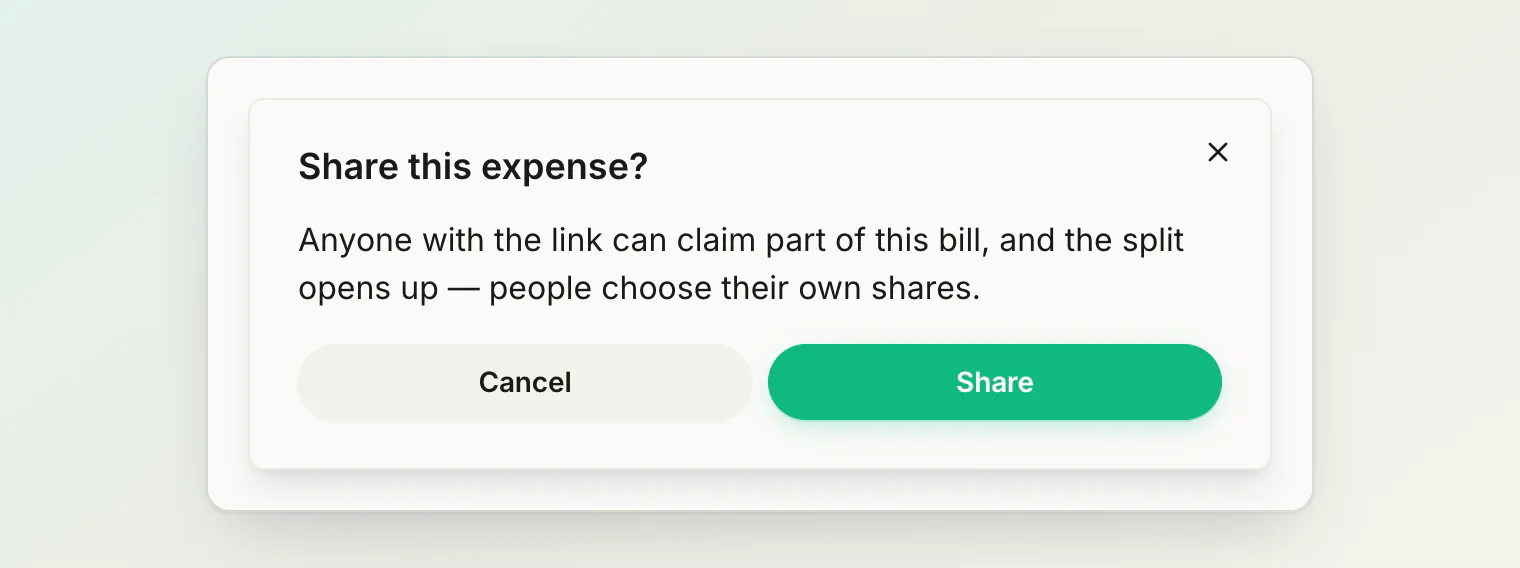
Before sharing. Sharing rewrites how a bill splits, so it now asks first and says what will happen: anyone with the link can claim part of the bill, and the split opens up.
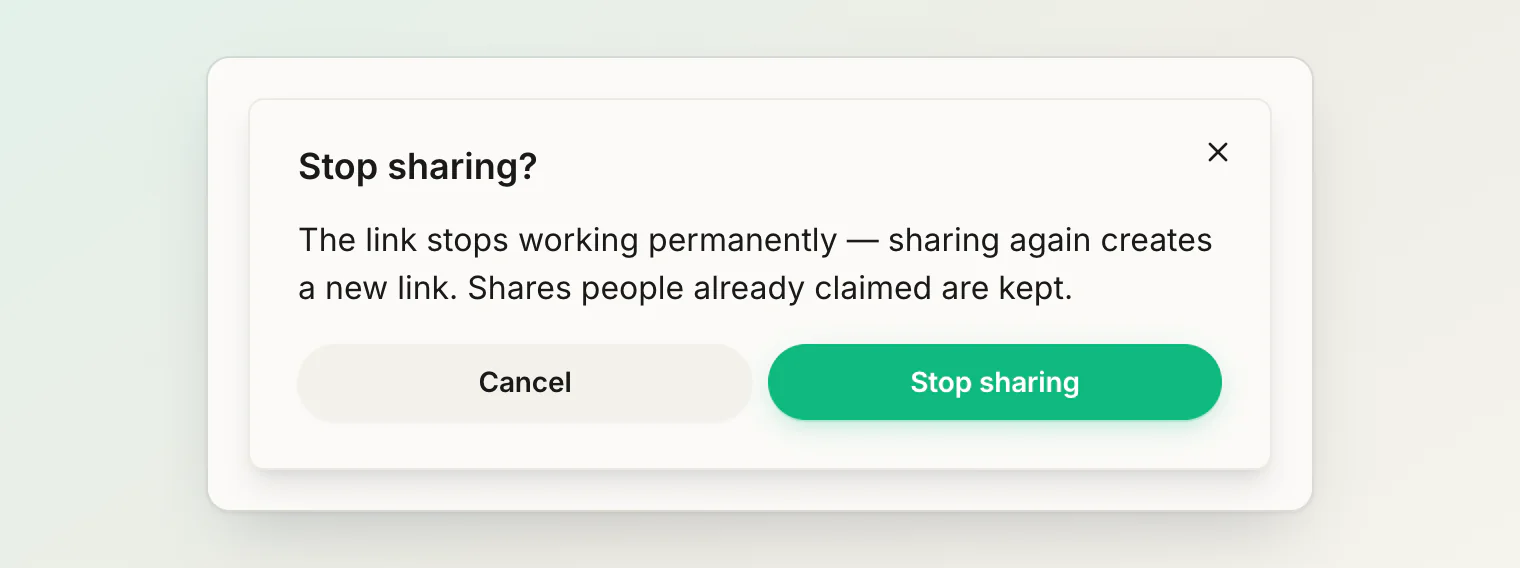
Before stopping. This one matters more than it looks. Turning sharing off does not pause a link — it destroys it. Share again and you get a new link; every copy of the old one is dead wherever you sent it. The confirmation says so, because that is not something you should discover after the fact.
Re-sharing from the paused state does not ask. There is nothing to warn about — the split is already open, so it only mints a fresh link.
Also fixed
An expired link left a bill in the same dead end as an unshared one: nothing to click, split still locked. It now shows the same explanation and the same two ways out.
Elsewhere in the app, answering a confirmation dialog from inside a panel used to close the panel along with it — on Cancel as well as Confirm. Cancelling now leaves you where you were.