Search where the expenses are
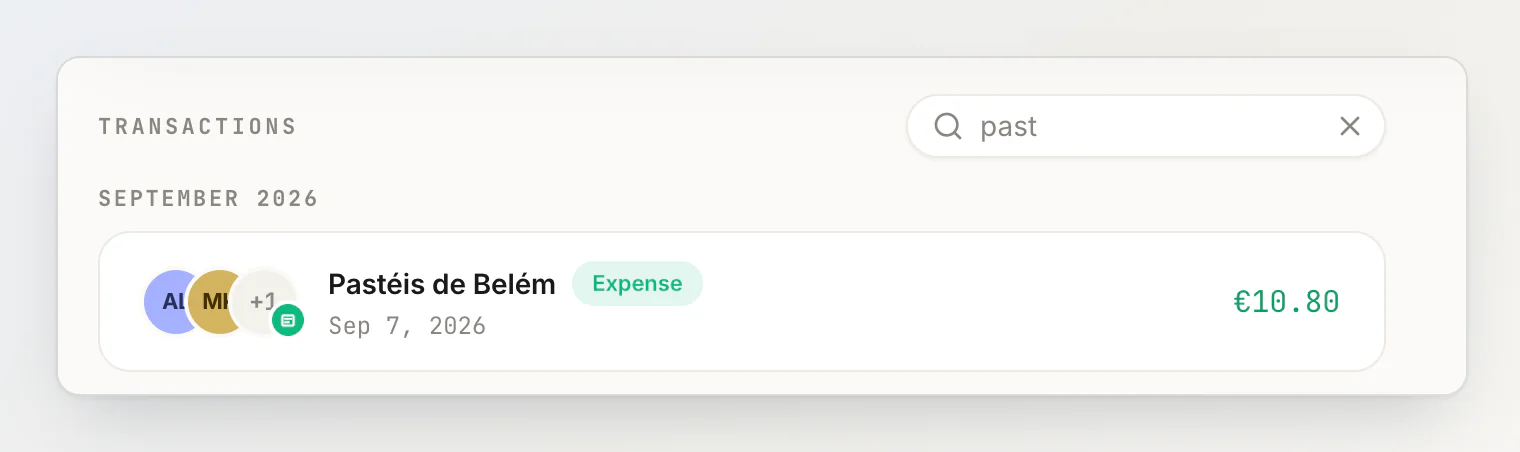
A group's page and a person's page now carry a search box over their transactions. It matches the title as you type — part of a word is enough, and case does not matter.
A group with a face
A group can carry a photo: click the avatar beside its name to set one, and the × on it to take it off. Its page is laid out like the dashboard — transactions lead, members sit beside them, and a long list of members scrolls on its own instead of running off the screen.

Enter saves a name
Renaming a group saves on Enter, and so does a transaction's title in the edit form. Escape still leaves the name as it was.
The month's AI reads, where you type
When a month's AI sentence reads are used up, the sentence field says so in its placeholder and offers both ways on: the form, which never uses AI, or Pro. What you typed becomes the title when the form opens.

Deleting applies at once
Confirming a delete now carries it out immediately, and the transaction stays in the activity feed marked as deleted. The five-second undo is gone: it held the delete in the browser, and a reload inside the window could lose it after you had been told the transaction was deleted.
Also
The whole of a person's card is clickable again — the balance on it used to swallow a click aimed at the middle.
The people beside the dashboard keep to the window and scroll on their own.