HiBill is quickest from the keyboard. On Windows and Linux, read Ctrl wherever this page says ⌘.
Adding a transaction
Key | What it does |
|---|---|
⌘K | Jump to the page's sentence field, or open it as a palette on pages without one |
↵ | Read the sentence, then press again to add it |
Esc | Close a list, then the review, then leave the field |
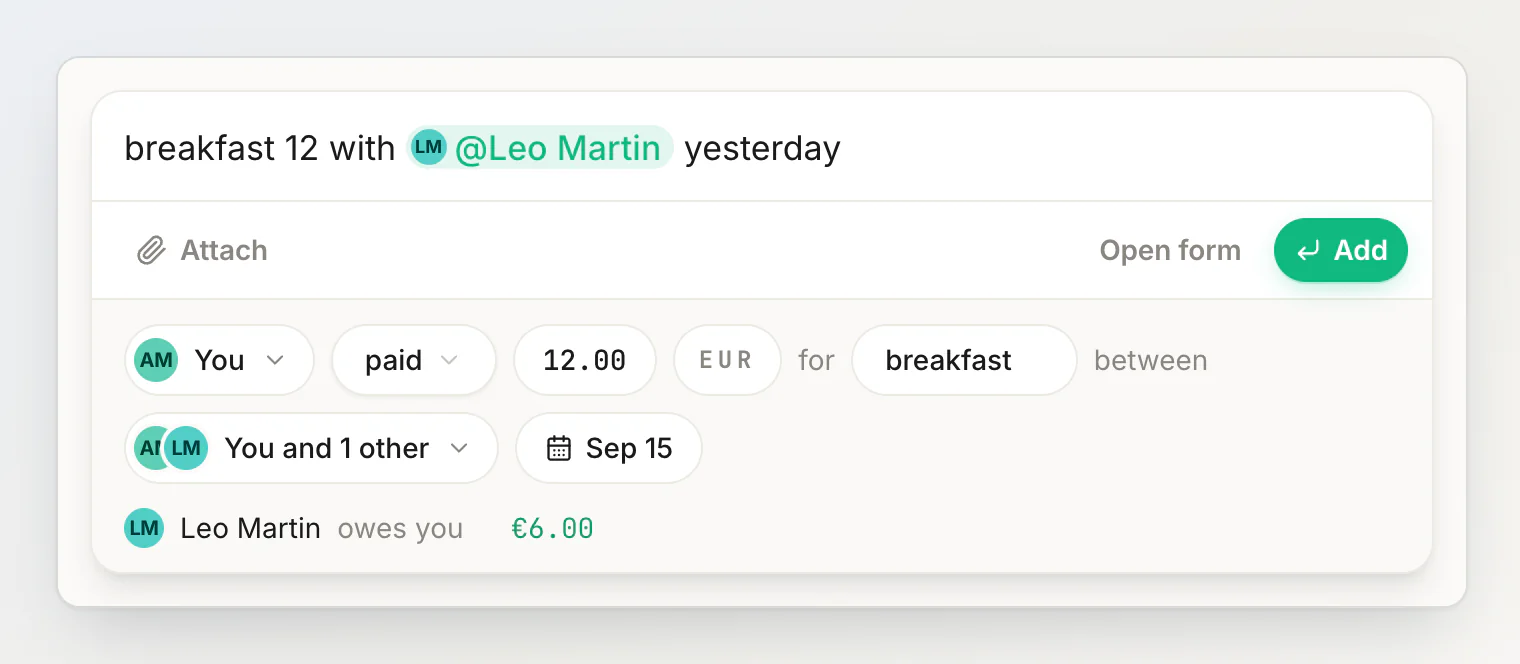
Picking people
Start typing a name in the sentence and, after three letters, the contacts it fits are suggested. Type @ to open the full list of your people and groups.
Key | What it does |
|---|---|
↑ ↓ | Move through the suggestions |
Tab or ↵ | Pick the highlighted name |
The side panel
With a transaction open in the side panel:
Key | What it does |
|---|---|
↑ ↓ | Previous and next transaction in the list you opened it from |
Esc | Close the panel — while you're typing, the first press only leaves the field |
To open something on its own page instead of the panel, ⌘-click it, or use Open full page in the panel's header.
Editing in place
On a transaction's details, click the title to edit it: ↵ saves, Esc cancels.
More in adding a transaction by typing a sentence and opening transactions and people in the side panel.
Continue reading
Adding a transaction by typing a sentence — everything the sentence field understands, from names to receipts.
Opening transactions and people in the side panel — step through a list, resize the panel and share its link.
Reading and editing a transaction's details — which rows you can change in place, without the edit form.