You paid for dinner. Four people, €96, and everyone has already gone home. The moment to record it is now, on the tram, with one hand — and that is exactly when a seven-field form loses. Most shared expenses that never get recorded weren't forgotten; they just weren't worth the form.
An AI expense splitter fixes that by letting you type what happened the way you would text it, and doing the arithmetic for you. This guide shows how that works in HiBill, what AI gets right, what to check before you save, and when the full form is still the better tool.
What "splitting expenses with AI" actually means
It doesn't mean handing your money to a chatbot. It means one text box, and a model that turns a sentence into a transaction you can inspect:
the amount and the currency —
84,84€,500 lei,twenty bucks;who paid — you, unless you say someone else did;
what kind of thing it was — a cost to split, or money handed from one person to another;
who shares it — the people you name, matched against your contacts;
what it was for and which day —
dinner,yesterday,last Friday.
Nothing is saved on the model's word. What it read is shown to you first, and you confirm it.
How it works in HiBill: type, read, check
1. Type it your way
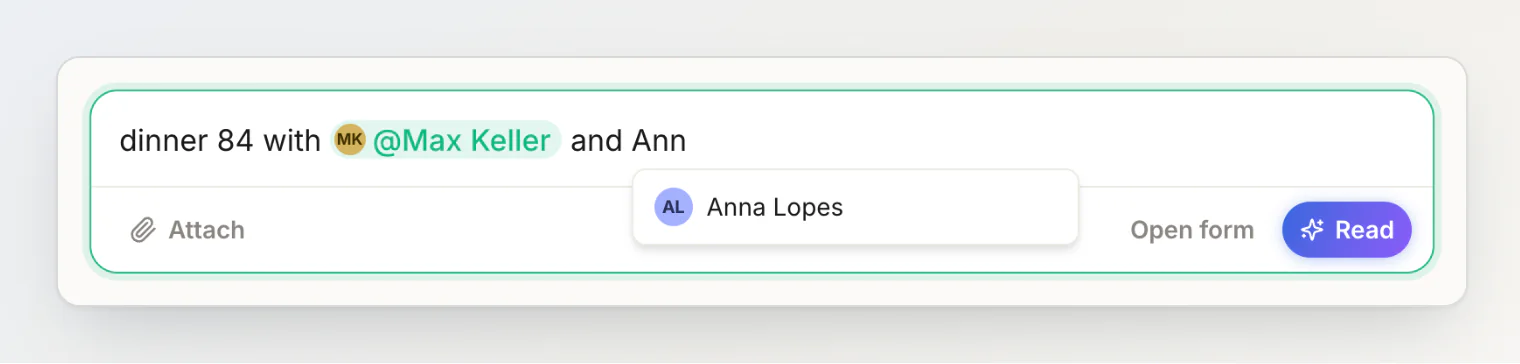
The sentence field sits at the top of your dashboard, every person's page and every group's page, and ⌘K opens it anywhere else. There is no syntax: dinner 84 with max and anna yesterday, yesterday's dinner, 84, max and anna, or the same thing in Spanish all work. Start typing a name and HiBill offers the contacts it fits; picking one makes it a pill, which removes any doubt about which Max you mean.
2. Press Read
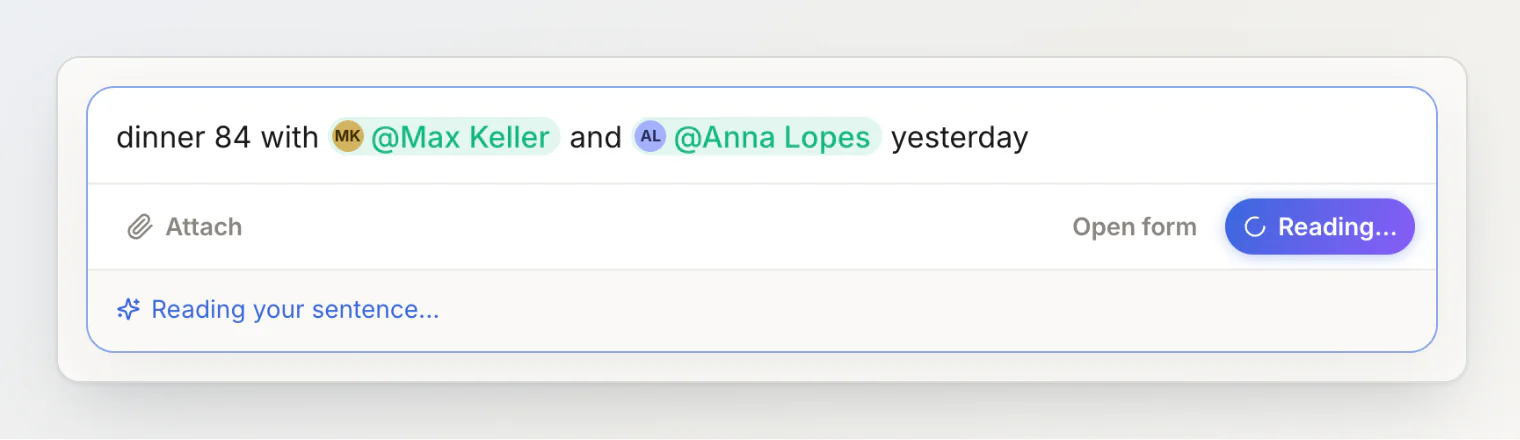
Read (or Enter) sends the sentence to AI, together with the names of your contacts so it can match "max" to Max Keller. It takes a second or two.
3. Check the review, then add
What AI understood appears under the field as chips you can tap — who paid, the amount, the currency, what it was for, who it is split between, and the day — and under them what it does to your balances.
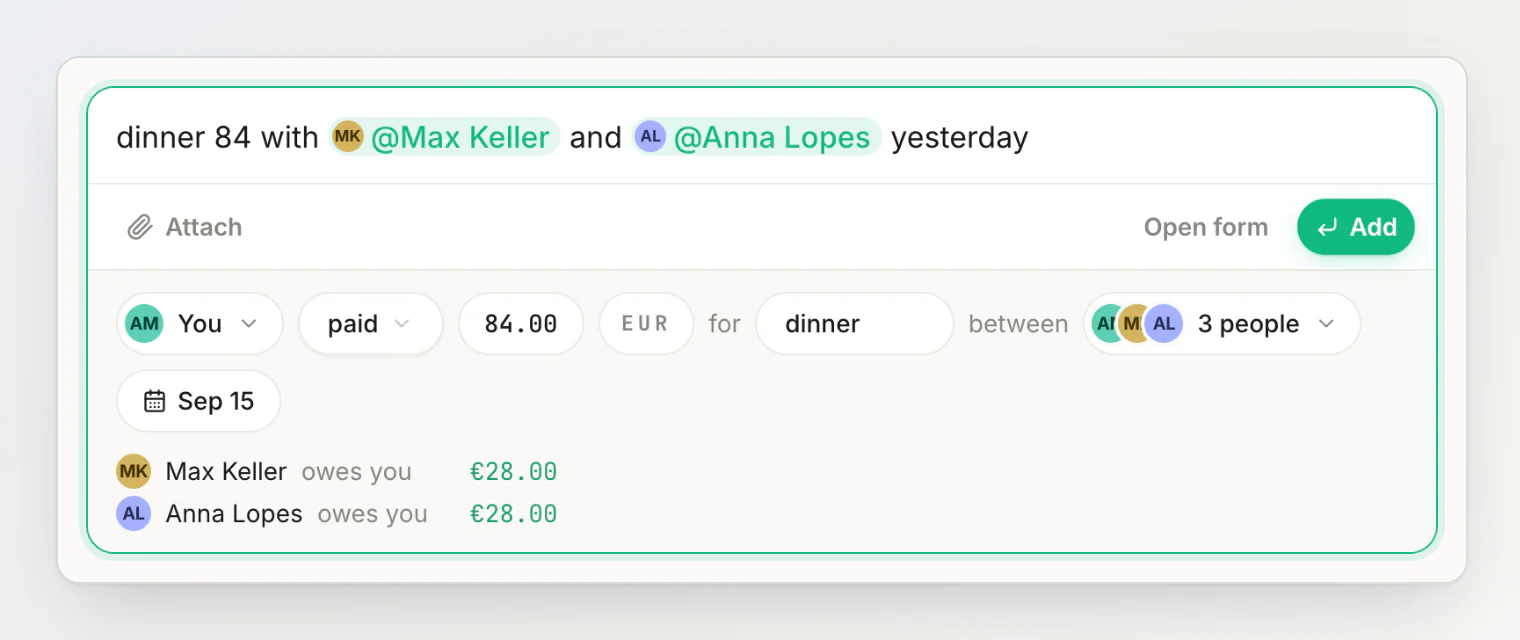
If everything is right, press Add or Enter again. If something is off, tap that chip and fix it. If the expense needs more than an even split, the review does that too: the split chip switches between equally, by amount, by percentage and by items, and the payer chip takes several payers.
Twelve sentences it reads well
You type | What the review shows |
|---|---|
| You paid 15.00 in your currency for taxi, just you |
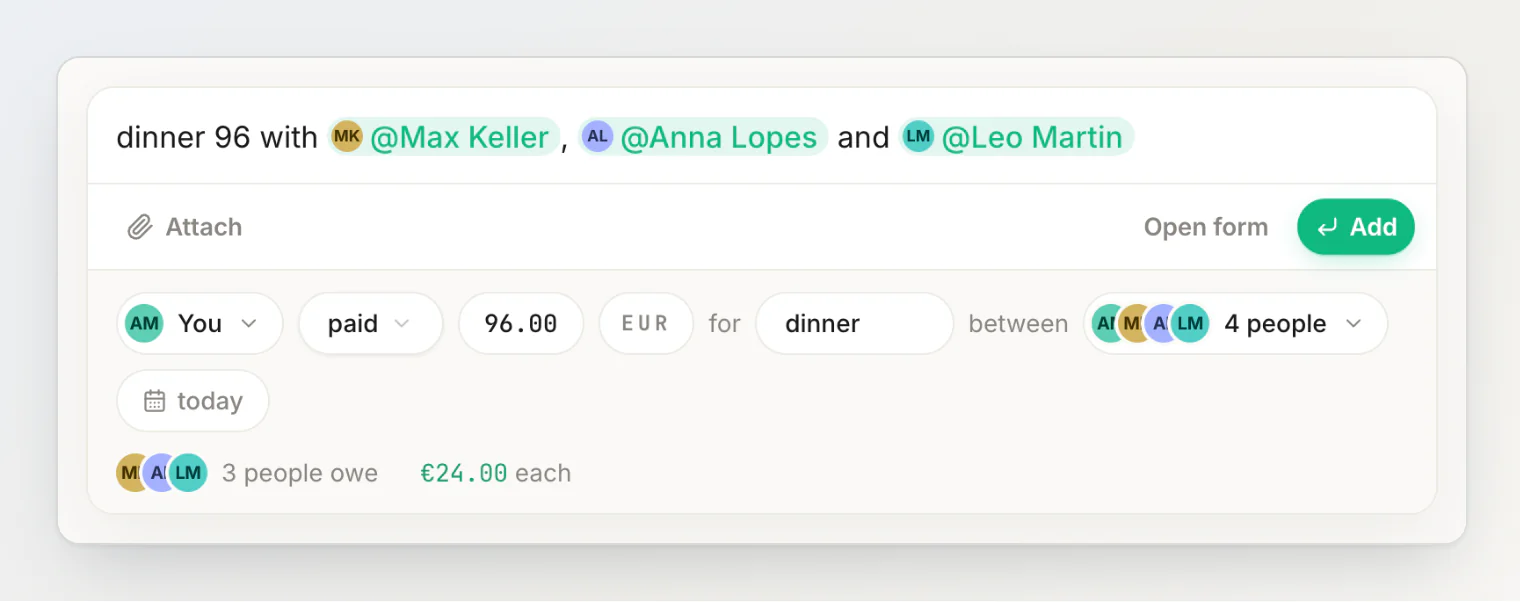
| You paid 96.00, split between 4 people — 24.00 each |
| 1,500.00 MDL for groceries |
| You paid 30.00 and Anna owes all of it |
| Anna paid 40.00, split with you; you owe her 20.00 |
| You gave 50.00 to Max, for tickets |
| Max gave 20.00 to you, for the taxi |
| Dated yesterday |
| Dated last Friday, split with Leo |
| Tagged with your "Lisbon trip" group, split across its members |
| 165.00, split with Anna |
| cena, 60.00, split with Anna — any language works |
When the sentence is missing something
AI never invents a price or a person. Instead, the review asks:
No amount? The amount chip reads How much? and its calculator is already open. It does math too —
120+45,300/3.A name nobody answers to? The review asks Who is "Sofia"?. The picker is already searching for "Sofia": pick an existing contact or add her as a new person. Add stays disabled until every name is somebody.
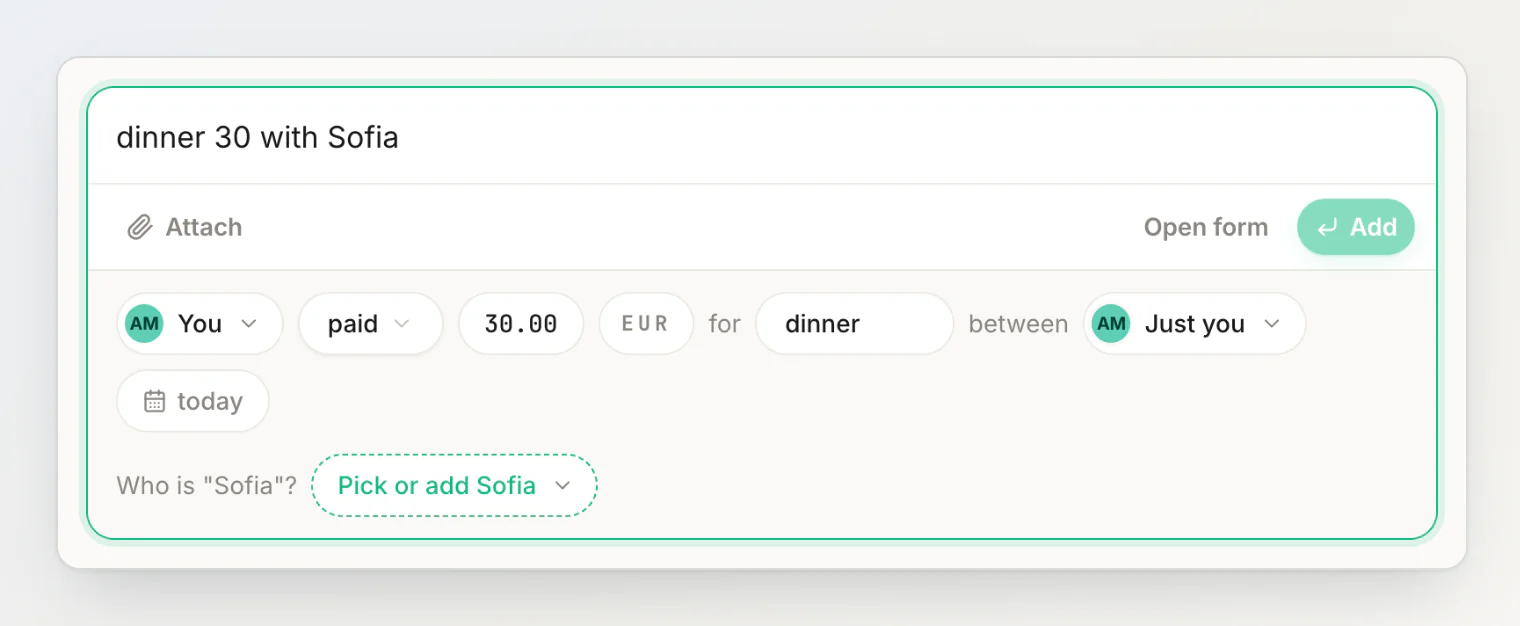
If you edit the sentence after reading it, the review dims and says You changed the sentence — read it again. Press Read it again, or Esc to put the review away.
Money handed over, not shared
A transfer is money moving from one person to another — paying someone back, lending, a friend covering your cinema ticket. Write it the way it happened and the review shows gave instead of paid:
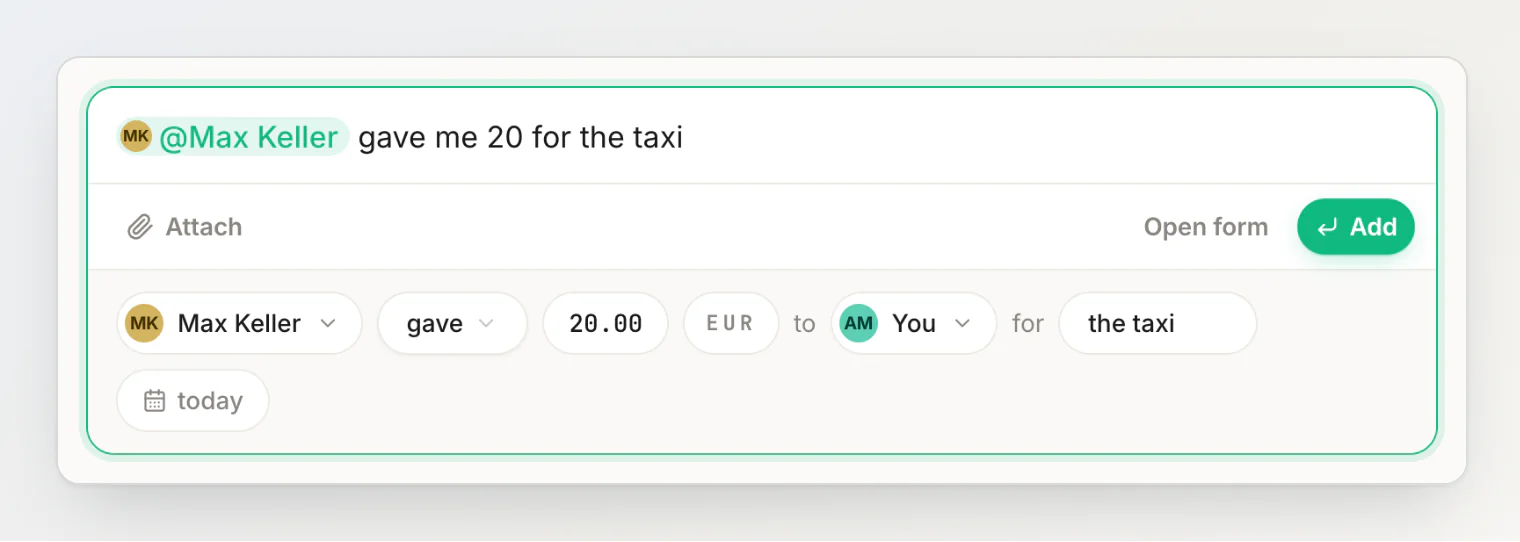
Transfers never split; the whole amount moves, and the balance between the two of you moves with it.
Receipts: a photo becomes line items
Attach a photo of the receipt with the paperclip, Attach a photo or file (or paste or drop it into the field). By default any file is simply kept with the transaction as proof. To have it read, tap Bill on the file, then press Read:
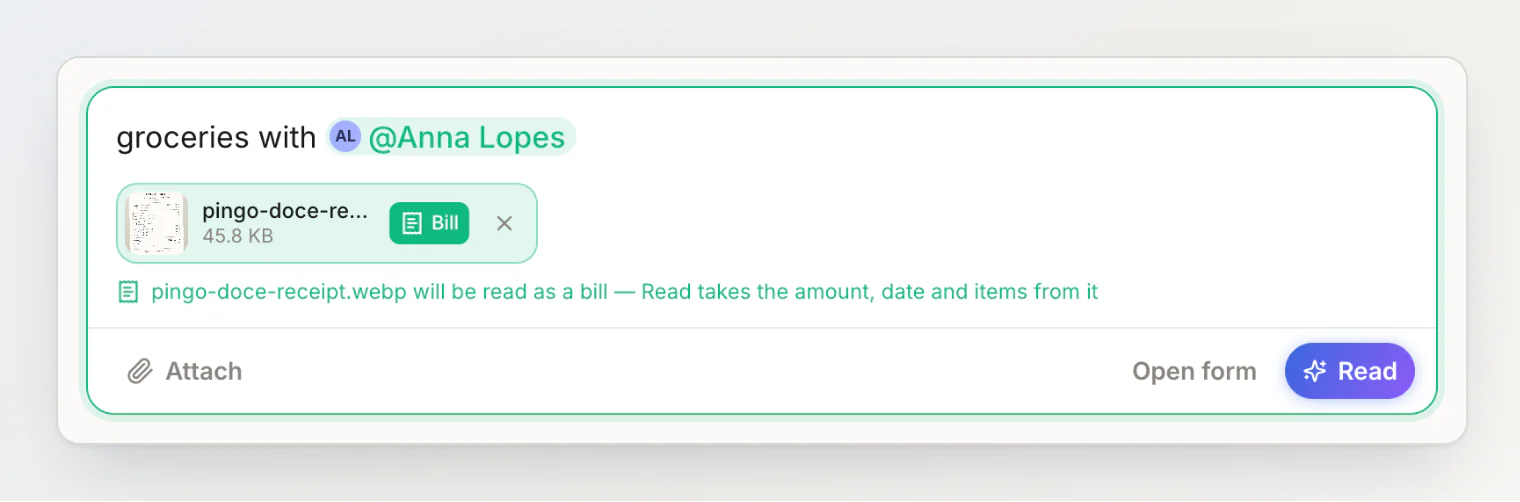
The receipt and the sentence are read together. The receipt supplies the total, the date and every line; your sentence supplies the people and the title:
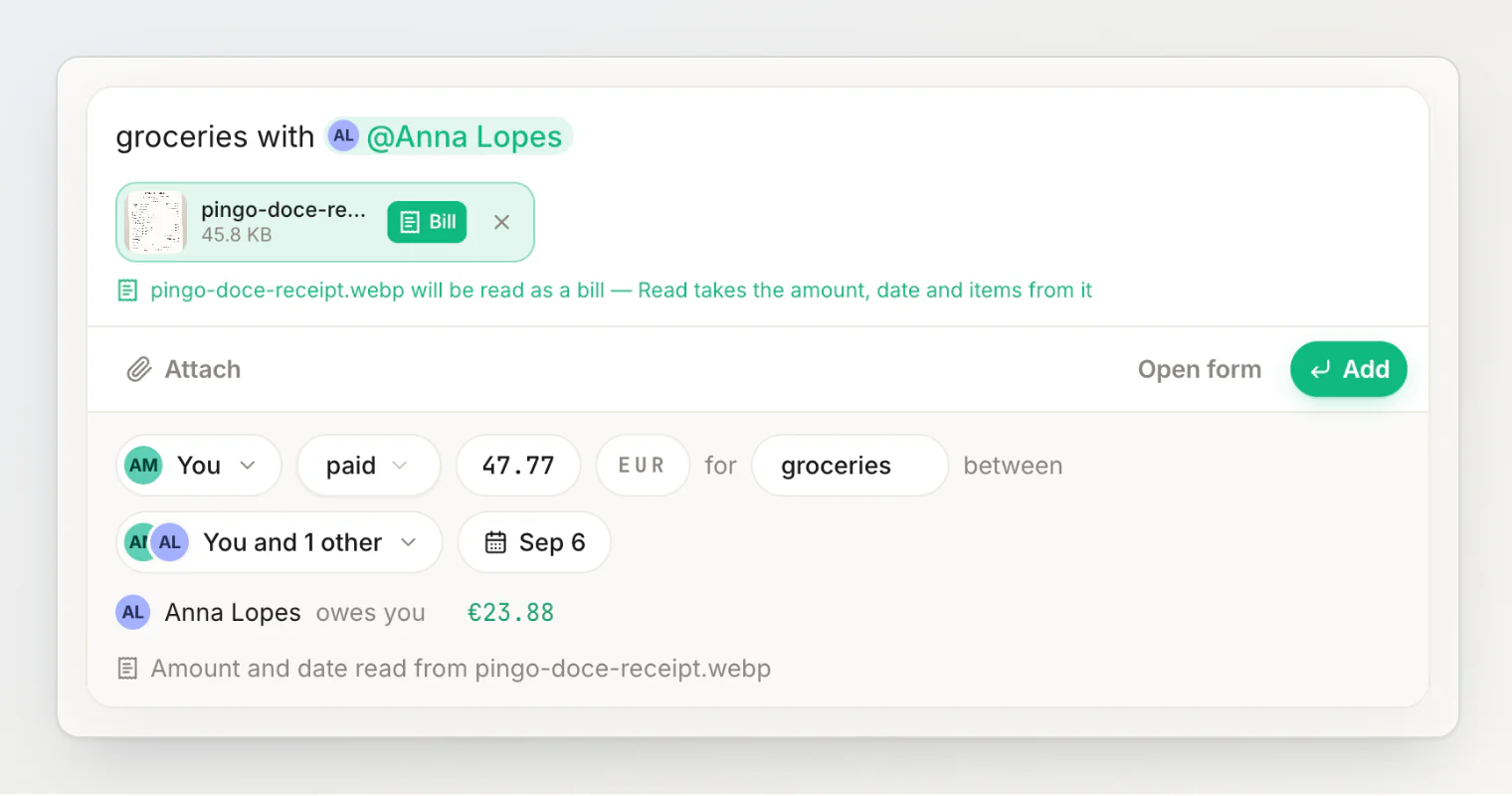
The transaction is saved with its line items when you press Add, so you can later itemize the bill line by line and give each person exactly what they had.
Currencies without conversion
Write the currency however you say it — €, EUR, euro, lei, zł, bucks. Words several countries share follow your own currency when they can, so lei is Moldovan lei for a Moldovan account and Romanian lei for a Romanian one. The currency is its own chip in the review if you need to change it:
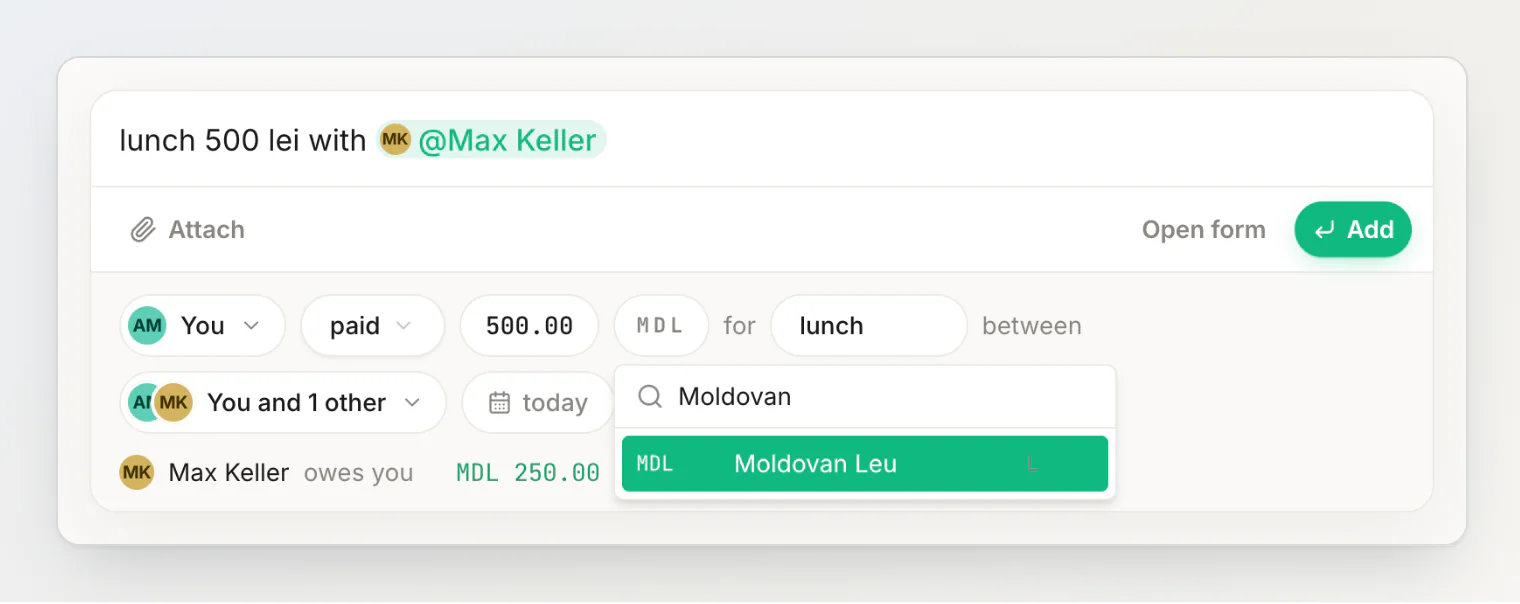
HiBill keeps every currency separate and never converts. Here's why.
What AI sees, and what it costs
Each Read sends the sentence text, today's date, your default currency and the names of your contacts and groups to the model — not your balances or history. A marked bill also sends the photo. See your data and privacy.
Each Read uses one AI sentence read, and a marked bill uses one receipt scan:
Free | Pro | |
|---|---|---|
AI sentence reads per month | 50 | 1,000 |
Receipt scans per month | 5 | 100 |
Transactions through the form | Unlimited | Unlimited |
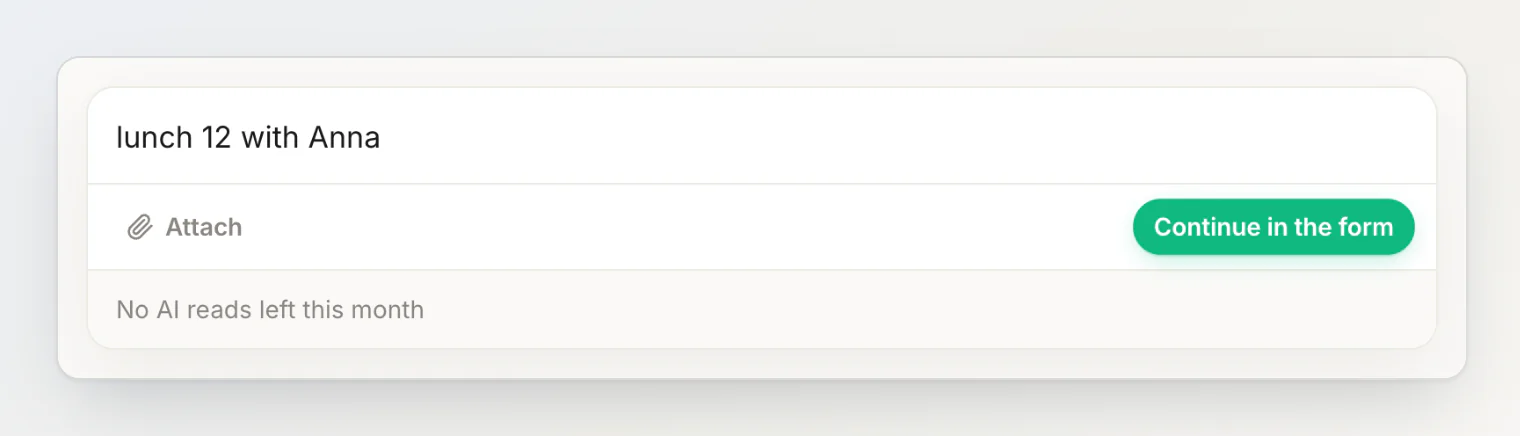
When the month's reads run out, the field says so and offers Open the form, with your sentence as the title.
When to skip the sentence
The sentence is for the everyday case: one payer, an even split, a handful of people. Anything more is set in the review, chip by chip, after the read:
people owe different amounts or percentages;
several people paid;
you want to split by items that aren't on a receipt.
To skip AI altogether, press the sliders button next to Read, Fill in the form yourself: it opens the same review empty, to fill in by hand, and uses no AI reads.
FAQ
Do I have to use @ before names? No. Type names as you would say them; AI matches them to your contacts. The suggestion list and @ are there when you want to be precise.
Which languages does it understand?
Any language you write in, and you can mix them. Names are matched against your contacts as they are spelled there, so anna finds Anna Lopes while ana asks who you mean.
Is anything saved before I press Add? No. Reading only fills in the review. The transaction exists once you press Add, and the toast after saving offers Undo.
What if AI reads it wrong? Tap the chip that is wrong and change it. See fixing what AI read.
Can I still add expenses without AI? Yes. Fill in the form yourself, the sliders button next to Read, opens the review empty to fill in by hand, and it has no monthly limit.
Continue reading
How HiBill Works: A Quiet Ledger for the Money Between Friends — how the sentence field fits into the rest: people, balances, groups and settling up.
How to Split a Bill in Seconds: 20 Sentences HiBill Understands — more sentences to copy, and what the review shows for each.
How to split a restaurant bill by item without tapping through a list — say who had what, and a scanned receipt divides itself line by line.