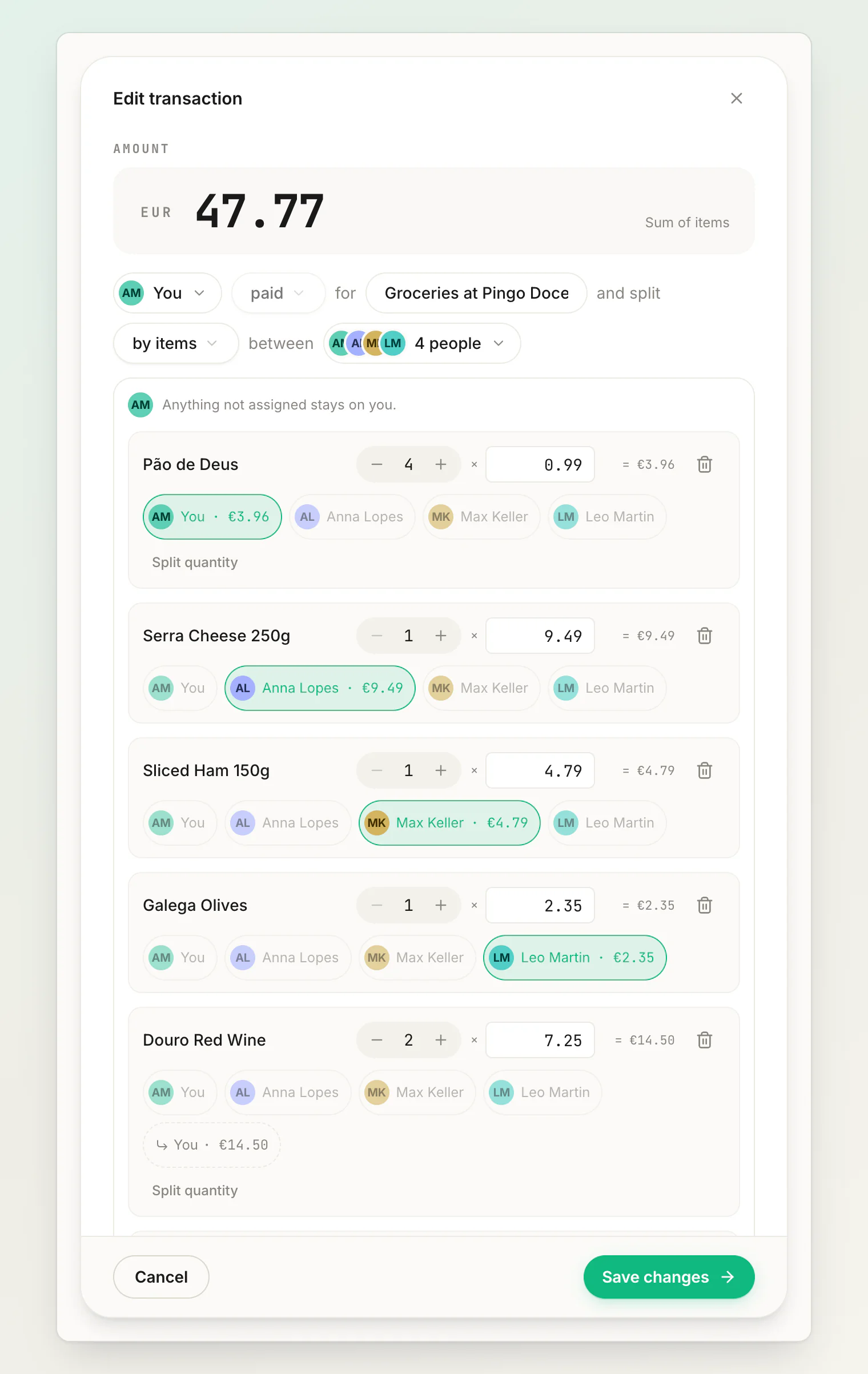
When people had genuinely different things, an equal split is unfair and guessing at custom amounts is tedious. Splitting by items assigns each line of the receipt to whoever had it.
Say what you had
The quickest way to assign a whole bill is to describe it. Attach the receipt, mark it as a Bill, and put who had what in the same sentence:
dinner with Anna Lopes, I had 2 beers and the salad, Anna had the pizza, we split the wine
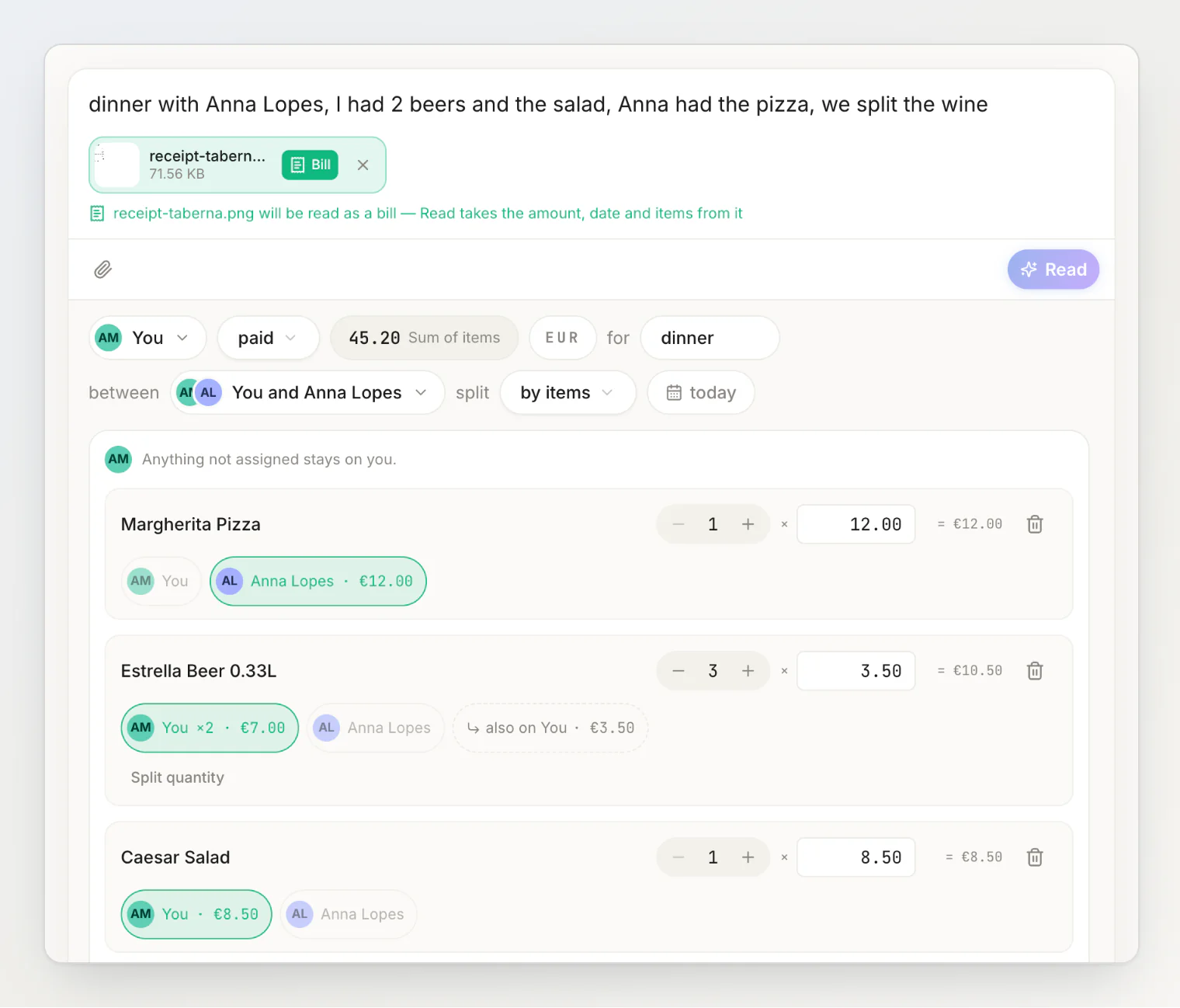
The scan reads the lines and their prices; the sentence says who had them. The review arrives with the split already set to by items, and nothing is saved until you press Add — every chip is still yours to move.
This only runs when the scanned bill has line items and more than one person is on the transaction, and it costs one of your monthly AI reads. Anything the sentence does not mention stays with whoever paid, so you can describe half the table and correct the rest by hand.
Assigning by hand
You can also start by scanning the receipt: attach the photo in the sentence field, mark it as a Bill, press Read, then Add. The transaction is saved with its line items already in it, so you press Edit and go straight to assigning them instead of typing a dozen products.
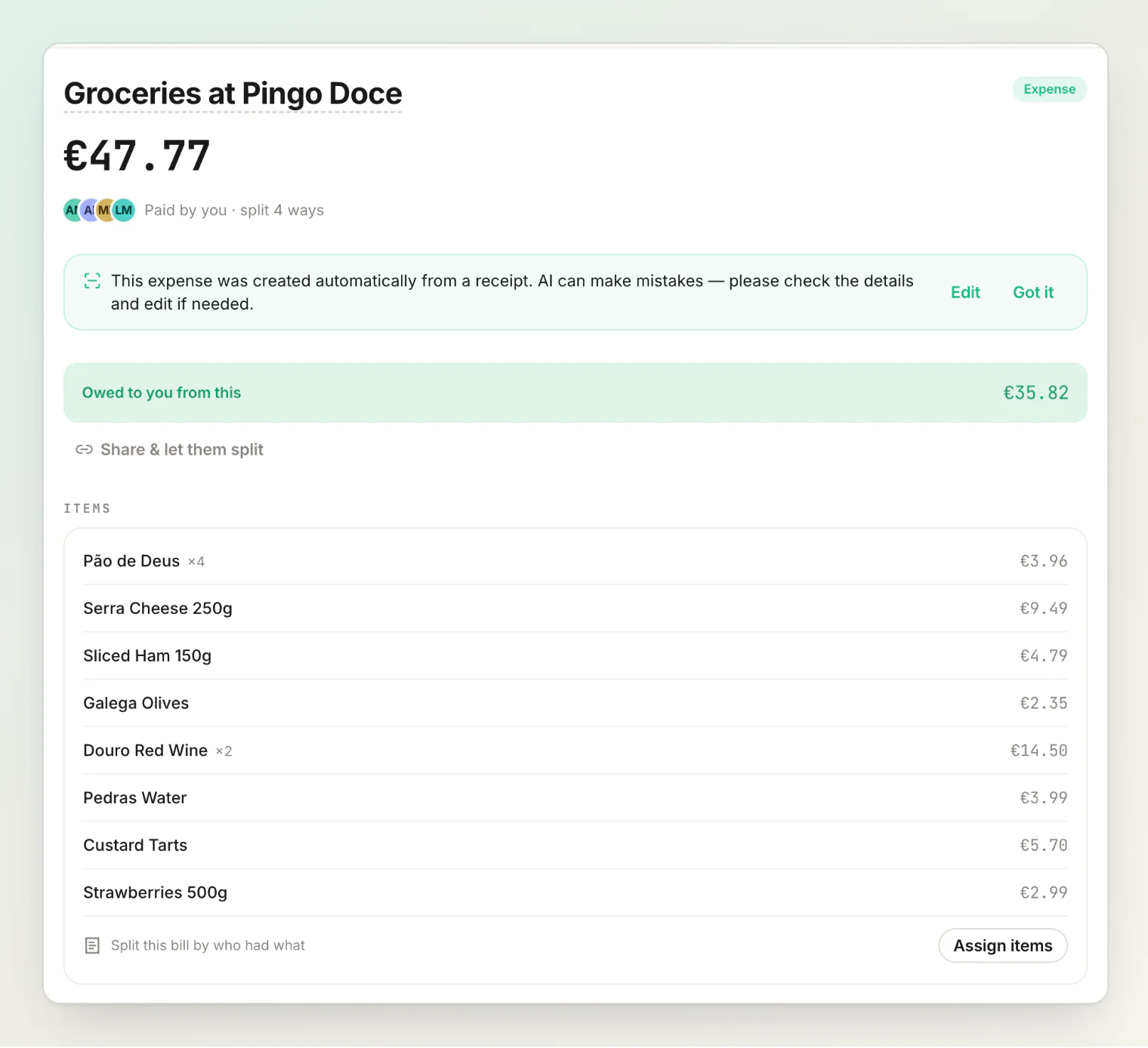
You can also add items by hand if you have no photo, or if the receipt did not itemize.
Assigning items
Each item has a quantity, and people claim against it. Two coffees on one line means two claims available — one each for two people.
Claims cannot exceed what is on the line. If an item has a quantity of two, three people cannot each claim a whole one; HiBill will tell you the item is over-assigned.
For the split to save, the items must add up to the bill total. They don't all have to be claimed: anything nobody is given stays with whoever paid.
Sharing one item between people
A bottle of wine between three, a shared starter — you do not need whole units. An item can be split into exact fractions: mark three people on the line and they split it evenly, a third each.
This is the main advantage over typing amounts: you describe who had what, and the arithmetic follows. No mental division at the table.
Tax, tip and service
These are not line items you assign, and this is the part worth knowing.
A bill carries tax, tip, service fee and discount as separate shared costs, and each one is split in proportion to each person's items: whoever ordered more pays more of the service.
So you do not need to invent a "service charge" row and hand it to everybody. Put the amount in the right field and it spreads itself.
Watch for a service charge the scan read as a product — that is the most common thing to correct after a scan, and it belongs in the service field instead.
When itemizing is the wrong tool
Big groups. Assigning forty lines across nine people is slower than letting everyone claim. Share the bill as an open split and let people answer for themselves — they can still claim by item that way, they just do it themselves.
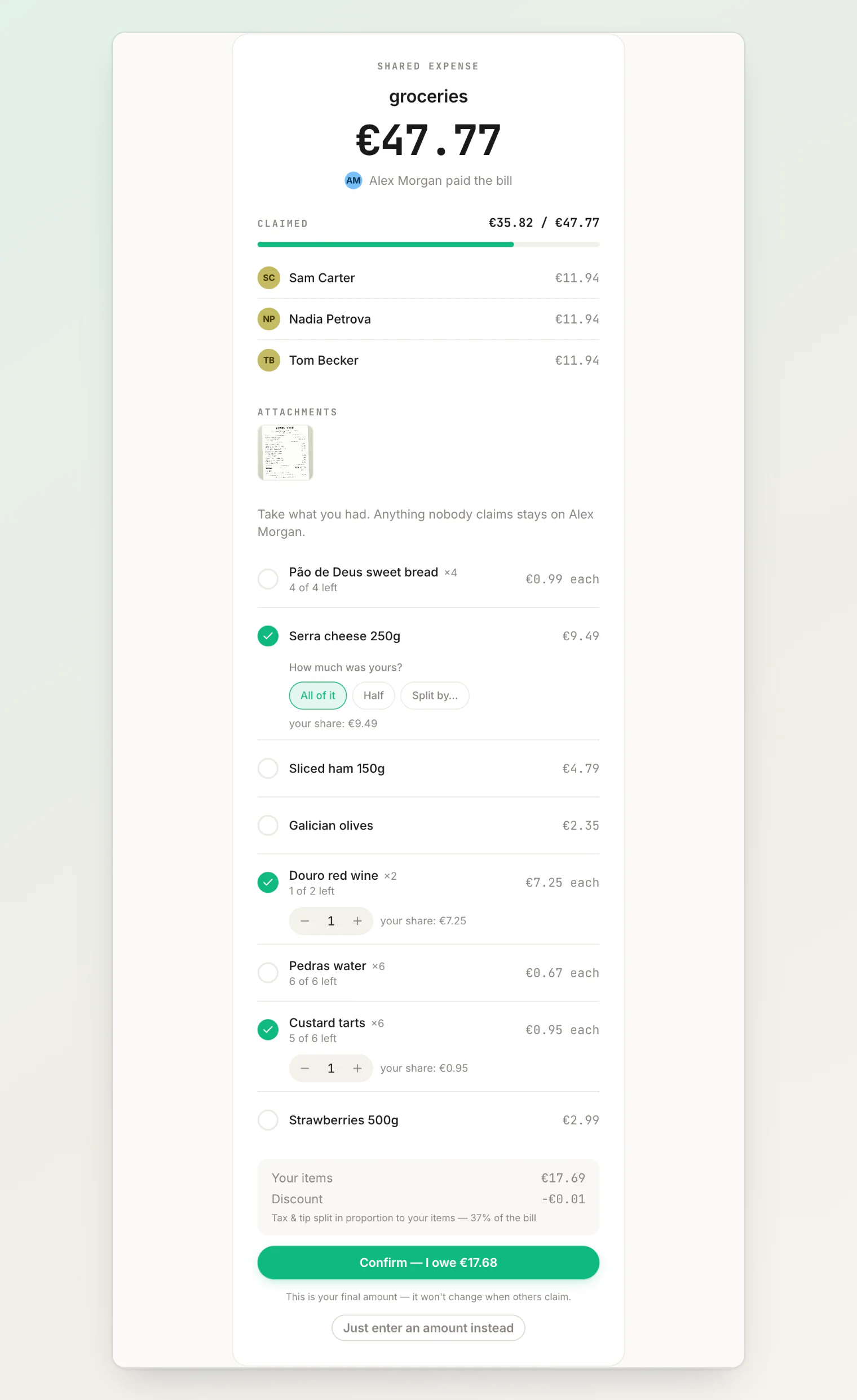
Similar orders. If everyone had roughly the same, split equally. Itemizing a €40 bill to save someone €1.50 is not a good use of your evening.
Itemizing is at its best with two to four people and a receipt with a wide spread — one person had steak, one had soup.
Changing it afterwards
You can reopen the transaction and reassign items. Balances recalculate, and everyone involved sees the change. See editing and deleting transactions.
Continue reading
Scanning receipts — get the line items off the paper without typing them.
Using open splits — for a big table, let everyone claim their own items.
How to split a restaurant bill by item without tapping through a list — split a whole restaurant bill by saying who had what.