When you press Read, AI turns your sentence into a review under the field: a row of chips and the balances it will change. Nothing is saved until you press Add, so every misread can be fixed right there. Here are the usual ones, and the quickest fix for each.
Change any chip
Every chip in the review is a control. Tap it to change it:
Who paid (You) — hand the payment to someone else.
paid or gave — switch between a shared cost and money handed over.
The amount — opens a calculator that does the math:
120+45, or300/3for a third of a bill. An amount over the limit says That amount is too large.The currency (EUR) — opens a searchable list. The amount stays as it is; HiBill never converts it.
for and the title — rename what it was for.
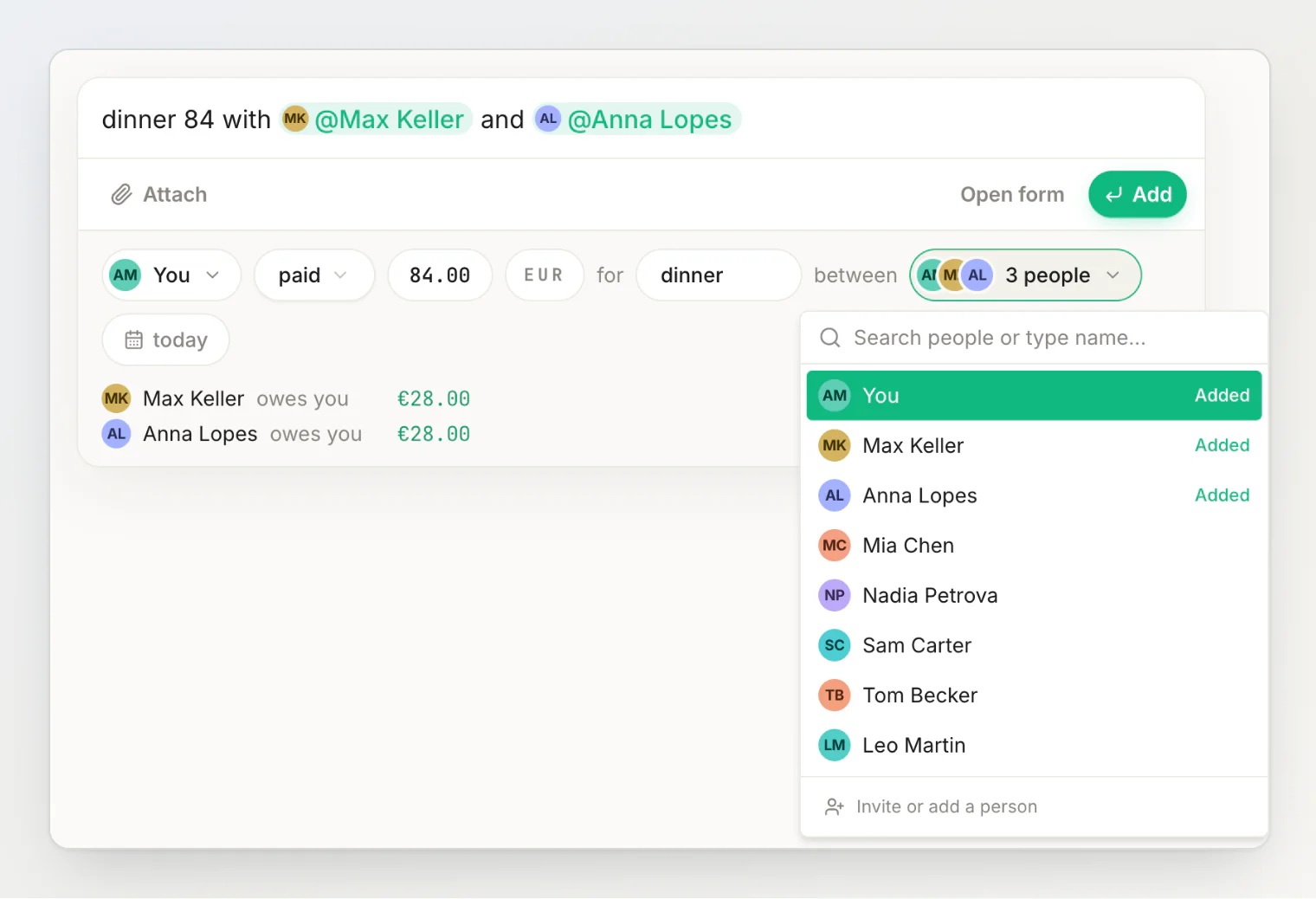
between — opens the people picker, to add someone, take someone off, or Invite or add a person.
The day (today, Sep 15) — pick another date.
The balance rows under the chips follow every change, so you can see what Add will do before you press it.
The currency is wrong
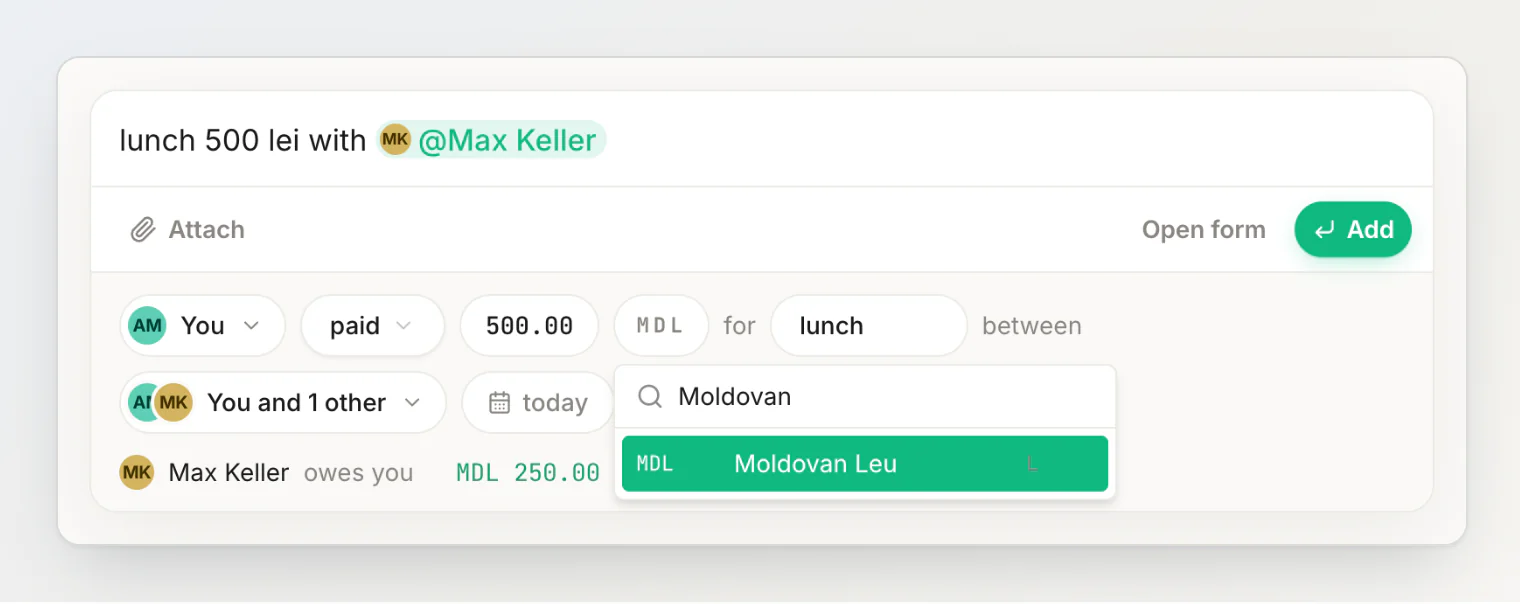
A number on its own is in your default currency. A currency word several countries share — $, lei, kr — follows your own currency when it is one of them; otherwise it's read as USD, MDL or SEK. If that's not the one you meant, tap the currency chip and pick another.
A name it didn't know
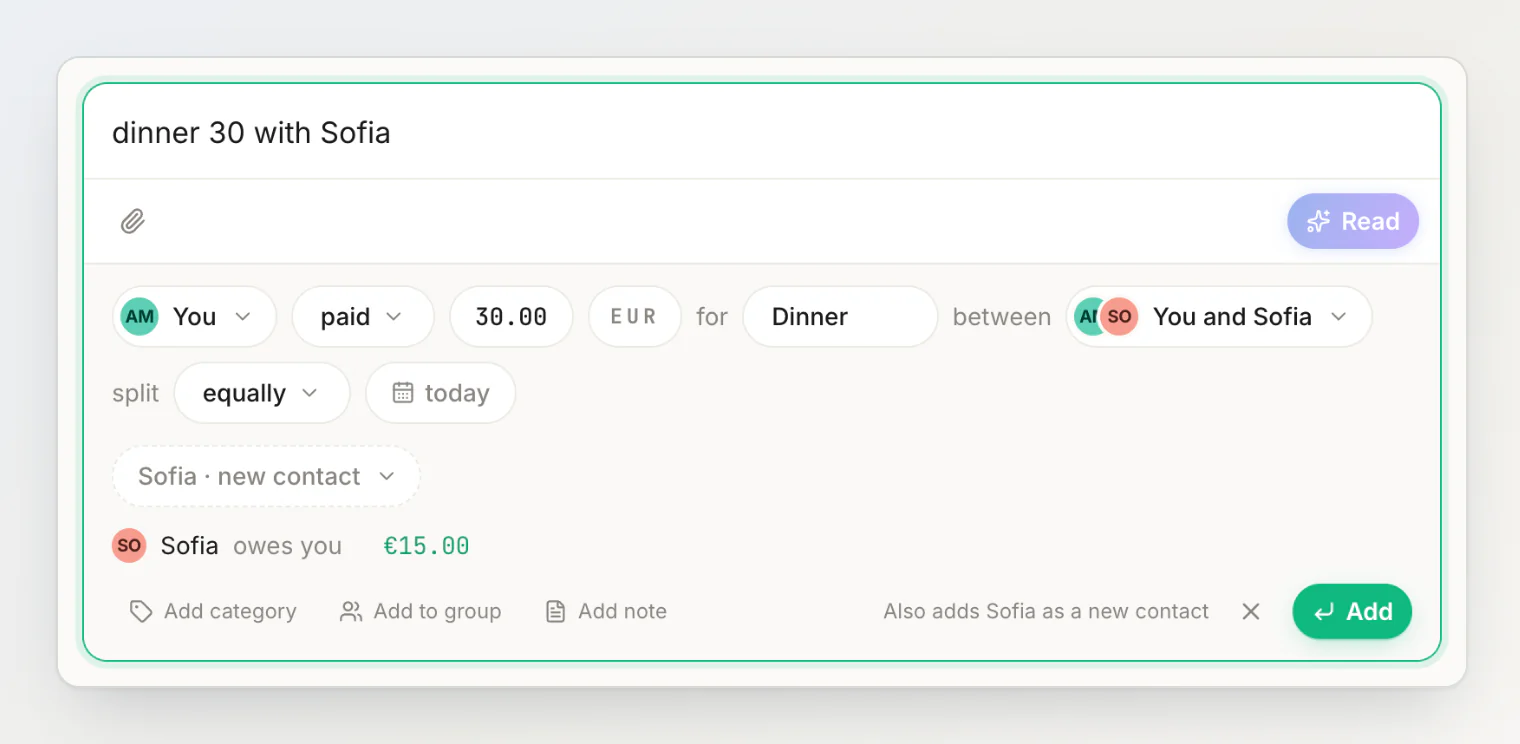
AI matches the names in your sentence to your contacts. A name that matches none of them shows up in the review as a person, with their share, and under the chips as Sofia · new contact. The line next to Add says Also adds Sofia as a new contact. If Sofia is already a contact under another name, tap her chip and pick her.
Check the spelling before you press Add: ana becomes a new contact called Ana even when you have Anna Lopes. To pin the contact, pick the name from the suggestions as you type: after three letters HiBill offers the contacts it fits, and ↑/↓ and Enter, or Tab, turns the name into a pill.
When the name could be a contact you already have, like Kolya for Nikolai Petrov, or might not be a person, the review asks first: Who is "Kolya"?, with a Pick or add Kolya picker that lists the contacts it may be at the top. Add waits for the answer.
If the name isn't a person at all, say a café that AI took for one, tap Not a person next to the picker and the question goes away. The button is there only for names in the split: whoever paid or got the money has to be a person. If a name that isn't a person shows as Bella · new contact instead, tap between and take it off: Add then doesn't create it.
No amount
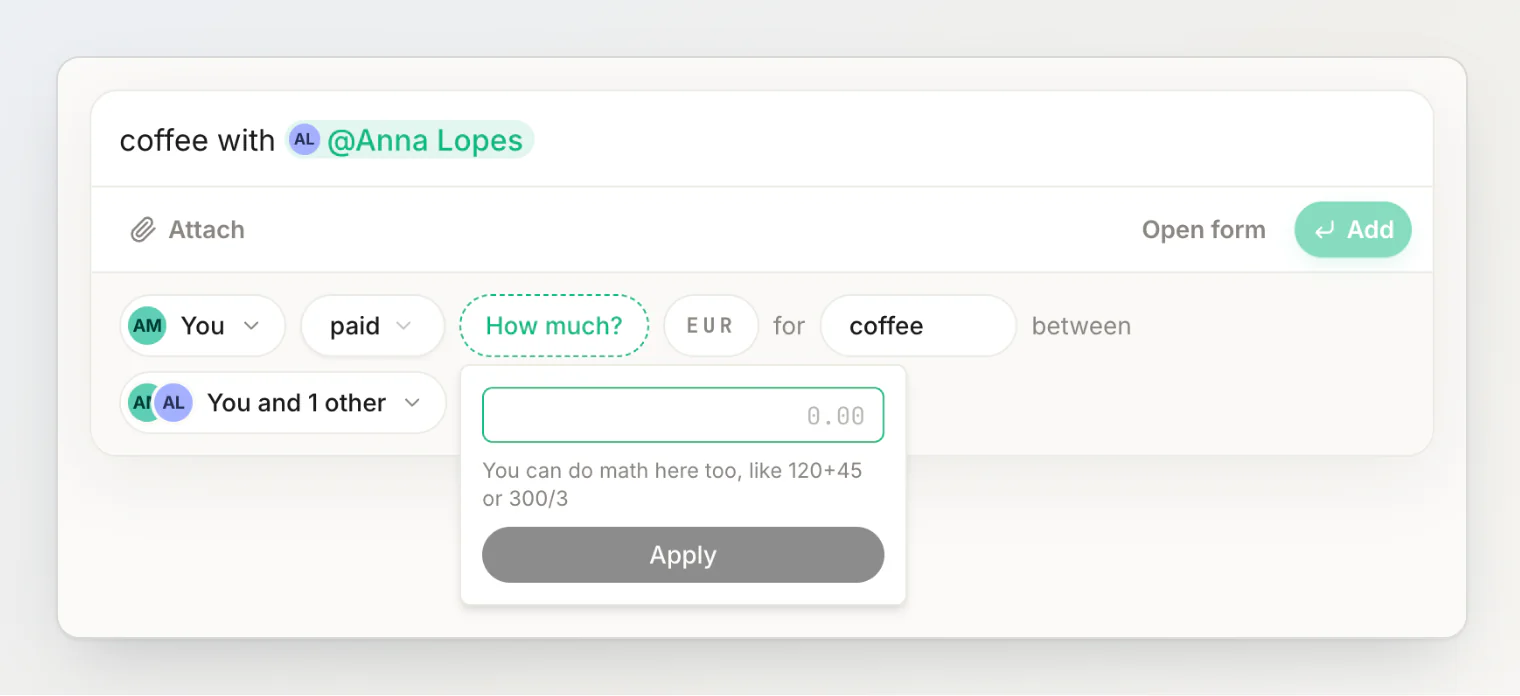
AI never invents a price. When the sentence has no amount, the amount chip reads How much? and its calculator opens. Type the amount; Add stays disabled until you do.
The wrong kind of transaction
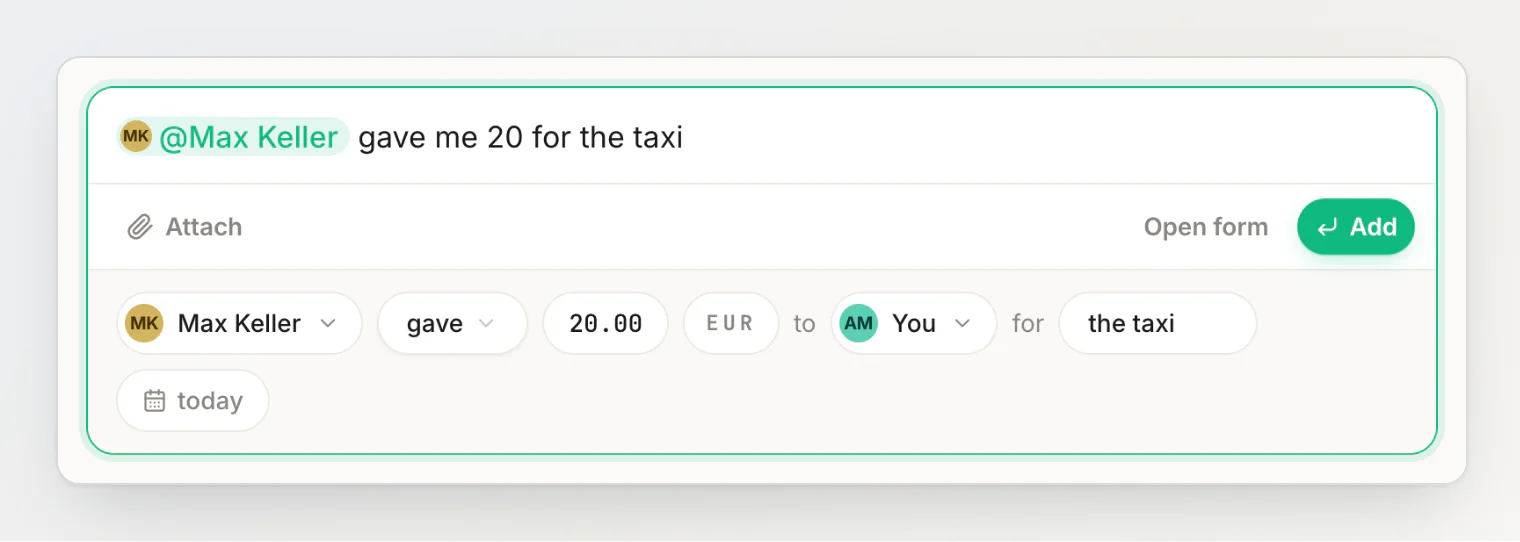
Money someone handed you is a transfer, not a shared cost. Max gave me 20 reads as Max Keller gave €20.00 to You. If a sentence was read as a shared cost when money only changed hands — or the other way round — tap paid or gave to switch it.
More in expenses and transfers.
Only the first cost or transfer was read
A review holds one transaction. taxi 15 and dinner 60 is read as the taxi, and a note with a sparkle, under the balance rows, says to add the dinner separately. gave Anna and Sam 20 each becomes the transfer to Anna, and the note says to add Sam's. Press Add, then type the rest as a new sentence.
You edited the sentence
You can also fix the sentence itself. Once you change it after a read, the review dims and says You changed the sentence — read it again to update this, and the button becomes Read it again. Press it for a fresh review; each read of a changed sentence uses one of your monthly AI reads. If you only tapped Bill on a photo since the last read, the sentence isn't read again: the receipt uses a scan, and if it lists items and more than one person shares the bill, working out who had what uses one AI read. Esc closes the review.
The split or the payers came out wrong
To change how the cost is divided, tap the split chip and pick equally, by amount, by percentage or by items. For several payers, tap who paid and choose Split between multiple payers. If AI read several payers and one person paid, press × on Multiple payers; to fix who paid what, change the amounts in the payers list under the chips.
A split the sentence set follows the amount: dinner 90 with Anna and Max, Anna pays double gives Anna €45, and you and Max €22.50 each. Change the amount to 120, and Anna's share becomes €60. Adding or taking off a person reworks the shares the same way. Once you change the split or the payers yourself, they stay as you set them, until Read it again puts back what the sentence says.
Still not right
If the read fails, a toast says AI couldn't read that with the reason, Read turns into Try again, and the line under the field says AI couldn't read that — try again, or use the form. To skip AI, Fill in the form yourself — the sliders button next to Read, there while no review is on screen — opens the form. With no AI reads left this month, Read is disabled for a new or changed sentence, and the line under the field offers Open the form, plus Get Pro; the form opens with your sentence as the title.
Already saved?
Right after Add, the Transaction saved toast offers Undo. Later, open the transaction and change it there — see reading and editing transaction details and editing and deleting transactions.
Everything the field understands is in adding a transaction by typing a sentence.
Continue reading
Choosing a split method — set the split by hand: equally, by amount, by percentage or by items.
Editing and deleting transactions — change or remove a transaction after you have added it.
Expenses and transfers: the two kinds of transaction — when it is a shared cost and when money only changed hands.