Photograph a receipt, get a filled-in transaction. It is the single most requested feature in every expense app, and it sounds like a solved problem — the models are good now, you just point one at the image.
Then you look at actual receipts.
Receipts are a hostile format
There is no standard. A receipt is whatever the shop's printer decided to emit, and the variety is remarkable:
The total is not the largest number. It competes with the cash tendered, the change given, the loyalty points balance, and last month's spend summary.
There are often several totals. Subtotal, total before tax, total after tax, total after discount, amount charged to card. Which one is "the bill"? The one the payer is out of pocket for — which is not always the one printed biggest.
Tax is sometimes included and sometimes added, and the receipt often does not say which.
Service charges hide. A 12% service line sits in the middle of the item list looking exactly like an item.
Line items wrap. A long product name breaks across two lines, and the price sits on the second one, orphaned.
Thermal paper fades, gets creased down the middle, and is usually photographed at an angle in bad restaurant lighting.
Each of these is individually solvable. The difficulty is that they arrive in combination, and a scan that gets four of five fields right is still a scan you have to check.
Extract structure, not just numbers
We settled on pulling out a specific, bounded set: title, total, currency, date, line items — and tax, tip and service fee as their own fields.
That last part is the design decision that mattered most, and it took us a while to get to.
The naive version treats a receipt as a flat list of lines and lets people claim them. But tax and service are not things anybody ordered. If they arrive as ordinary line items, somebody has to volunteer to claim "SERVICE 12%", which is both absurd and unfair — it lands on whoever is most agreeable rather than being spread across the table.
So they come out as shared costs instead, split across everyone in proportion to what each person had. Extracting them separately is what makes a fair split possible downstream. Get the parsing shape wrong and no amount of good splitting UI can recover.
The currency field is worth dwelling on too. Getting it from the receipt itself — the symbol, the tax nomenclature, the number formatting, the language — matters enormously for the case where scanning is most valuable, which is travelling. That is precisely when you are least likely to notice that a €48 dinner was logged as $48. So we read it off the document rather than assuming your account default.
Dates are the other quiet trap. 03/04/2026 is two different days depending on which country printed it. Regional format conventions and the receipt's own language are strong evidence, and we would rather use them than default to either convention.
Every scan is shown to you before it is saved
This is the design decision we are most confident about, and the one users occasionally push back on.
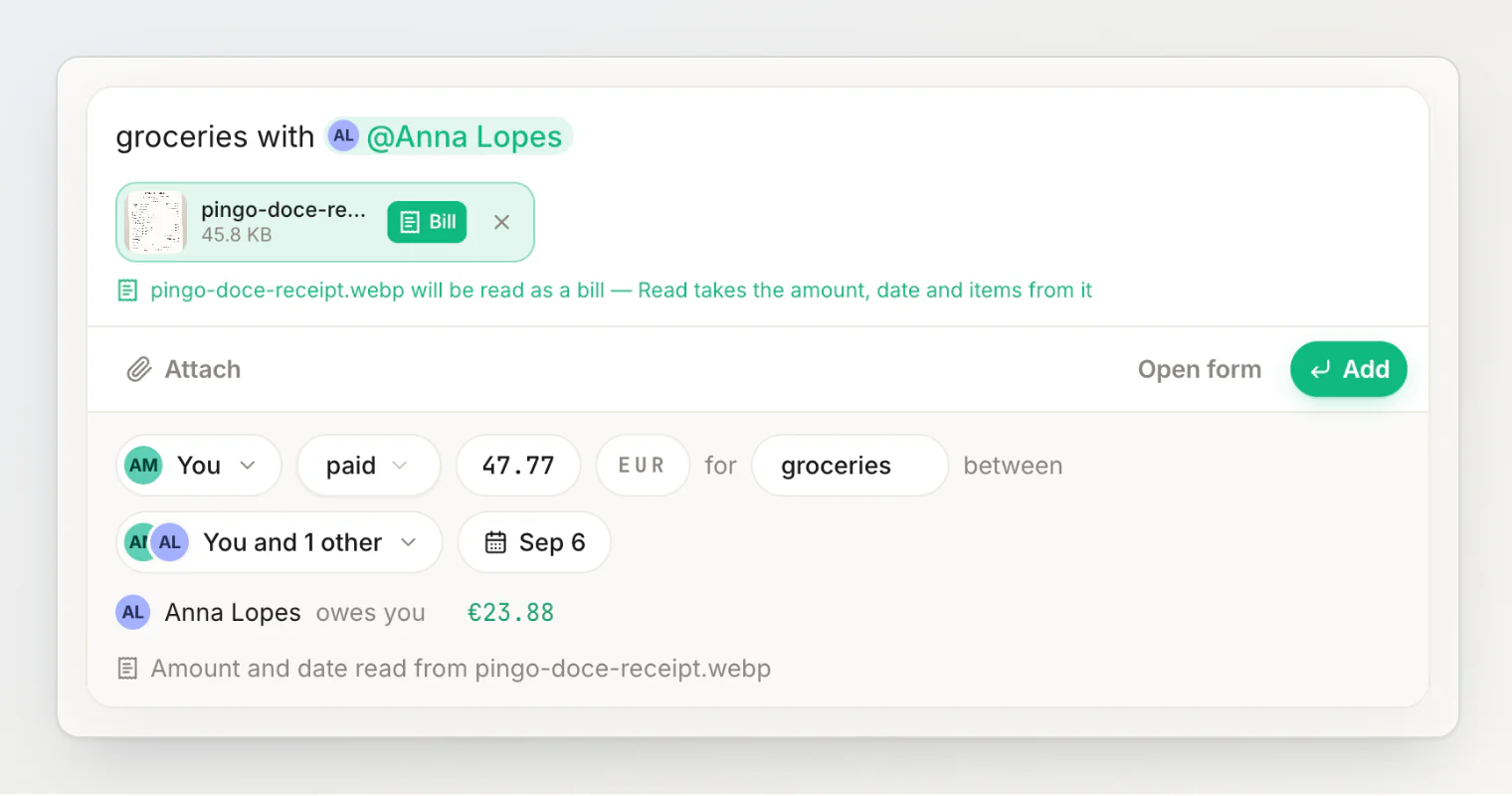
A scan never saves anything by itself. The receipt is read together with the sentence you typed next to it, when you press Read: the paper gives the total, the currency, the date and the line items, and the sentence gives the people and the title. The result lands in the same review as any other sentence — with a note saying Amount and date read from the photo — and nothing is saved until you press Add. Anything it misread is one tap on a chip away.
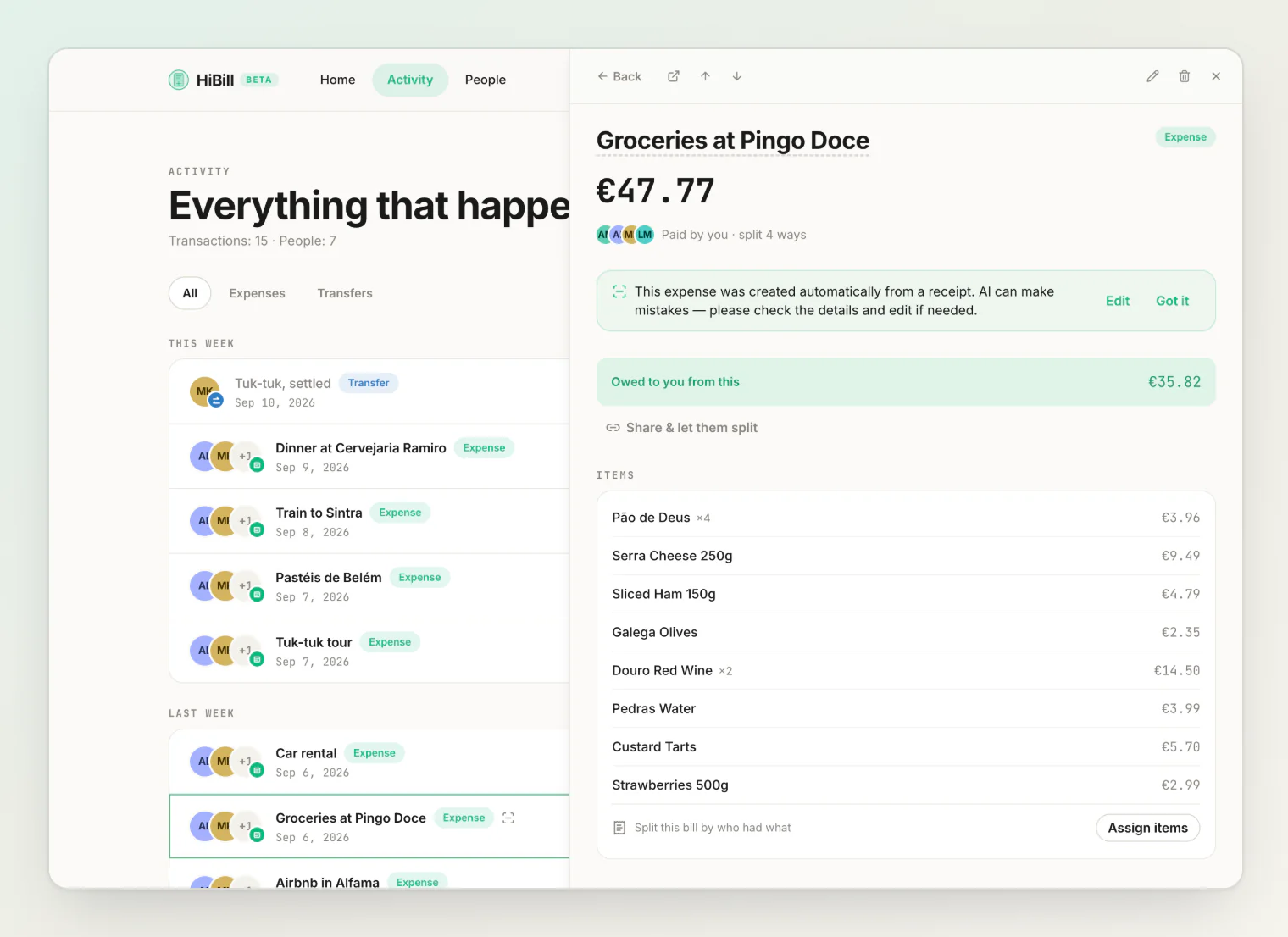
Once added, the transaction keeps the photo and the line items, and is marked as created from a receipt — like this earlier grocery run, open in the side panel:
What keeps the review honest is which number it shows. It is the one printed as the total — what the payer was actually charged — not a sum of lines the model might have misread. If the lines fall short of it, the gap becomes one Other line you can rename or delete; if they come to more, the difference becomes a discount. When no total is legible the item list stands in, and when neither is, the review asks How much? instead of guessing.
The reasoning: the cost of the two failure modes is wildly asymmetric. A scan you glance at and correct before saving costs you five seconds of mild annoyance. A wrong number that saved silently costs you a wrong balance with a friend that neither of you notices for a month — and by then nobody can reconstruct what really happened. That is why a scan never saves silently: it lands in front of you, and only Add saves it.
Ledgers are trust infrastructure. An expense app that is occasionally, invisibly wrong is worse than one that asks you to glance at things, because the whole value is that both people believe the number.
So the scan does the typing. The check stays with you. We think that is the correct division of labour even as the models keep improving, because the issue is not model accuracy — it is that you are the only one who knows whether the number on the paper is the number you actually care about.
Scans are metered
AI scanning has a real per-call cost, so it is quota'd rather than unlimited:
Plan | Scans per month |
|---|---|
Free | 5 |
Pro | 100 |
Five a month is deliberately enough to cover the cases where scanning genuinely wins — the long restaurant bill, the big supermarket run — without being a trial that expires. Typing in a €4 coffee is faster than photographing it anyway.
What it pairs with
The scan is most useful when it feeds something else. Two combinations we reach for:
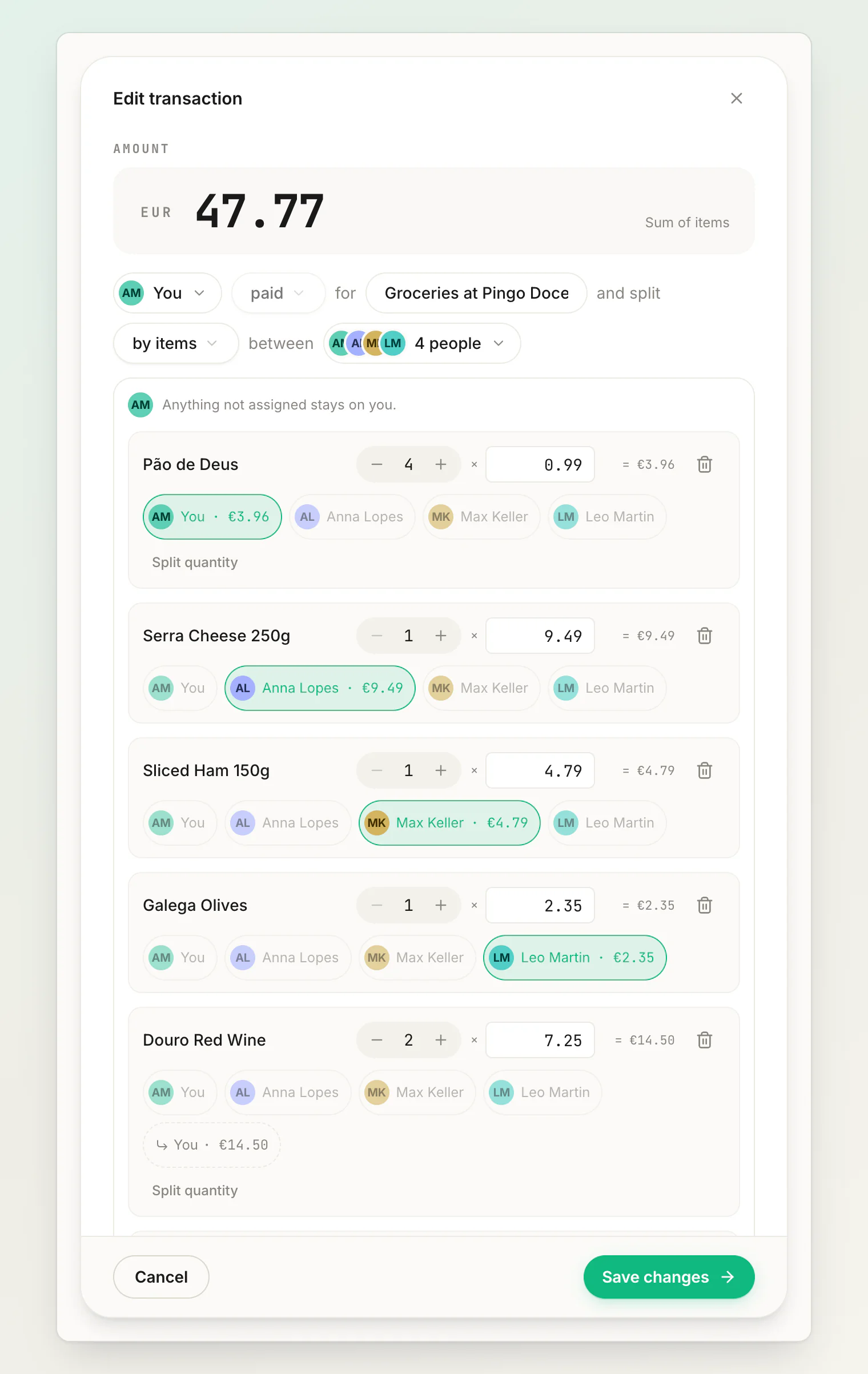
Scan then itemize. The line items come out of the receipt already separated, with quantities, so assigning them to people is a few taps. Good for small groups with a detailed bill.
Scan then share. Get an accurate total with no typing, then let everyone claim their own share. Good for large groups, where you do not want to be the person interpreting a receipt on behalf of nine others.
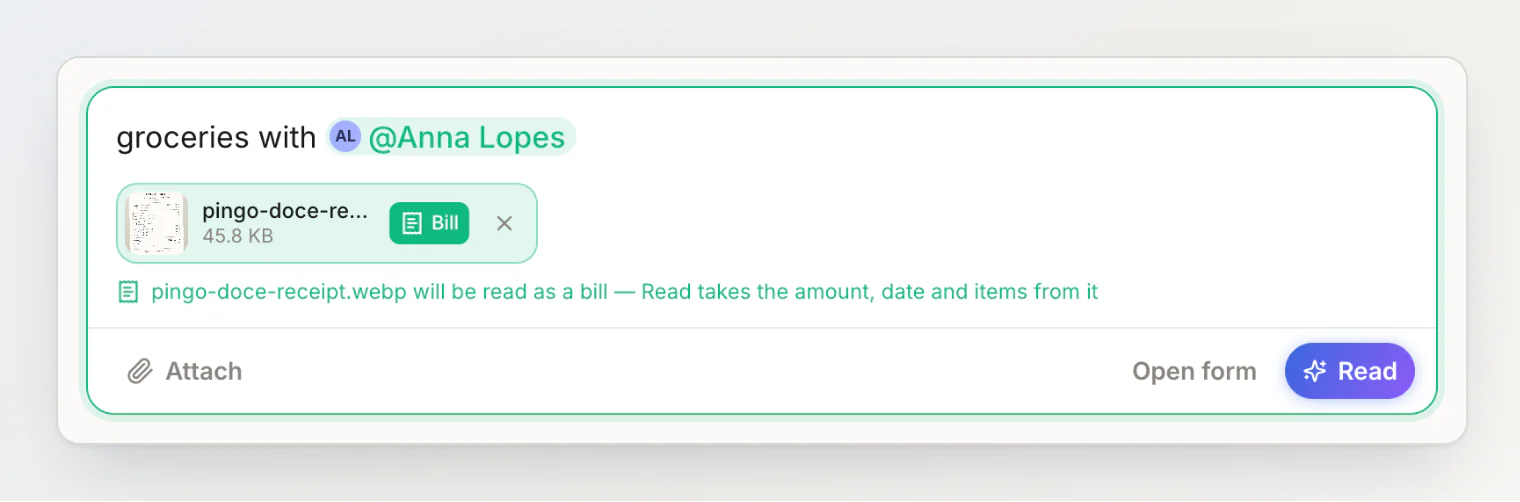
Receipt scanning is on every plan, including Free. It starts from the sentence field: attach the photo with the paperclip (Attach a photo or file), tap Bill on it, type who shared it, and press Read.
Continue reading
How HiBill Works: A Quiet Ledger for the Money Between Friends — the whole model in one read: people, balances and the two kinds of transaction.
How to split a restaurant bill by item without tapping through a list — scan then itemize in practice: say who had what instead of tapping lines.
Scanning receipts — the steps for attaching a receipt, reading it and checking the result.