Photograph a receipt and HiBill reads it, then shows what it read for you to check before anything is saved.
Starting a scan
Scans start from the sentence field. Add the photo with Attach (or paste or drop it into the field), then tap Bill on the file's chip. A hint confirms that Read will take the amount, date and items from it. Press Read.
If you pressed Read before tapping Bill, tap Bill now and press Read it again. HiBill keeps what it already read from your sentence and reads the receipt, which uses one of your monthly scans. If the receipt lists items and more than one person shares the bill, working out who had what uses one AI read too.
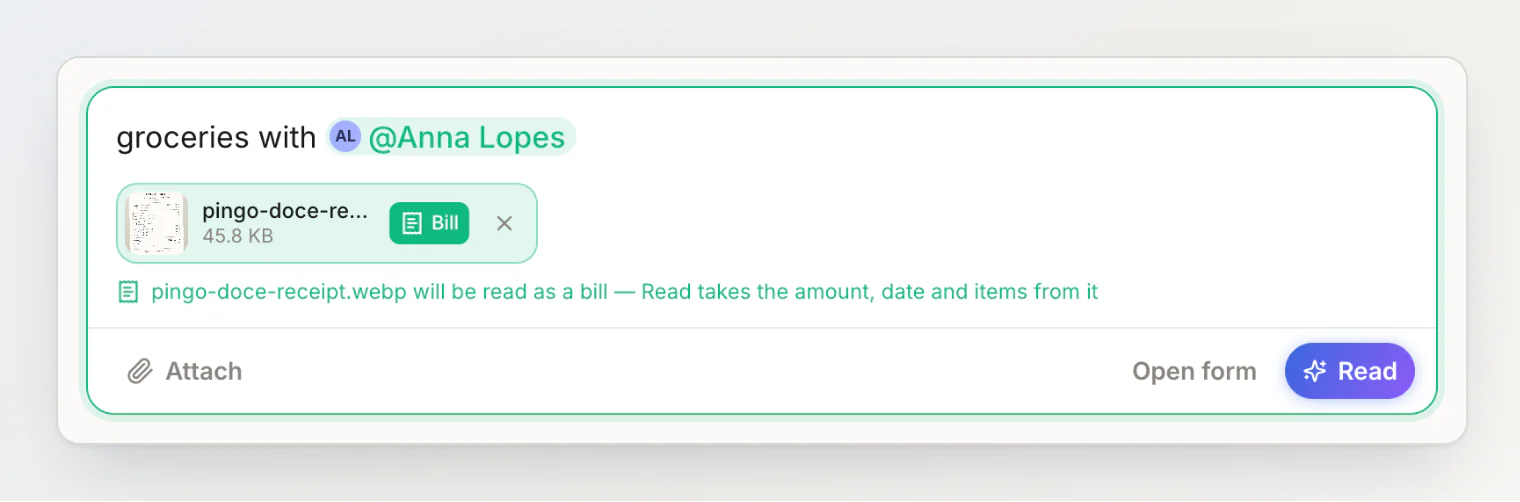
What you typed still counts. The receipt supplies the amount and the date; your sentence supplies the people, the title and the group. So a sentence naming who was there, plus a photo, gives a complete expense with its line items.
What it extracts
Title — a short name for the expense
Total — the amount actually charged
Currency — read from the receipt itself, not your account default. If none is printed, it falls back to the currency where you are, or the one you keep your books in
Date — from the receipt
Line items — individual products, quantities and prices
Tax, tip and service fee — pulled out separately, not mixed in with the items
Currency detection matters most when travelling, which is exactly when you are least likely to notice a €48 dinner logged as $48.
The title comes back in your app language (English, Russian, Spanish, French, Portuguese or German), even when the receipt is printed in another one. Item names stay as the receipt prints them, so each line matches the paper in your hand. The scanner is also told today's date, which helps it place a receipt that prints a short date or no year at all.
Tax and tip being separate matters too: they become shared costs that spread across everyone, rather than a mystery line somebody has to claim.
Check what it read
Read reads the sentence and the receipt together and shows the review under the field, with "Amount and date read from" and the file name. Nothing is saved yet — tap any chip to fix it.
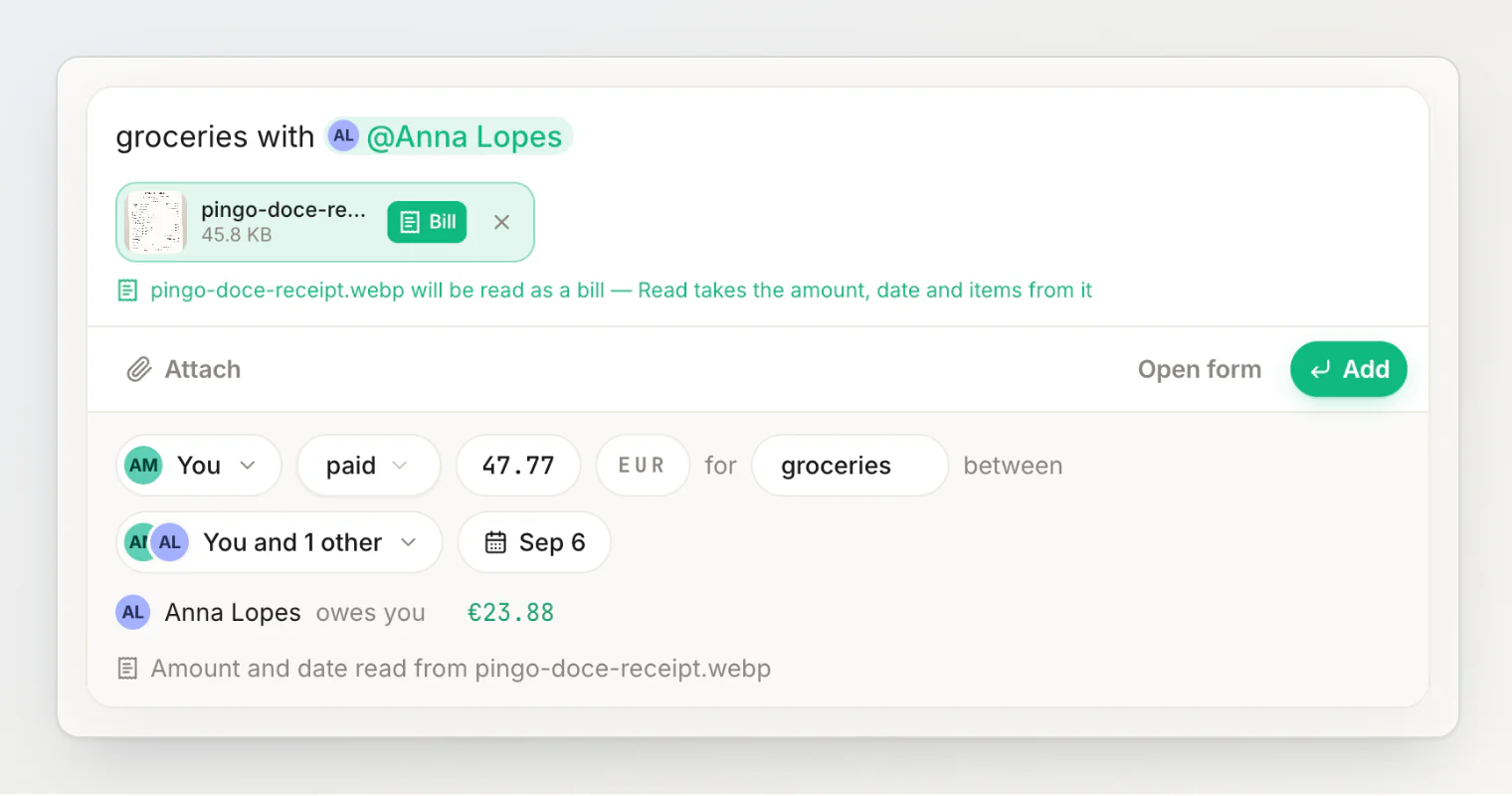
Press Add to save. The transaction is saved with the receipt's line items and marked as created from a receipt, with the scan icon. The split stays equal unless you change it. Everything on it can still be edited later — here is a different scanned bill, a Pingo Doce grocery run split four ways, open in the side panel:
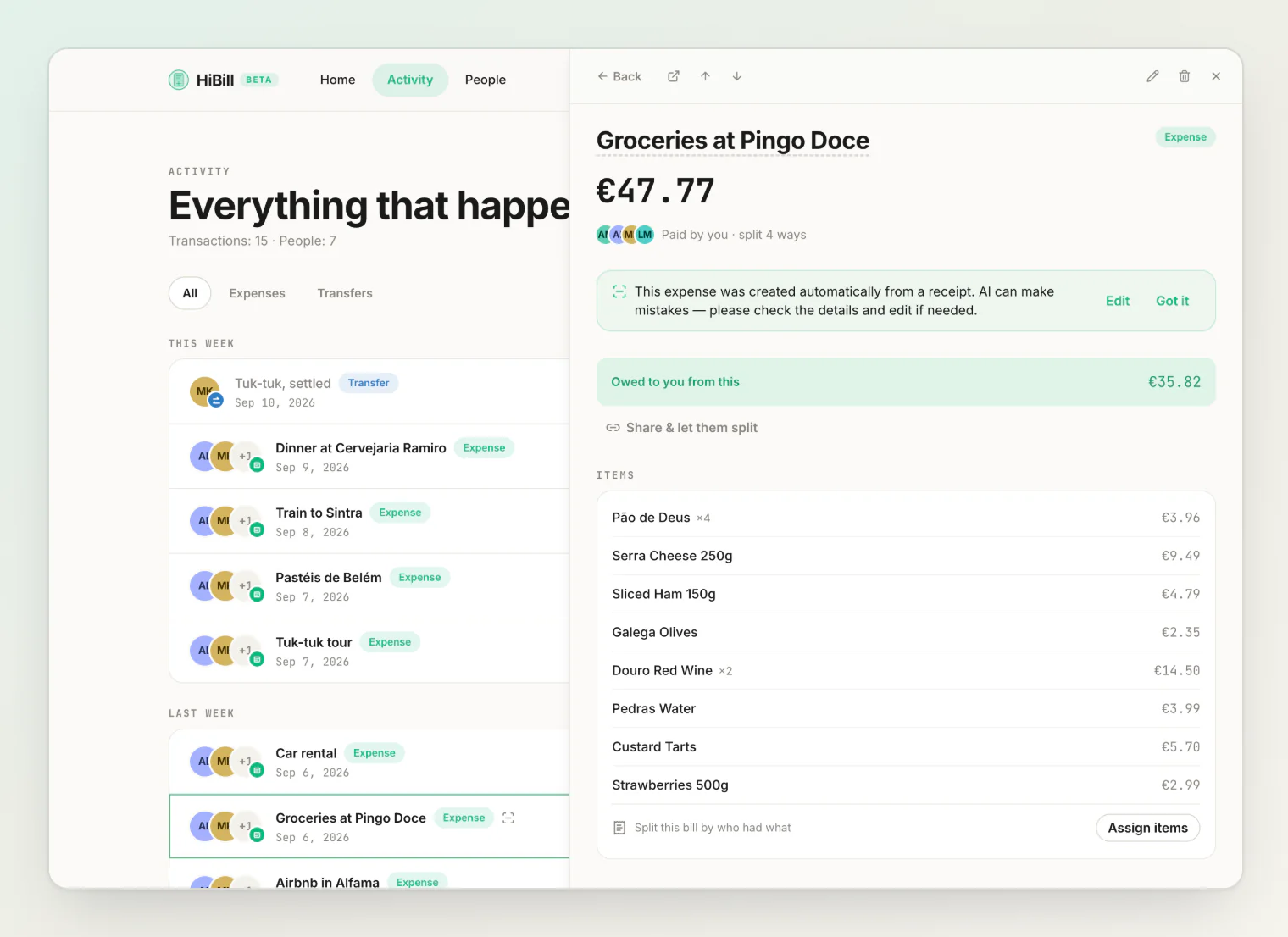
Take the ten seconds. A wrong number left unchecked becomes a wrong balance with a friend that nobody catches for a month, and you are the only one who knows whether the number on the paper is the number you care about.
Monthly limits
Scanning has a real per-scan cost, so it is metered:
Plan | Scans per month |
|---|---|
Free | 5 |
Pro | 100 |
Each receipt read as a bill uses one scan. With none left, the field says "No scans left this month" and the file is saved as a plain photo. The count resets at the start of each calendar month. Free tier's five is meant to cover the cases where scanning genuinely wins — the long restaurant bill, the big supermarket run. Typing in a coffee is faster than photographing it.
Getting a good scan
Receipts are a difficult format — faded thermal paper, creases, several competing totals. To help:
Flatten it. Creases across the total are the most common failure.
Get the whole receipt in frame, including the bottom where the total usually is.
Shoot straight down, not at an angle.
Decent light. Restaurant-table lighting is the usual culprit.
If it gets something wrong
Fix it in the review before you press Add — or later on the transaction, the title and date in place, the money through Edit. Common ones:
Wrong total. Receipts often print subtotal, total, and cash tendered near each other. Check the figure matches what was charged.
Ambiguous date.
03/04/2026is two different days depending on the country that printed it.A missed line item, particularly where a long product name wrapped onto two lines.
What to do next
Two combinations that work well:
Scan then itemize. Line items come out separated with their quantities, so assigning them to people is a few taps. Good for small groups with a detailed bill — see itemizing a bill.
Scan then share. Accurate total with no typing, then everyone claims their own share. Good for large groups — see open splits.
Attaching the photo
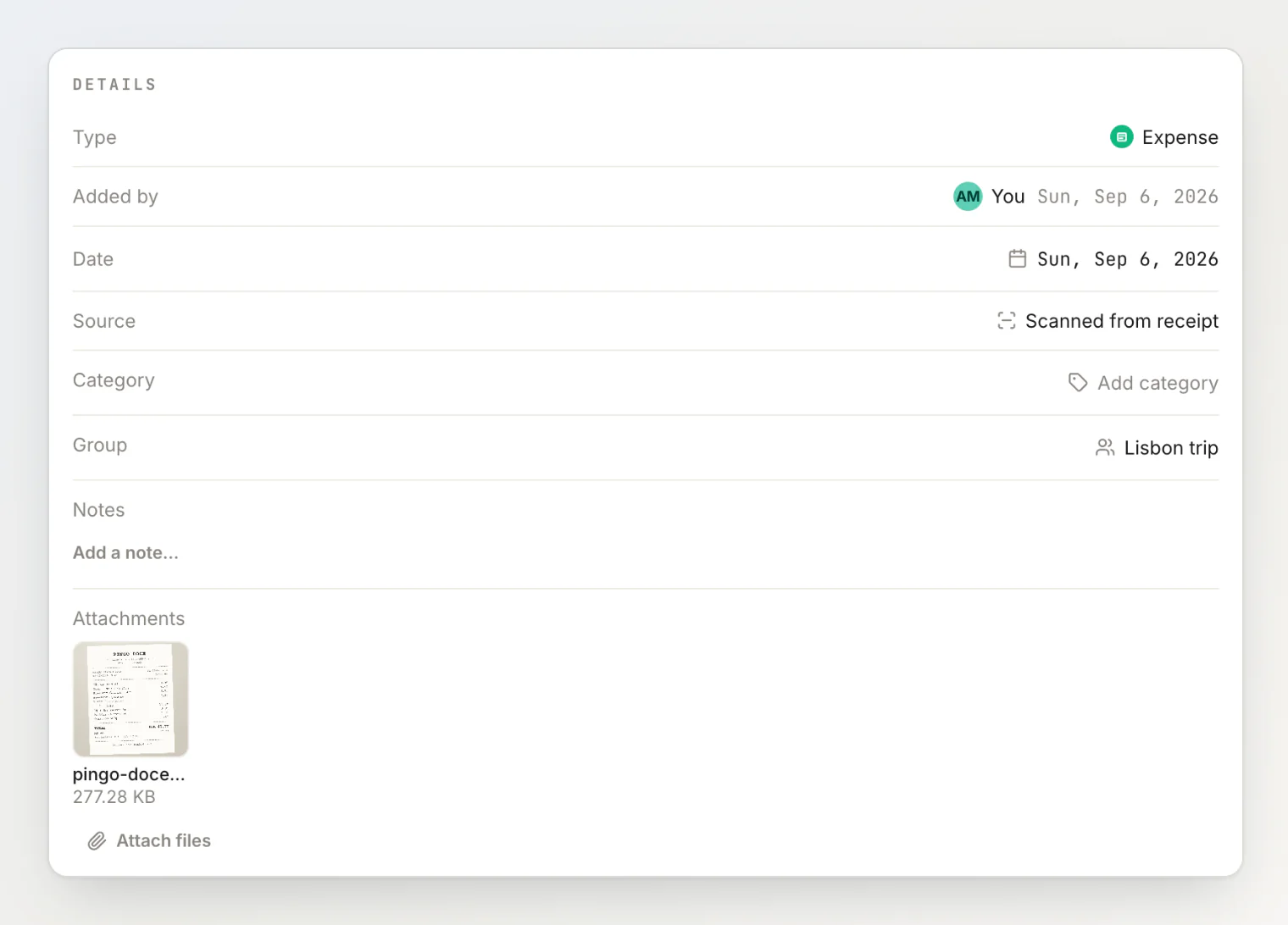
The receipt image can stay attached to the transaction whether or not you scanned it, which is useful when someone queries a bill weeks later. Attachments count against your storage, which varies by plan — see plans and limits and attachments and comments.
Continue reading
Itemizing a bill line by line — hand each scanned line to whoever had it.
Using open splits — share the scanned bill and let everyone claim their own share.
What we learned reading thousands of receipts — why receipts are hard to read, from the team behind the scanner.