v0.9.6 taught the sentence field to say what it needed. People still told us the same thing: you had to know how to write a sentence it understood, and the toolbar had too many buttons. So this build takes the grammar out of your hands. Type anything, press Read, check what AI understood, and add it.
AI reads every sentence
There is no format to learn anymore. Write what happened the way you would text it — dinner 84 with max and anna yesterday, taxi 15, Max gave me 20 for the taxi — in any order and in any language, and press Read or Enter. AI works out the amount, the currency, who paid, who shares it and which day it was.
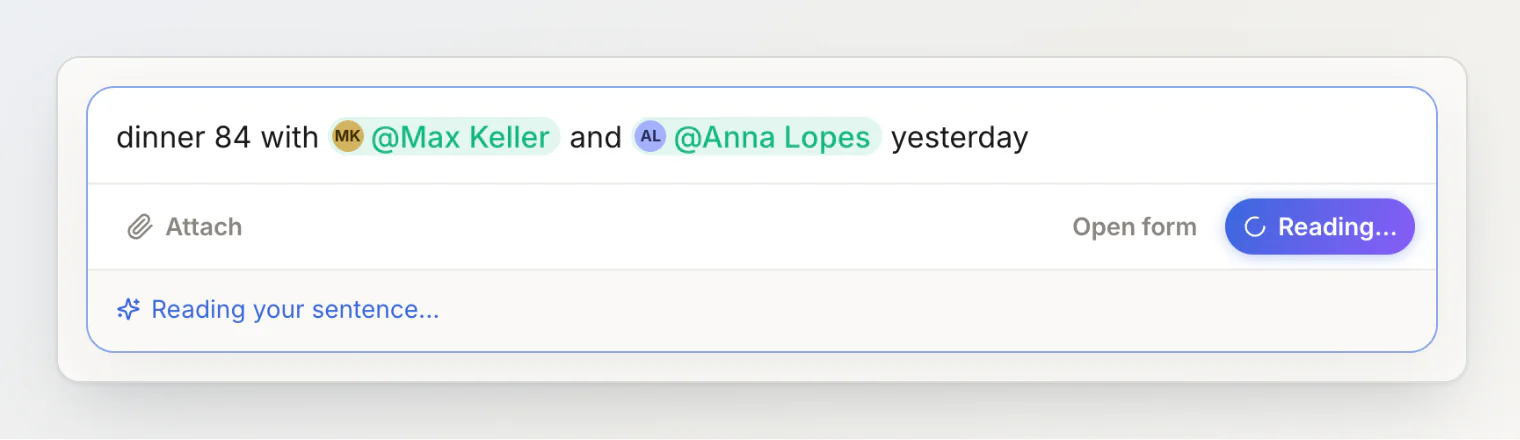
A review before anything is saved
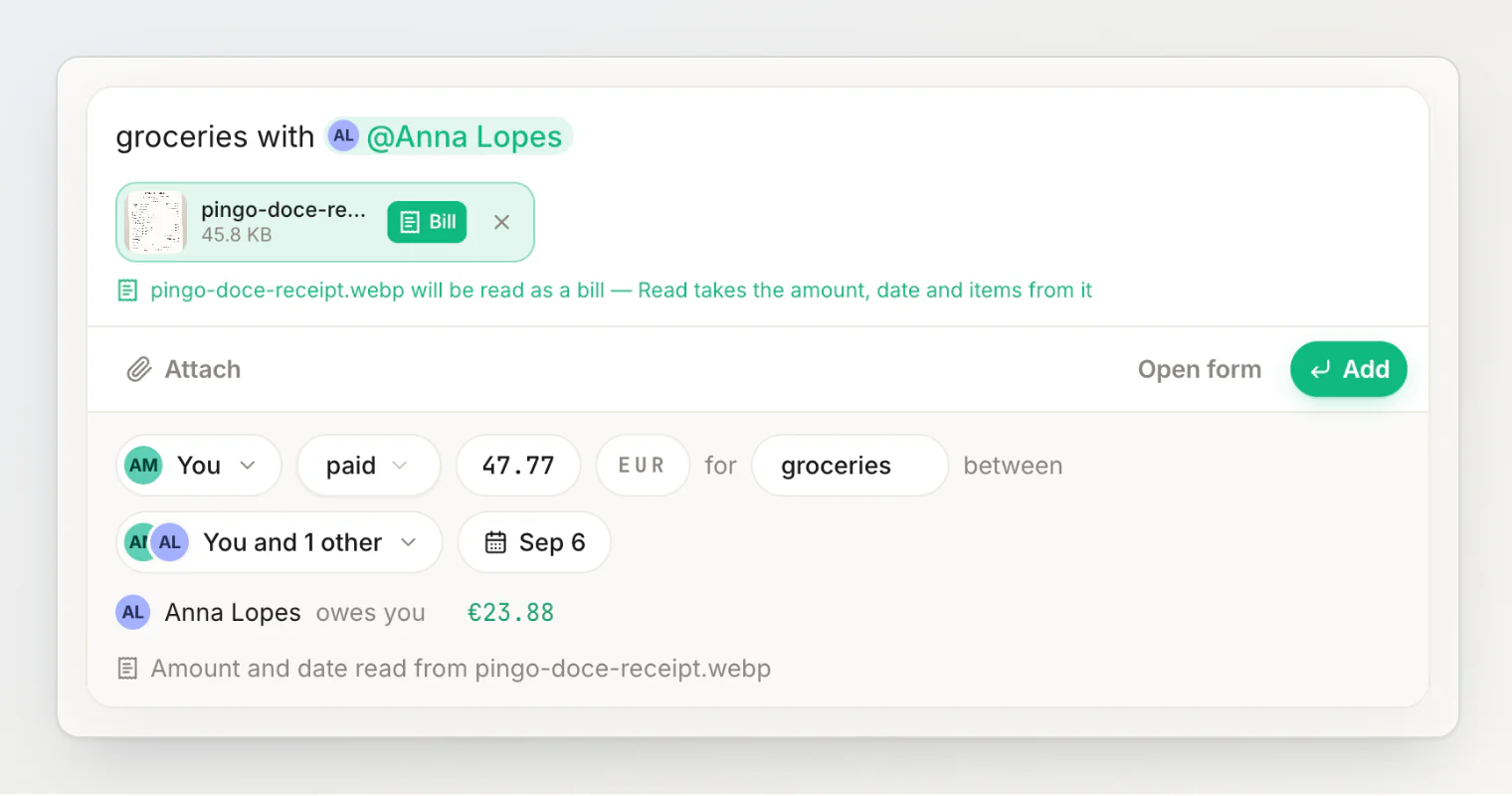
What AI understood appears right under the field as a row of chips: who paid, paid or gave, the amount, the currency, what it was for, who it is split between, and the day. Under them, what it does to your balances — Max Keller owes you €28.00. Tap any chip to change it. Press Add, or Enter again, to save; a toast offers Undo.
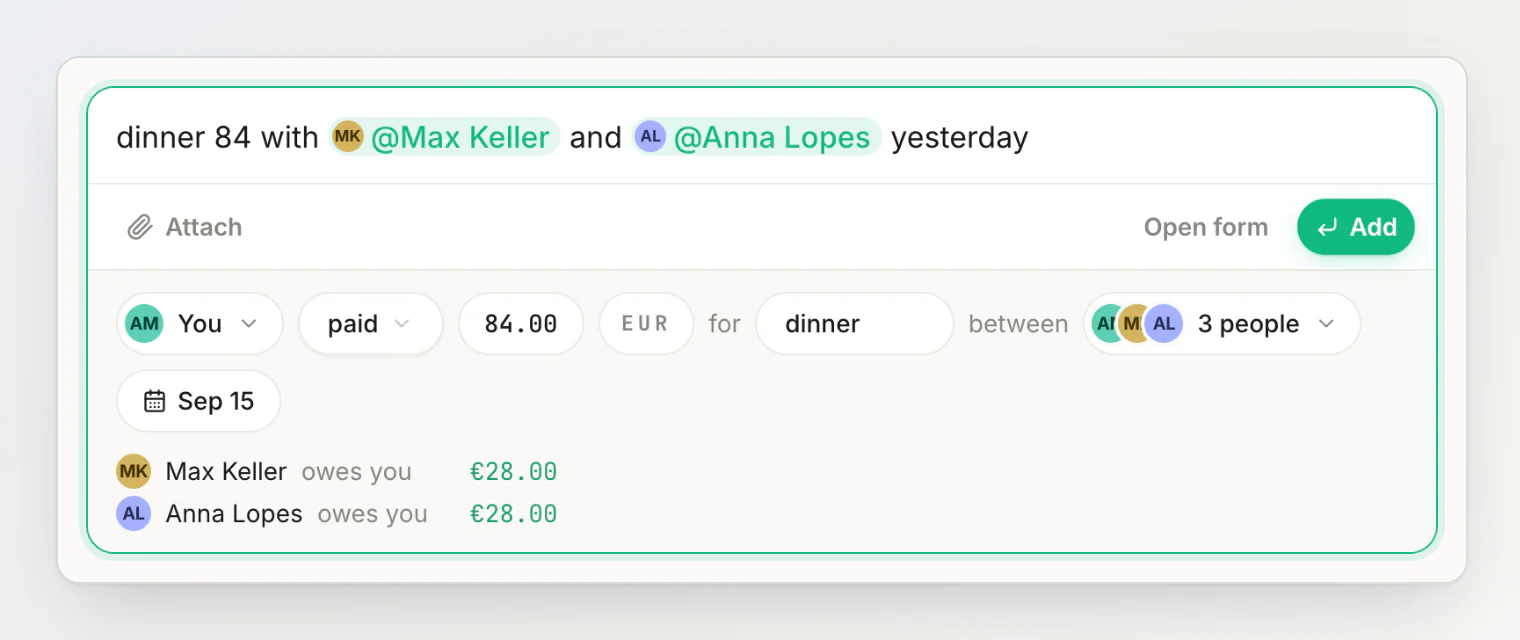
Open form sits next to Add at all times, and opens the full form with everything already filled in — for uneven splits, several payers or line items.
When something is missing, the review asks
No amount in the sentence? The amount chip reads How much? and opens a calculator (
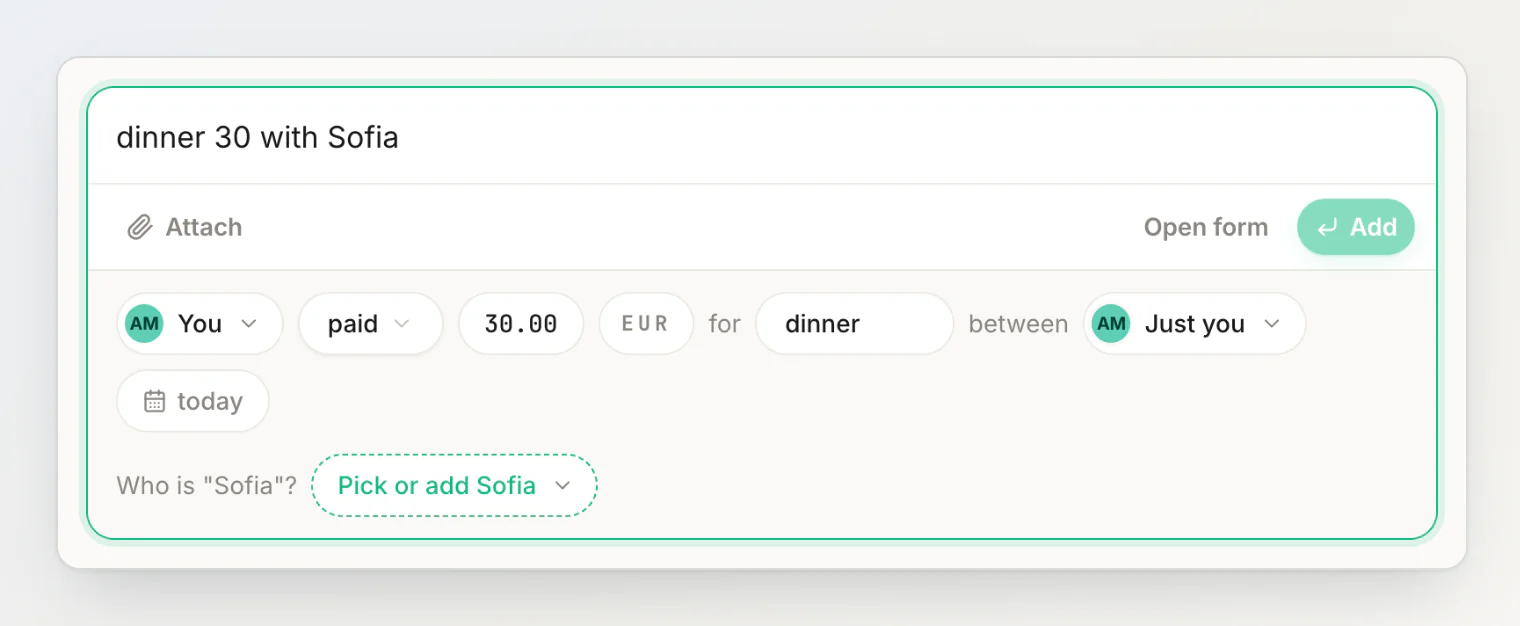
120+45and300/3still work).A name that isn't one of your contacts? The review asks Who is "Sofia"? with a picker that is already searching for her — pick someone or add her in one tap. Add waits until every name has a person behind it.
Change the sentence after reading it and the review says so — You changed the sentence — read it again — and the button becomes Read it again. Esc puts the review away.
Names without the @
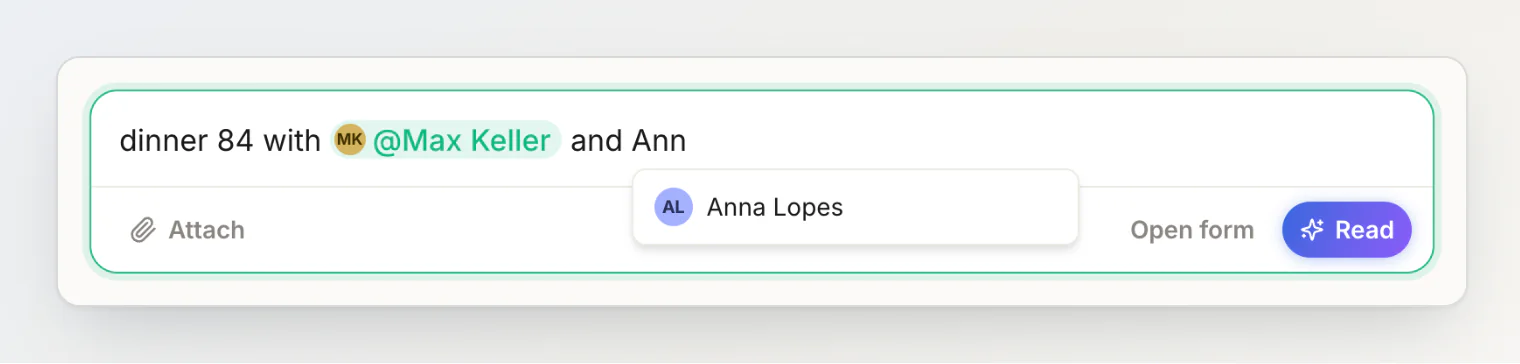
Start typing a name and HiBill offers the contacts it fits. Pick one with the arrow keys and Enter (or Tab) and it becomes a pill; keep typing and it stays a word. Either way AI matches it — the pill just removes any doubt. @ still opens the full list of people and groups.
Receipts: mark the photo, read it with the sentence
The toolbar now has one tool: Attach. Attached files are saved with the transaction as photos. To have a receipt read, tap Bill on its file — the field says it will be read — and press Read. The sentence and the receipt are read together: the receipt gives the amount, date and line items, your sentence gives the people and the title, and it all lands in the same review. Nothing is saved until you press Add.
One button, less to learn
The receipt picker, the currency picker, the AI sparkle, the help button and the ⌘↵ shortcut are gone; the currency is a chip in the review. The main button is Read, then Add. When there are no AI reads left this month, the field says so and offers Continue in the form instead — the form never runs out.
Also in this build
A new getting-started card for new accounts: type it, press Read, check and add.
The reading state is now AI blue, so it never looks like saving.
Money someone handed you (
Max gave me 20) is read as coming from them, currency words several countries share (lei,kr,$) follow your own currency, and a sentence that doesn't say what the money was for leaves the title empty instead of inventing one.hibill.app's "How it works" section and screenshots show the new flow.
More in adding a transaction by typing a sentence, fixing what AI read and scanning receipts, or read the story behind it.