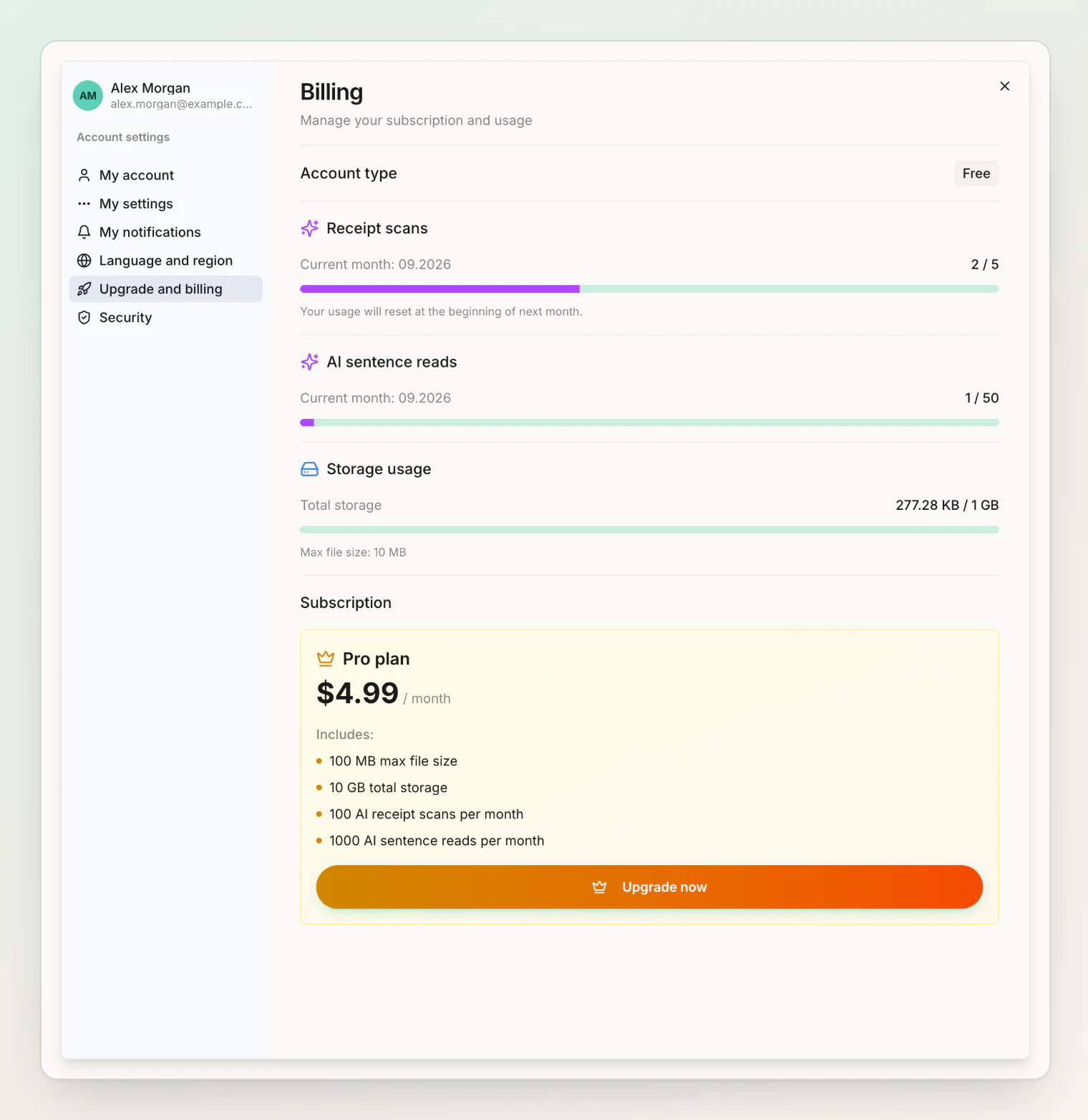
Billing lives in your account settings, where you can see your current plan and usage. For what each plan includes, see plans and limits.
Upgrading
Press Upgrade now on the Pro plan and complete checkout. It activates as soon as payment succeeds, and the new scan and storage limits apply immediately.
Cancelling
Cancelling does not cut you off immediately. Your subscription stays active until the end of the period you have already paid for, then does not renew.
You keep Pro's limits for the whole remaining period.
Resuming
Changed your mind before the period ends? Resume, and the subscription continues and renews normally. No need to re-subscribe from scratch.
What happens to your data
Nothing is deleted when a plan ends. Every person, transaction, balance and file stays exactly where it is.
You return to free-tier limits, which means:
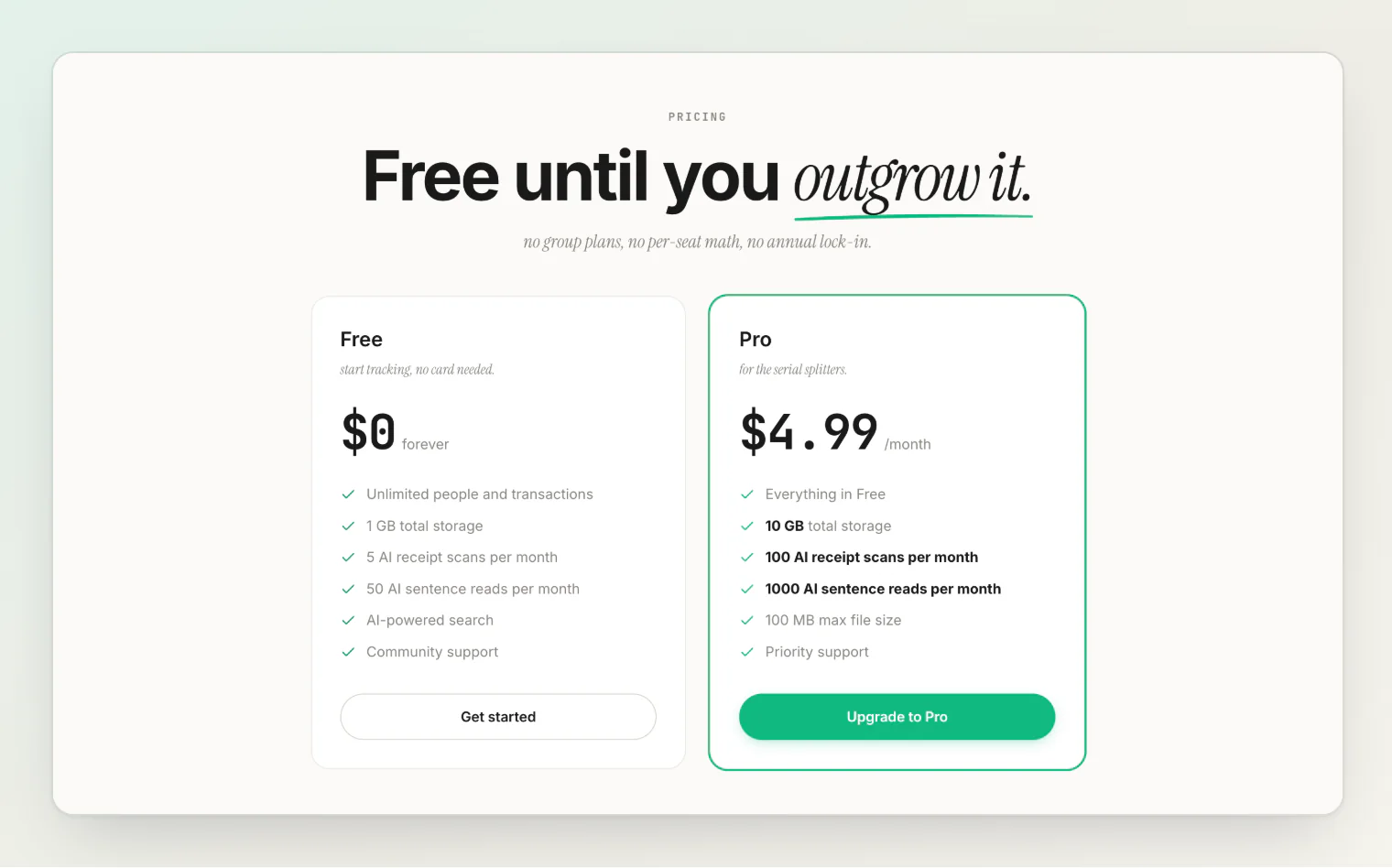
Monthly AI receipt scans drop back to 5, and AI sentence reads to 50.
If you are over the free storage limit, existing files stay — you simply cannot upload new ones until you are under it.
Downgrading never destroys anything. The free tier still allows unlimited transactions, 2,000 people who haven't signed up and 200 groups, so the core of HiBill keeps working.
Payment problems
If a payment fails, the subscription goes past due and you are notified. Update your payment method to restore it.
Subscriptions can also be paused and later resumed, keeping your account and data intact.
Refunds
See the refund policy for current terms, or contact support.
Checking your usage
Upgrade and billing in Settings shows the receipt scans and AI sentence reads you have used this month, and the storage you use. Worth a look before upgrading — people often find the free tier covers them, since the metered items are only AI receipt scans, AI sentence reads and file storage.
Continue reading
Plans and limits — exactly what Free and Pro include, and what is metered.
Your data and privacy — what HiBill stores, who can see it, and what deleting your account removes.
HiBill Free vs Pro: What You Get, What's Metered, and When to Upgrade — a longer look at when upgrading pays off.