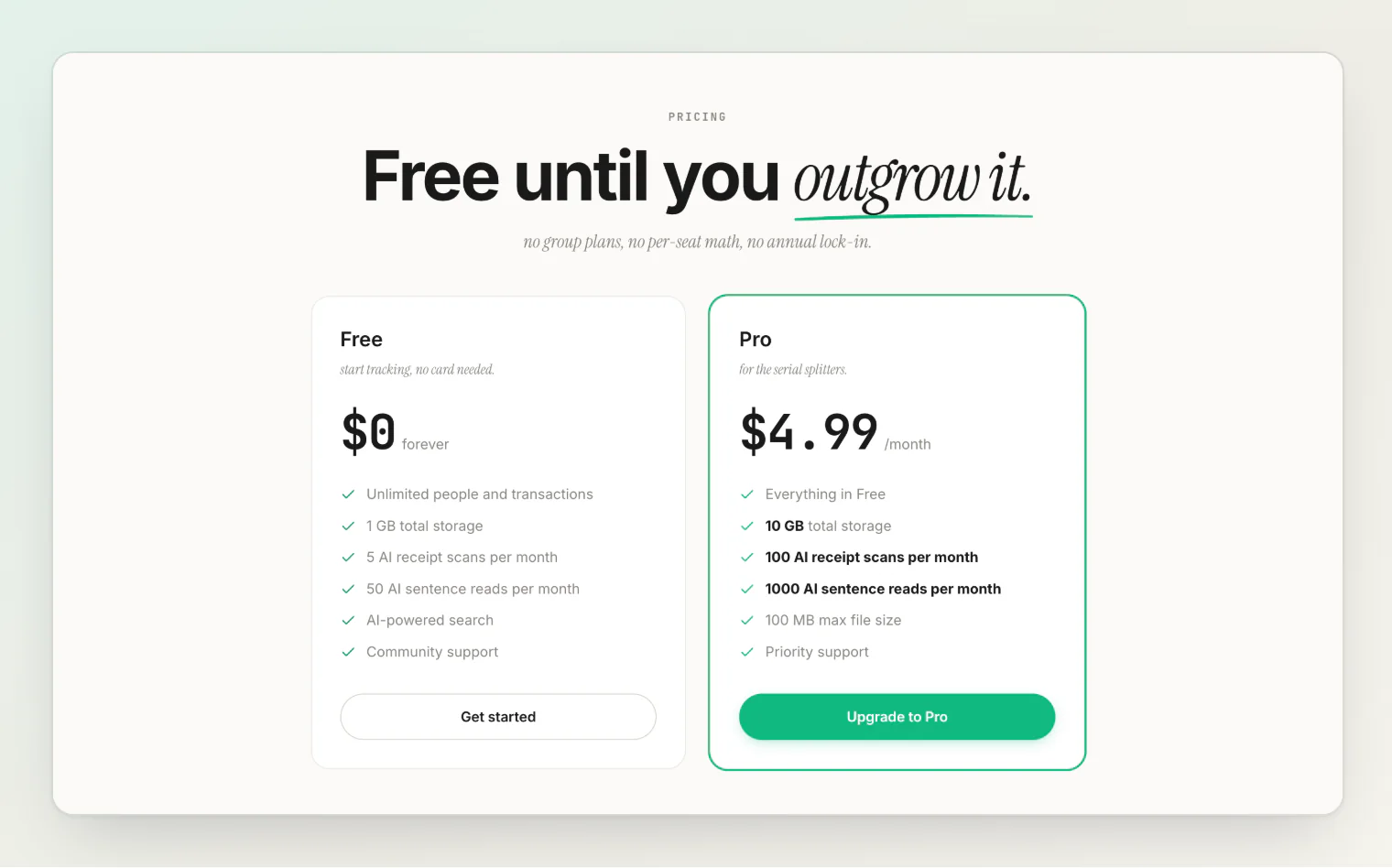
HiBill has a free tier that is free forever. Pro adds storage and AI — receipt scans and sentence reads — and raises a few very high caps. No feature is gated.
What every plan includes
Every plan, Free included, comes with:
People — as many real people as you want, and up to 2,000 placeholders
Transactions — unlimited
Groups — up to 200, with unlimited members
Currencies — all 38
All split methods — including itemized and open splits
Debt simplification
Comments, attachments and public share links
Notifications — in-app
The full transaction form — never limited, and never uses an AI read
There is no per-seat pricing and no group plan. The people you split with never need to pay for anything.
What's metered
AI and storage have a real cost to us, so they scale with the plan. Pressing Read sends a new or changed sentence to AI and uses one monthly AI sentence read; working out who had what on an itemized bill you share uses one more. Each receipt you mark as a Bill and read with Read uses one receipt scan.
Free | Pro | |
|---|---|---|
AI receipt scans / month | 5 | 100 |
AI sentence reads / month | 50 | 1,000 |
Total storage | 1 GB | 10 GB |
Max file size | 10 MB | 100 MB |
Total files | 1,000 | 10,000 |
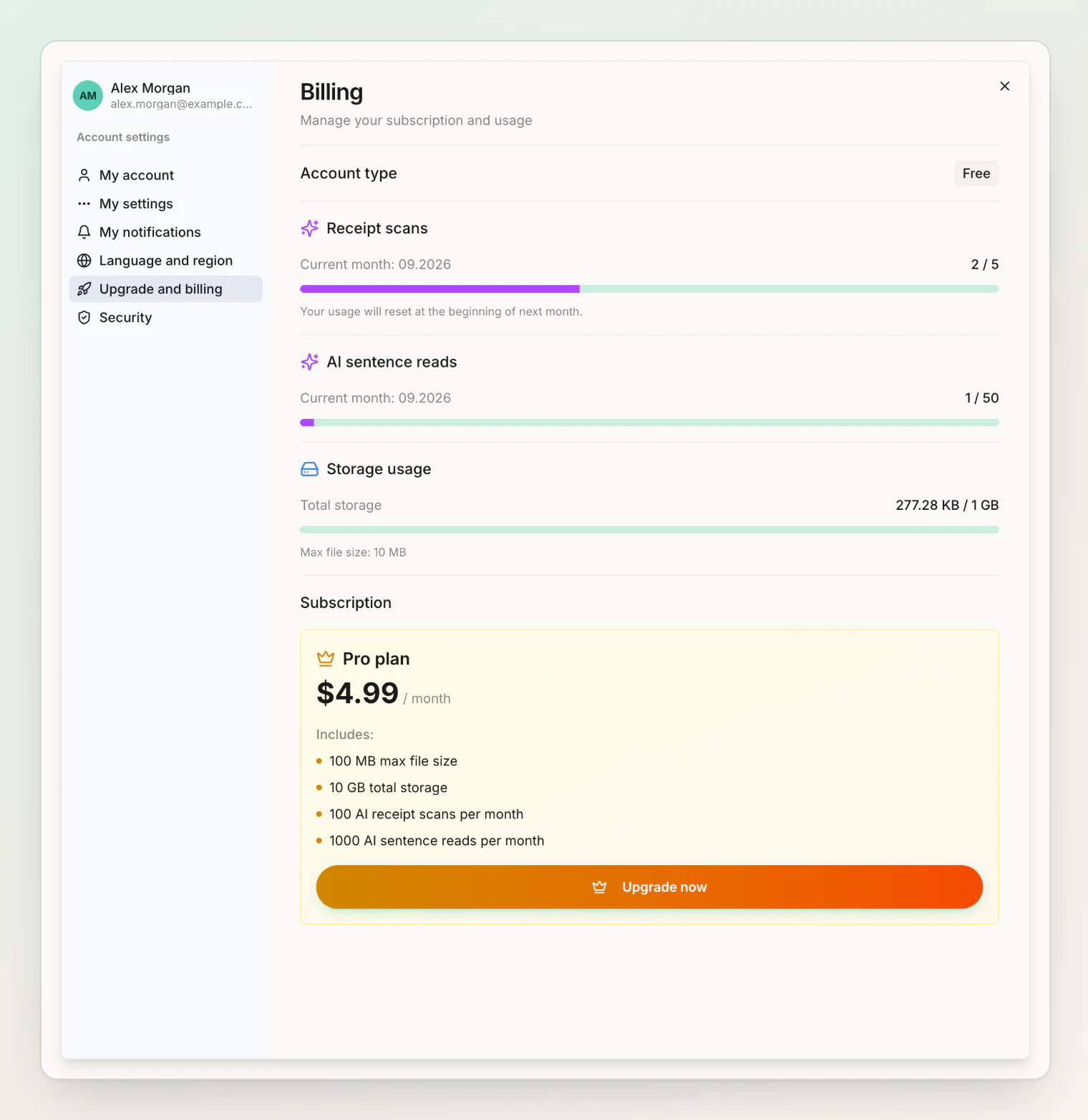
Scan and read counts reset at the start of each calendar month. A sentence read that fails to come back with an answer isn't counted.
Two totals are capped too, well above everyday use: placeholder people (2,000 on Free, 20,000 on Pro) and groups (200 on Free, 2,000 on Pro). Transactions are unlimited on every plan.
Which plan do I need?
Free is genuinely enough for most people. Fifty sentence reads a month covers everyday splitting, and five scans covers the bills where scanning wins — the long restaurant receipt, the big supermarket run. Every feature is available.
Pro makes sense if you add many transactions by sentence (more than about 50 a month), scan receipts habitually rather than occasionally, or attach a lot of photos.
Running out of scans or reads
When the sentence reads run out, the sentence field says "No AI reads left this month" and offers Open the form, which opens the form with your sentence as the title. When the monthly scans are gone, a receipt can't be read as a bill until the count resets — the field says "No scans left this month" and the photo is saved as a plain attachment. Everything else keeps working, and you can always enter a transaction in the form.
Running out of storage
You cannot upload new attachments until you free space or upgrade. Existing transactions and attachments are unaffected — nothing is deleted.
Remove old attachments from the transactions they are on to free space. Upgrade and billing in Settings shows how much you are using.
Changing plans
Upgrade or downgrade at any time; there is no annual lock-in. See managing your subscription for how billing, cancellation and refunds work.
If you downgrade while over the new storage limit, nothing is deleted — you simply cannot add new files until you are back under it.
Continue reading
Managing your subscription — how upgrading, billing, cancellation and refunds work.
Scanning receipts — what a receipt scan reads and when one is worth using.
HiBill Free vs Pro: What You Get, What's Metered, and When to Upgrade — a longer look at when upgrading pays off.