An open split lets you put a bill in front of people and let each of them claim their own share, instead of you working out who owes what.
How you create one
An open split is not an option in the split-method menu. You create one by sharing a transaction.
Add the expense as normal, then turn on sharing from the transaction and send the link. HiBill asks you to confirm, because sharing converts the expense into an open split.
That conversion does two things worth knowing:
Everyone already on the expense becomes an equal head in the claim pool.
The payer's share becomes implicit — they are counted as one head without their own line, so they are never double-counted.
If the expense was already itemized, the items survive the switch and people claim line items instead.
The three ways to claim
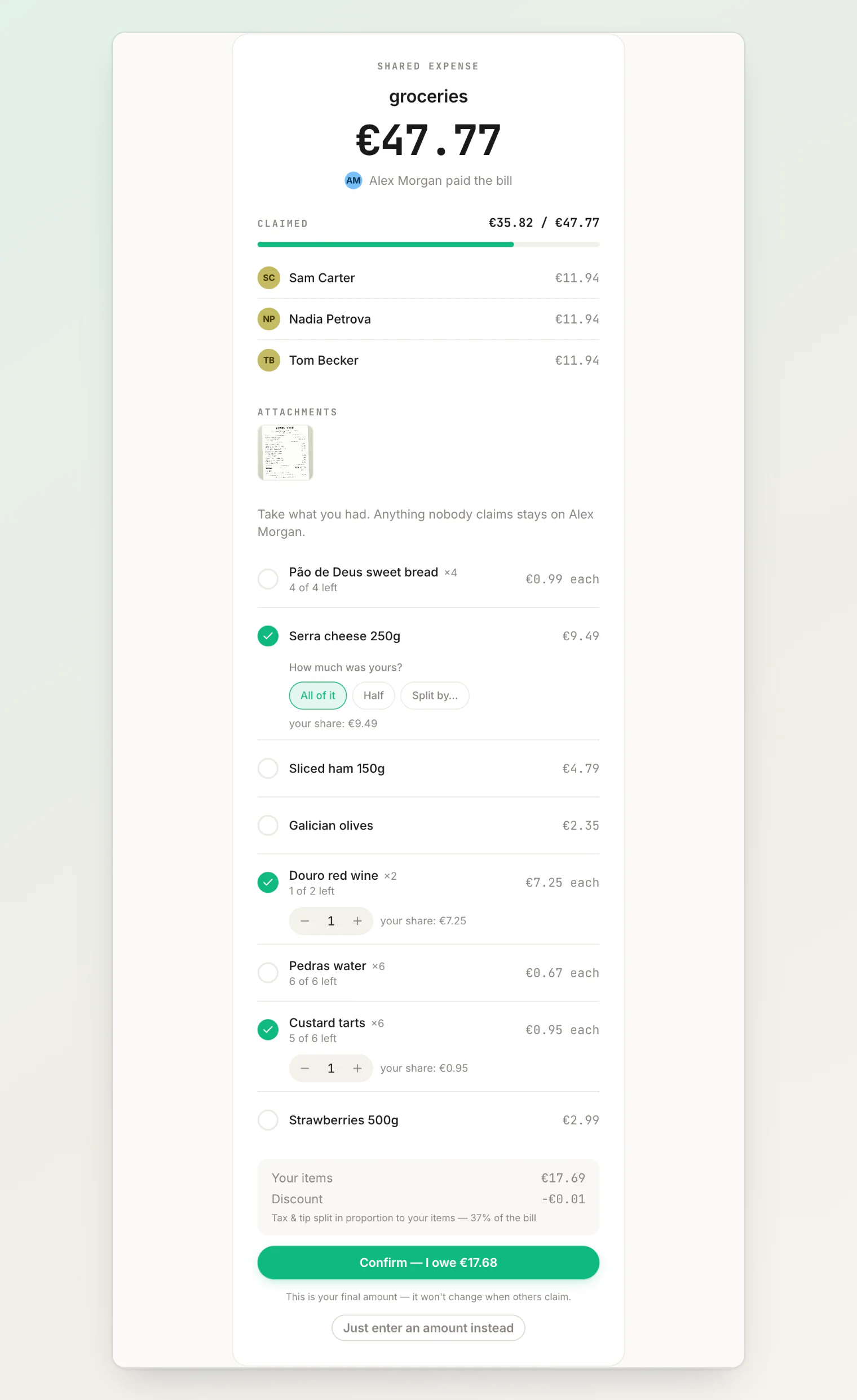
Someone opening the link can claim:
An equal share — join the pool and take one head's worth.
A specific amount — for when you know exactly what you had.
Line items — pick the things you actually ordered, when the bill has items.
Claiming items by saying what you had
On a bill with line items there is a field above the list. Write what you had and press Read, and the picker fills itself in:
I took 2 pão de deus, the cheese and half the custard tarts
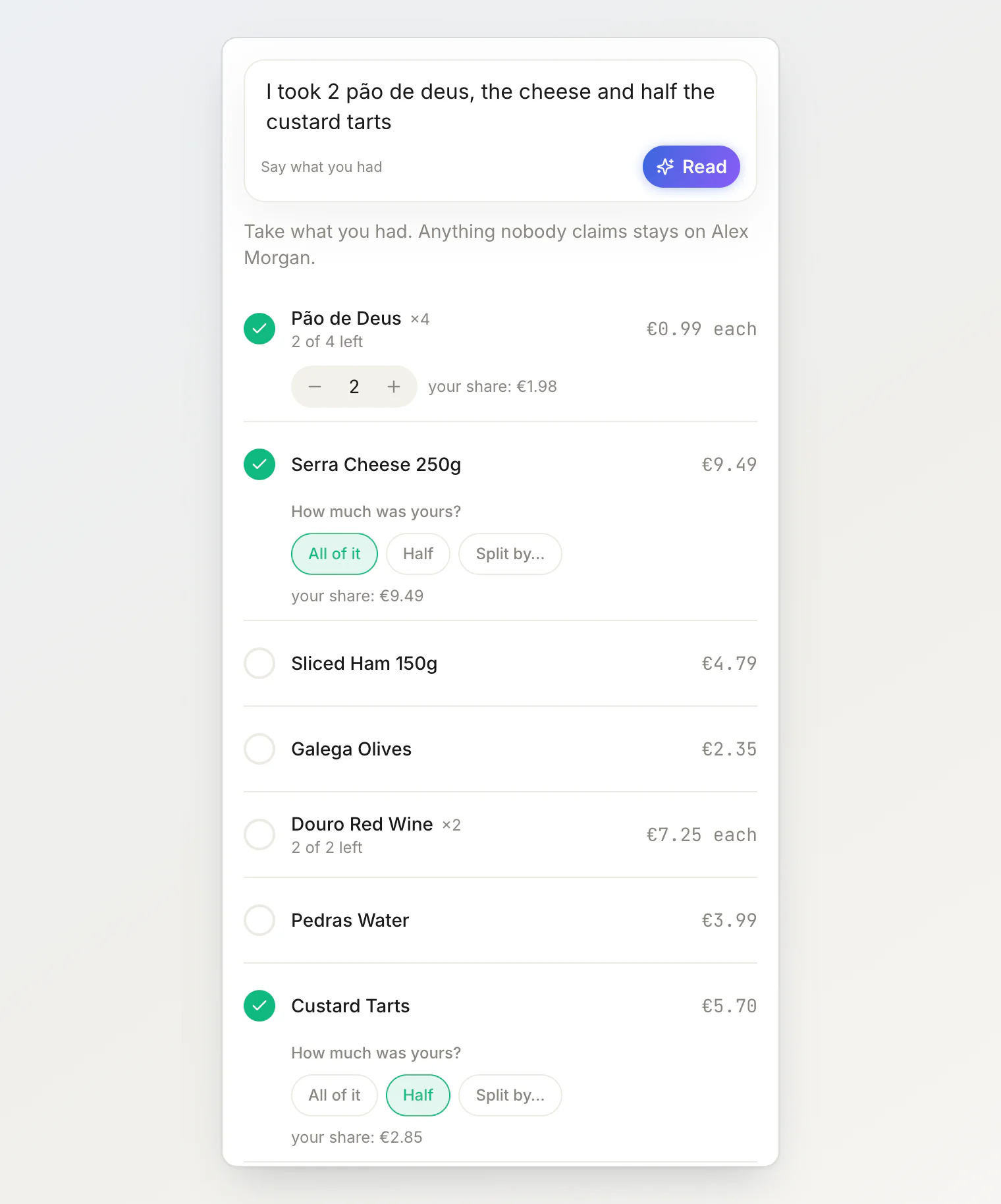
Counts, whole items and halves all land as ordinary selections — the same ones the buttons produce — so you can check them, change them, and then confirm as usual. Nothing is claimed until you press Confirm.
A few things to know:
Items the sentence does not mention are left alone, so you can add to a claim in two goes.
If you already have a share, Change my items offers the field too, and your words merge over what is already selected rather than replacing it.
You need an account to claim, so a sentence written before signing in is carried through the login and read when you land back.
Anything it cannot find on the bill is named underneath rather than guessed at.
It costs one of the claimer's own monthly AI reads.
How the equal pool is worked out
This is the part people find surprising, and it is worth understanding.
Fixed claims come off the total first — specific amounts and item claims. Whatever is left over is then divided equally between everyone in the equal pool plus the payer.
So the equal share is not fixed when the bill is posted. It moves as people claim:
A €120 bill. Nobody has claimed yet, so the payer holds all of it. Two friends each join the equal pool → three heads (them plus the payer) → €40 each. A third joins → four heads → the share drops to €30 each.
Each new equal claimer makes everyone's share smaller, because the same remainder is spread across more heads.
The unclaimed rule
Whatever nobody claims stays with the person who paid.
If the bill was €240 and claims total €200, the remaining €40 is simply the payer's own cost. Not an error, and nothing left hanging.
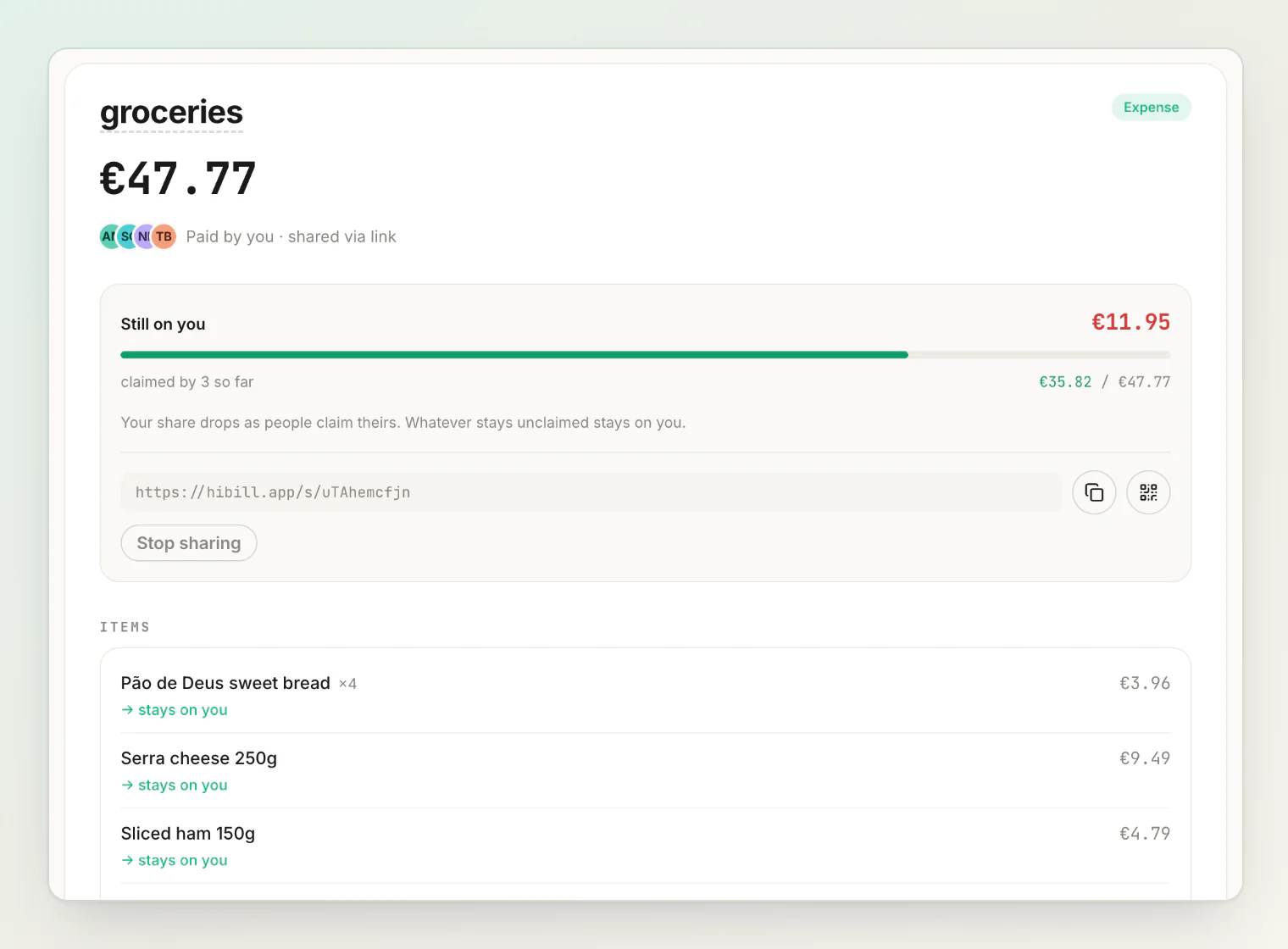
The consequence: an open split is complete from the moment you create it. There is no state where it is stuck waiting for a slow claimer. Claims refine the split; they are not required to make it valid.
Usually the remainder genuinely is the payer's own dinner — which is why they were holding the card.
Over-claiming
Claims can add up to more than the bill, if two people both think they had the expensive thing.
HiBill tracks and shows it rather than rejecting it, and the payer's remainder never goes negative — they cannot end up owed money on their own bill. The over-claim surfaces as a conflict for the people involved to sort out.
Changing or withdrawing a claim
A claim is not final. You can change it or withdraw it, and everyone's shares recalculate — including the equal pool, which grows back when someone drops out.
Editing a shared bill
While a bill is shared, the split belongs to the people claiming it. You can still change the amount, the date, who paid, and the items — but not the split method or the individual shares, because those are being decided by the claimers.
To get that control back, see taking the split back below.
When to use it
Good for: large groups, low patience, and cases where the payer does not know who had what. The classic is a long restaurant table where one card paid.
Not ideal for: two or three people, where asking directly is faster than waiting for claims. Use equal or custom amounts.
The best combination
Photograph the receipt with receipt scanning, then share it.
You get an accurate total, currency and date without typing, and each person answers one question about themselves — instead of one person answering nine questions about other people. The work goes to where the knowledge already is.
The link expires
A share link lasts 30 days. After that the link stops working and nobody new can claim.
You can also turn sharing off at any time. See sharing a transaction publicly.
Taking the split back
Turning sharing off stops new claims, but the bill stays an open split — the claims people made are still theirs, and the split stays locked from editing. The transaction says so, and offers two ways forward: Share again, or Take back control.
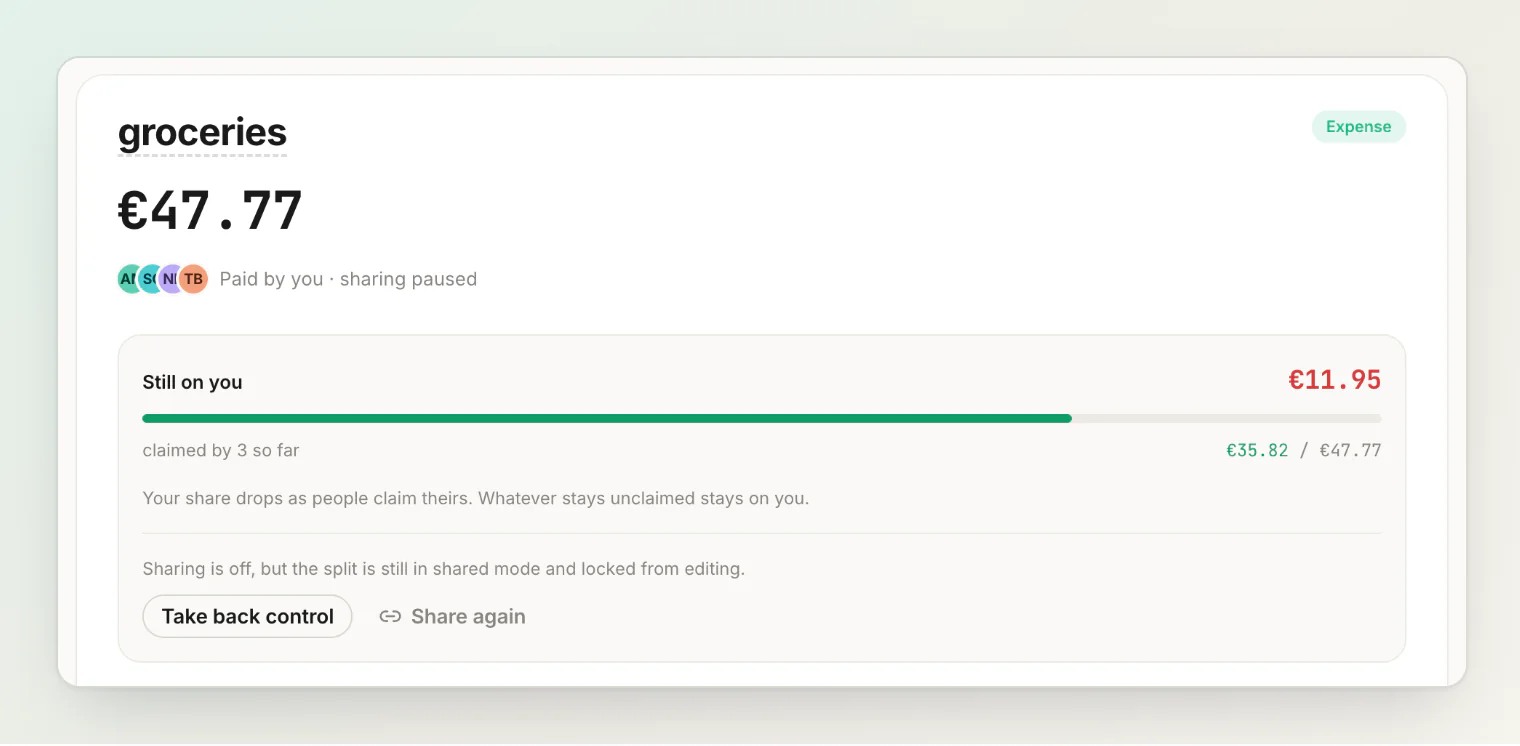
Taking control back converts the bill to an ordinary split that you own:
Everyone keeps the amount they claimed.
Whatever was unclaimed becomes your own line rather than an implicit remainder.
The receipt items stay on the transaction.
Nobody's number changes. What changes is who decides it: the shares stop being self-claimed, so you can edit anyone's amount from then on — and in exchange, the people on the bill get the normal approve-or-decline controls back on their share.
It is a separate action from turning sharing off on purpose. Ending a link and taking over other people's claimed shares are different decisions.
One case is refused: if claims add up to more than the bill, you cannot take the split back until that is resolved. Fix the over-claim, or raise the total, and try again.
Chasing claims
HiBill does not nag on your behalf. The transaction sits there with its current claims, and the balance reflects them.
If people are slow, the unclaimed rule means you are never blocked — the bill is already accounted for, sitting with you. If a balance simply needs paying, you can send one reminder.
Continue reading
Sharing a transaction publicly — the share link behind an open split, and how to turn it off.
Settling up and payment reminders — closing the balance once the claims are in.
How to Split the Bill with a Large Group: One Payer, Claim Links, No Table Math — the long restaurant table that open splits were made for.