Very little in HiBill is locked after saving. You can fix a wrong amount, change a split, or remove a transaction entirely.
Small fixes, without the form
The title, date, category, notes and attachments are editable directly on the transaction — click the value and change it. Each one saves on its own, and none of them moves a balance.
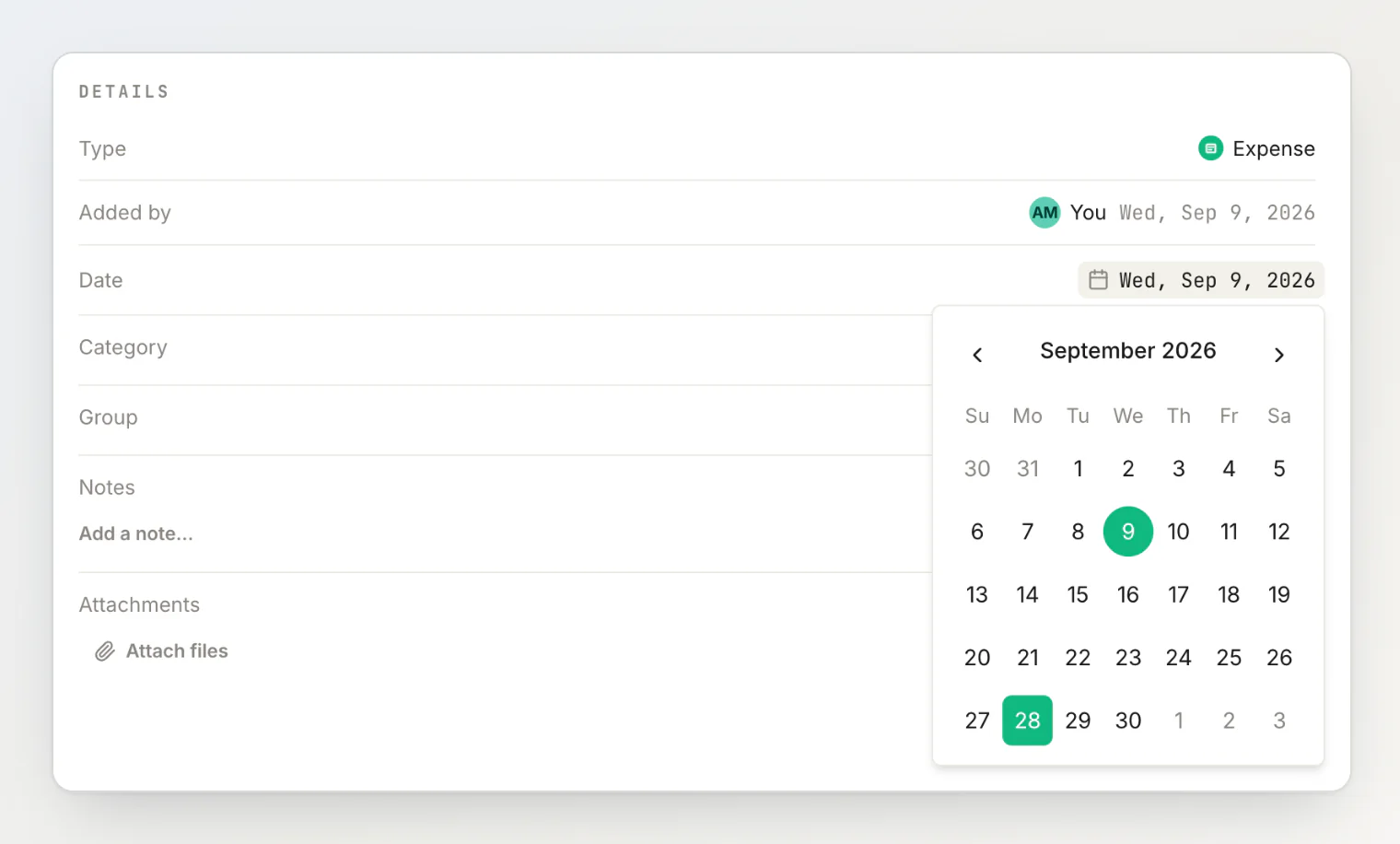
That covers most corrections: a typo in the title, the wrong day, the receipt you meant to attach. See reading and editing a transaction's details.
Editing the rest
Amount, currency, payers and the split are edited together in the full form, because they depend on each other. Open the transaction and use the pencil in the header. You can change:
Amount and currency
Description, date, category and notes — the same fields you can also edit in place
Who paid, and how much each payer contributed
Who shares it
The split method — equally, by amount, by percentage or by items (an open split comes only from sharing the transaction)
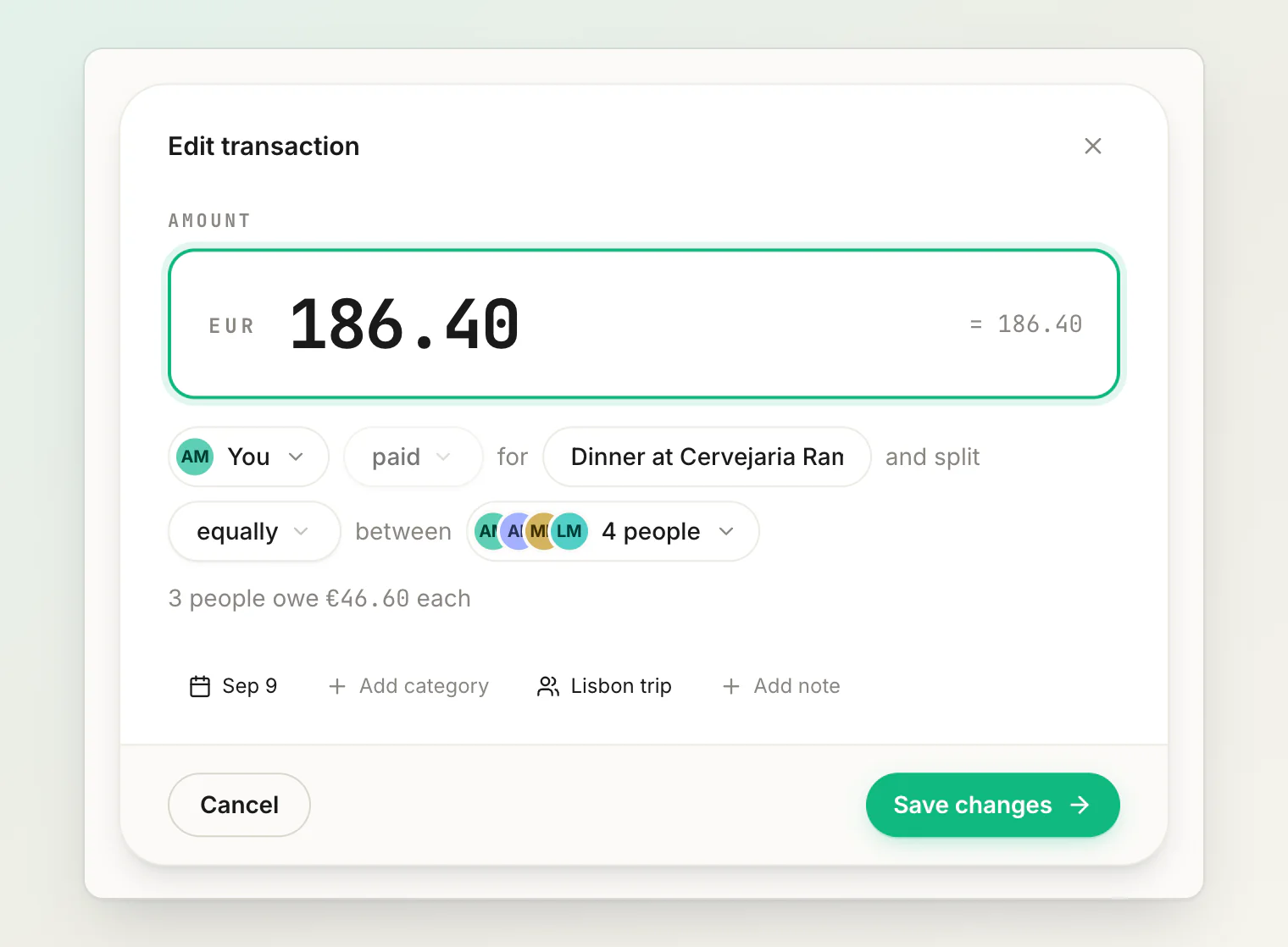
Save, and balances recalculate immediately for everyone affected.
Edits are visible
An edited transaction is not a silent one. The change is recorded in the transaction's own activity log, and the people on it are notified.
This is deliberate. The whole value of a shared ledger is that both people believe it, and a number that can change quietly behind your back is worth much less than one that cannot.
Deleting
Deleting removes the transaction and reverses its effect on every balance it touched.
If deleting a €96 dinner means three people no longer owe you €24 each, all three balances move at once. Everyone involved sees the deletion in their feed.
Deleting takes effect as soon as you confirm, and it cannot be undone — re-create the transaction if you removed the wrong one. It stays in the activity feed, struck through and marked Deleted, so the removal itself is on the record.
What you can't edit
Simplification entries. These are generated by HiBill from your existing debts, not authored by you. See how debt simplification works.
The transaction kind. An expense cannot become a transfer. They have different shapes — one splits, one does not. Delete it and create the right kind.
The split of a shared bill. While an expense is an open split, the shares belong to the people claiming them, so the split controls are hidden. Everything else stays editable — amount, date, payers, items. Stop sharing and take the split back to get the controls again.
Editing something someone else created
Anyone on a transaction can edit it — whoever created it, whoever paid, and anyone sharing it. The people a number affects are the people best placed to correct it. On an open split you can always adjust your own claim, whoever owns the bill.
When something looks wrong on a transaction that is not yours, the fastest route is usually a comment on it rather than an edit. The person who created it gets notified, and there is a record of the conversation next to the number being discussed.
After a currency mistake
Changing the currency on a saved transaction re-files the whole amount under the new currency, because balances are tracked per currency. The old currency's balance drops it and the new one picks it up.
Continue reading
Why a balance looks wrong — a checklist for when a number still isn't what you expected.
Understanding balances — what the number between two people means and what makes it move.
How to Fix a Shared Expense After You've Already Saved It — which fixes happen in place, which need the form, and what your friends are told.