Sometimes people need to see one bill — and they may not have a HiBill account.
A public share link shows a single transaction to anyone who opens it.
Creating a link
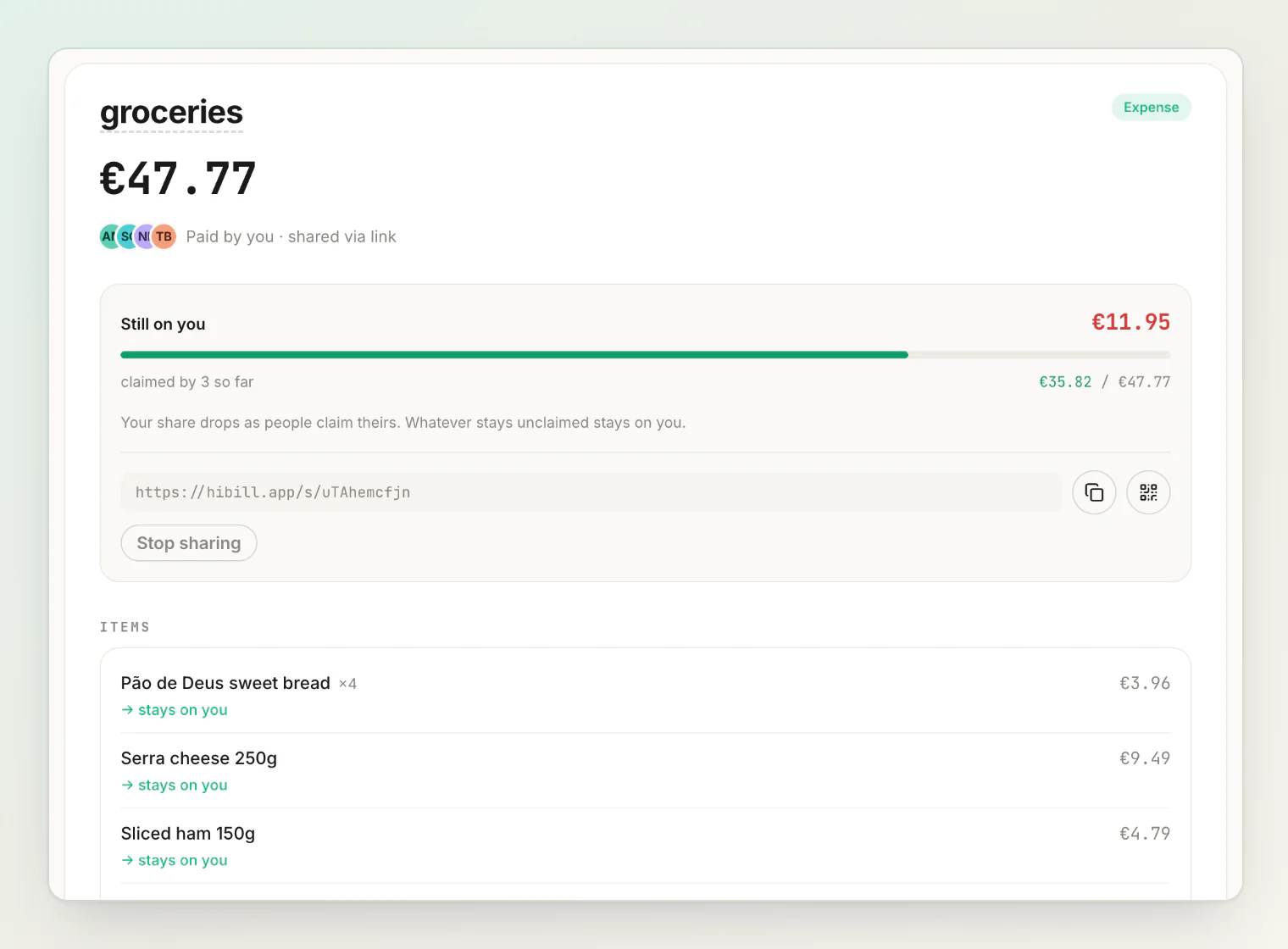
Open the transaction and turn on sharing. HiBill asks you to confirm first, then gives you a URL you can send however you like — chat, email, whatever.
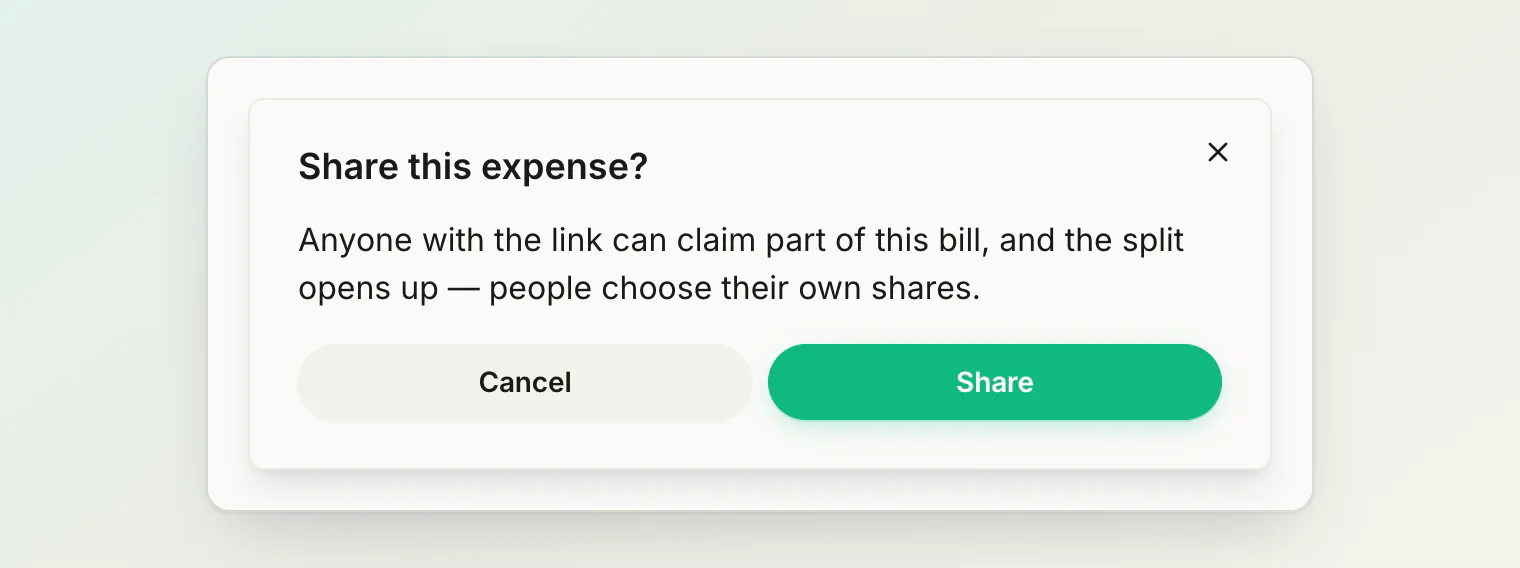
The confirmation is there because sharing also turns the expense into an open split, so people can claim their own share rather than just looking. This is the point of the feature, and it is worth knowing before you share: the shares are recalculated as people claim.
Links expire
A share link lasts 30 days.
Once it expires, the page still opens and shows the bill, but nobody can claim a share through it: This link has expired, so you can no longer join. On the transaction, the summary reads sharing paused, and the card says Sharing is off, but the split is still in shared mode and locked from editing., with Take back control and Share again. Share again revives the same link for another 30 days, so the copies you already sent work again.
What the link shows
Only that one transaction: the description, amount, currency, date, who paid, and how it splits, including its notes and attachments.
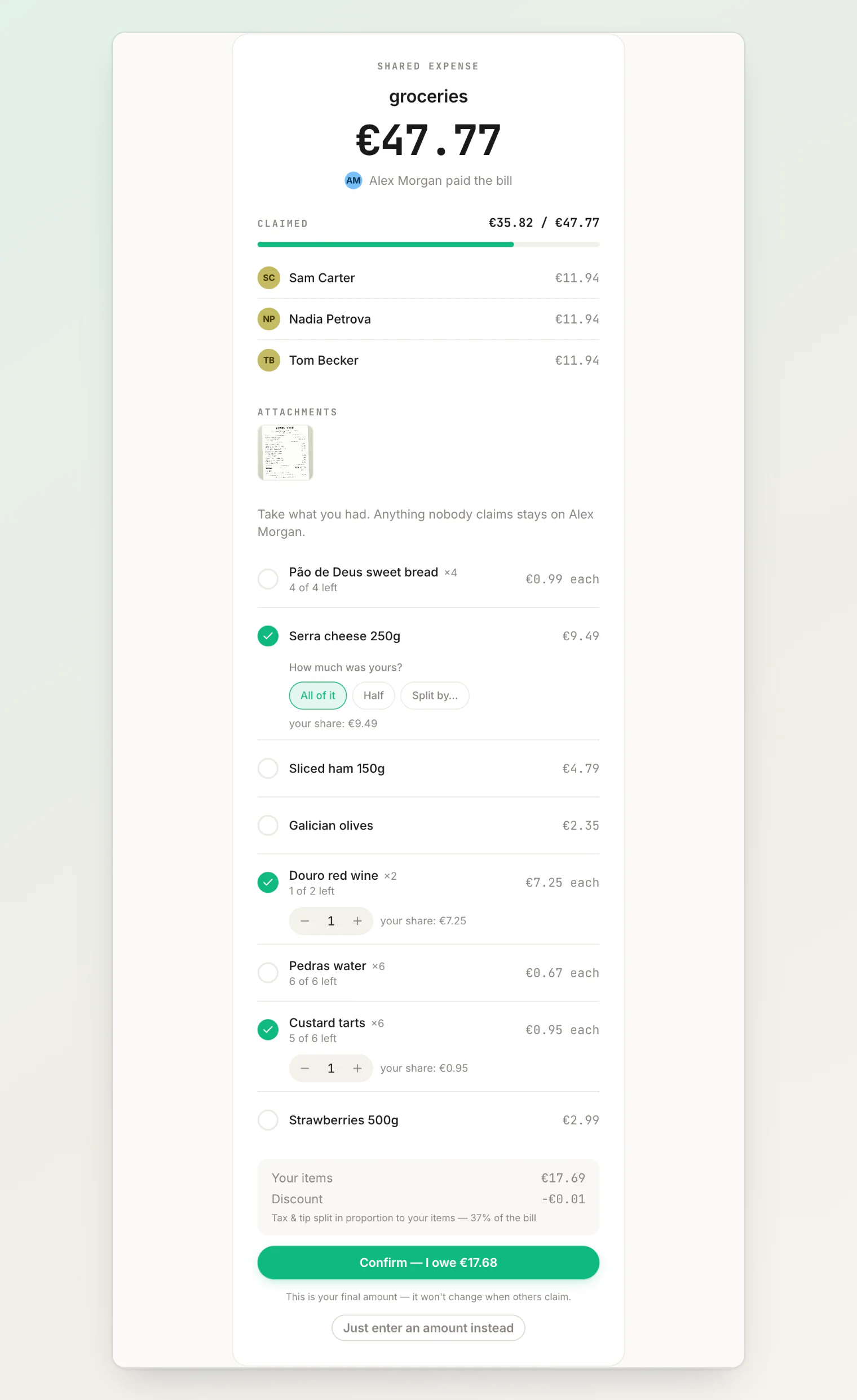
It does not expose your account, your other transactions, your balances with anyone, or your list of people. The link is a window onto exactly one record.
Viewing versus claiming
Viewing needs no account. Anyone with the link can open and read it.
Claiming a share requires a HiBill account. Someone who wants to take responsibility for part of the bill signs in first.
So the link works as a read-only receipt for people who will never sign up, and as a claim invitation for people who will.
Treat the link as unlisted
The link is unguessable, but it is not password-protected. Anyone who has it can open it, including anyone it is forwarded to.
It is right for a bill you would not mind a stranger seeing, and wrong for anything sensitive. Assume "unlisted", not "private" — and remember that photos attached to the transaction are reachable through it too. See attachments and comments.
What it's good for
Showing someone a bill they were part of when they do not use HiBill.
Sending proof of a shared cost to a landlord, an employer, or a family member.
Collecting claims from a big group without adding everyone by hand first.
Turning it off
Turn sharing off on the transaction and the link stops working immediately. Anyone holding it gets nothing. HiBill asks you to confirm, because this cannot be undone:
Stopping sharing destroys the link. Sharing again gives you a new link — every copy of the old one is dead, wherever you sent it.
So a stopped link cannot be resumed later — only an expired one can be revived. If you might want the same people to get back in, leave sharing on until you are certain.
Claims people already made are kept. What stops is new claims.
After you stop sharing
The bill does not go back to normal on its own. It stays an open split — the claims are still the claimers', and the split stays locked from editing.
The transaction says as much, and gives you two ways forward:
Share again — a fresh link, no confirmation needed, because the split is already open.
Take back control — convert the bill to an ordinary split you own, keeping everyone's claimed amounts.
See taking the split back for exactly what that changes.
Sharing with someone regularly
A public link is for one-off cases. If the same person keeps needing to see things, better options:
Invite them so you share real history and balances.
Add them as a placeholder if they will not sign up but you still want to track what is between you.
Use a group if it is a whole trip or household.
Continue reading
Using open splits — how people claim their share through the link, and what stays with the payer.
Scanning receipts — capture the items from a photo so people can claim them line by line.
How to Split the Bill with a Large Group: One Payer, Claim Links, No Table Math — the claim-link approach at a big table, from one card to settled shares.