A group connects several people to each other in one step. Use it when several people need to be linked up fast — a trip, a flat, a regular game.
What a group is and isn't
It is a named place for people and their shared transactions — a roster, a QR code that connects everyone who scans it to everyone else, and the list of transactions tagged with it.
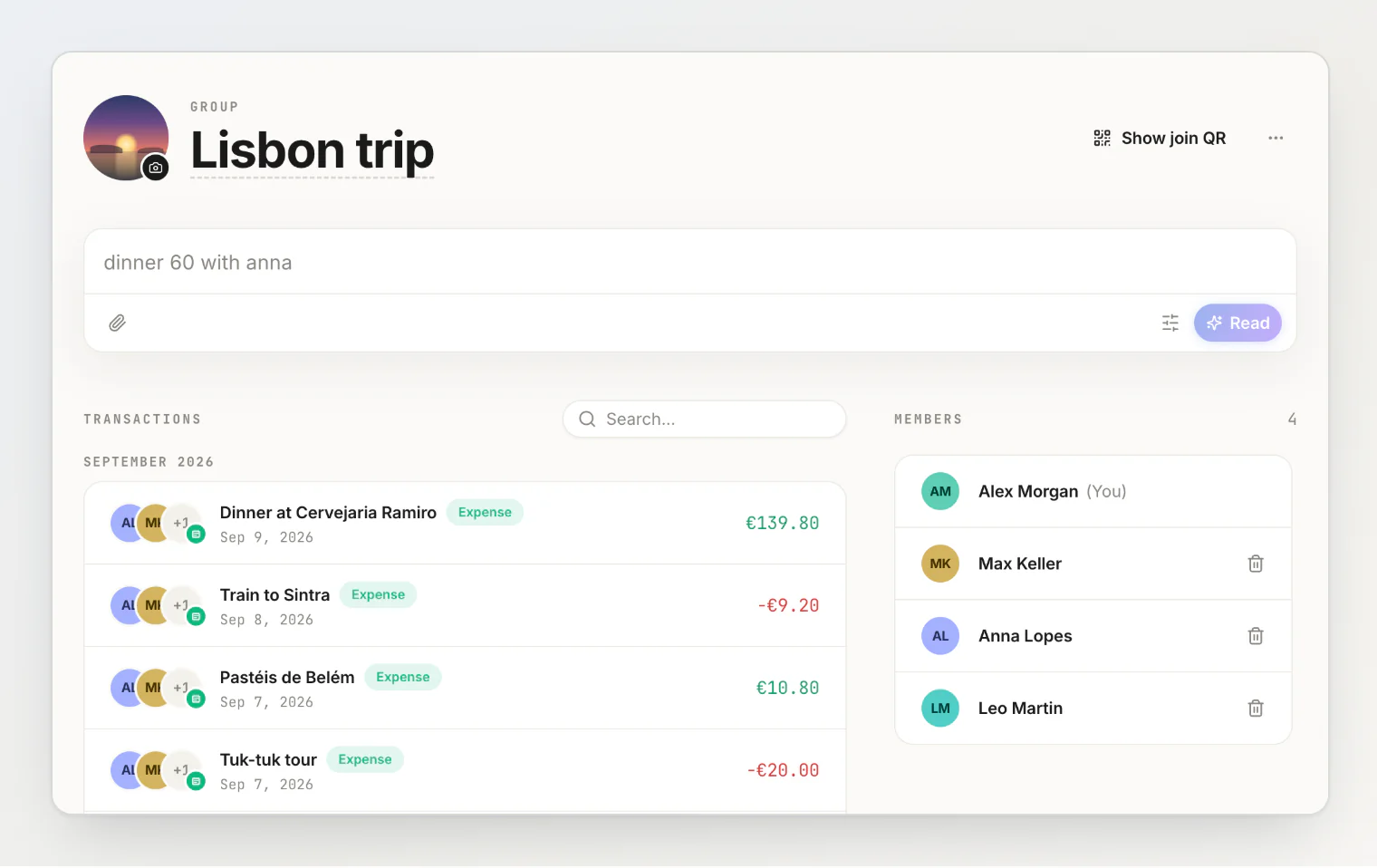
It is not a shared account. A group holds no balance, receives no money, and settles nothing. Every balance created with a group's help lives between two people, exactly like every other balance in HiBill.
The practical result: archiving a group loses nothing. Balances survive it, because they were never in it.
Creating one
On People, press Start a group.
Give it a name — "Lisbon weekend", "Flat 4B". You can rename it later.
Open it and show the QR code, or copy the join link.
Its name and photo
Click the name to rename it: Enter saves, Escape leaves it as it was. Click the avatar beside the name to set a photo — the trip's own, if you have one — and the × on the photo to take it off again. A photo makes a list of similarly named trips tellable apart at a glance; the initials stand in until you set one.
Getting people in
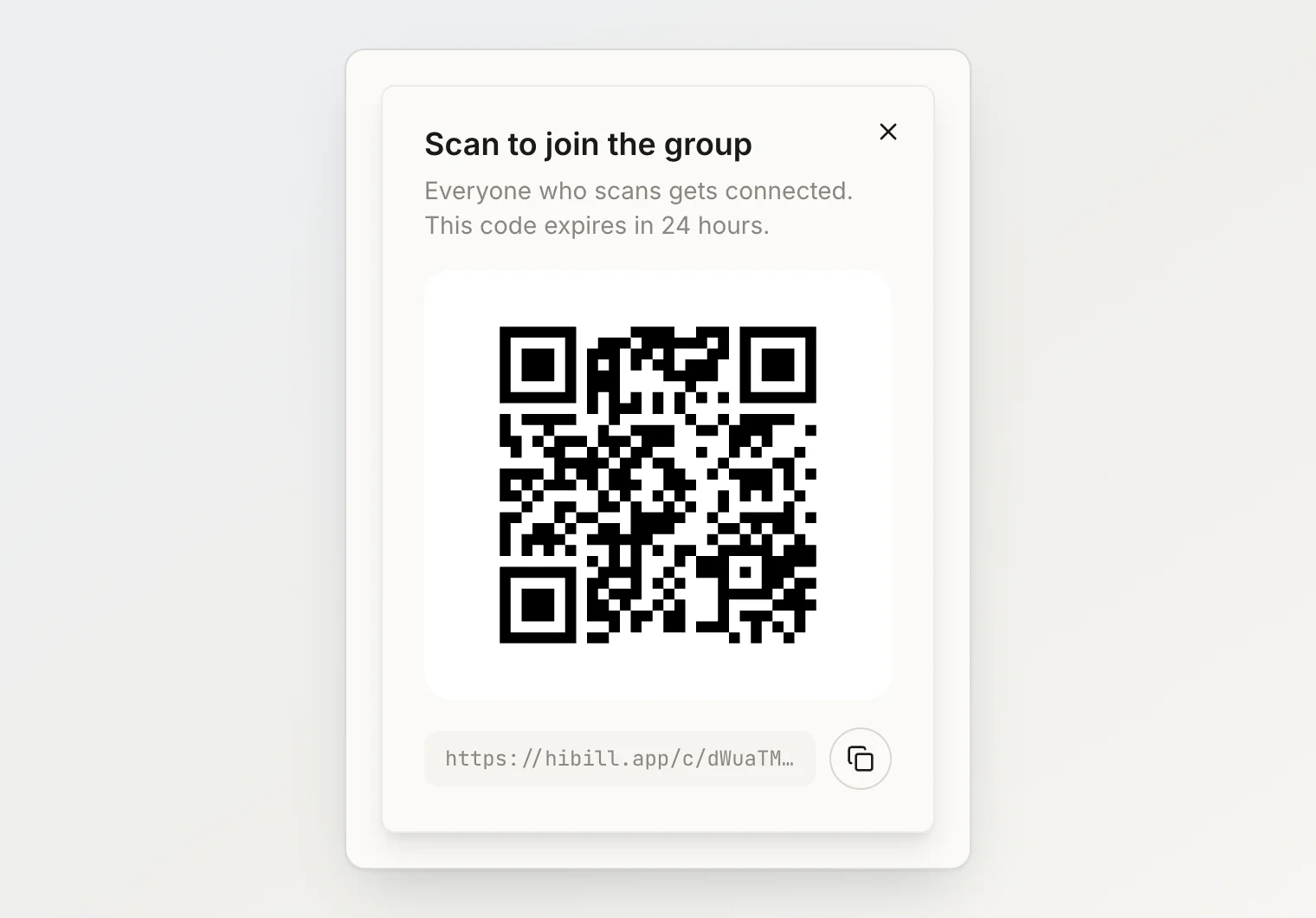
Anyone who scans the QR or opens the link joins the group, and is immediately connected to every other member — not just to you. Seven people each scan once, and all seven are connected to each other.
Join links expire after 24 hours. This is deliberate: a join link connects a stranger to everyone in the group, so it should not stay live in a chat thread for months. If it expires before everyone joined, open a new code from the group screen.
People who join need a HiBill account. For someone who will not sign up, add them as a placeholder instead. Placeholders cannot join a group, so add them to each transaction by name.
Using it on a transaction
The payoff. When you type a transaction, name the group instead of each person — 900 lei dinner in @flat — and everyone lands on the expense at once, and you can remove anyone who was not there. A group named in plain words (hotel 320 in lisbon trip) is matched too.
For a seven-person trip this is the difference between one tap and seven per bill.
Seeing the group's transactions
A transaction can be tagged with one group. The group's page leads with everything tagged with it, newest first, and keeps the members in a panel beside the list — above it on a phone.
Searching them
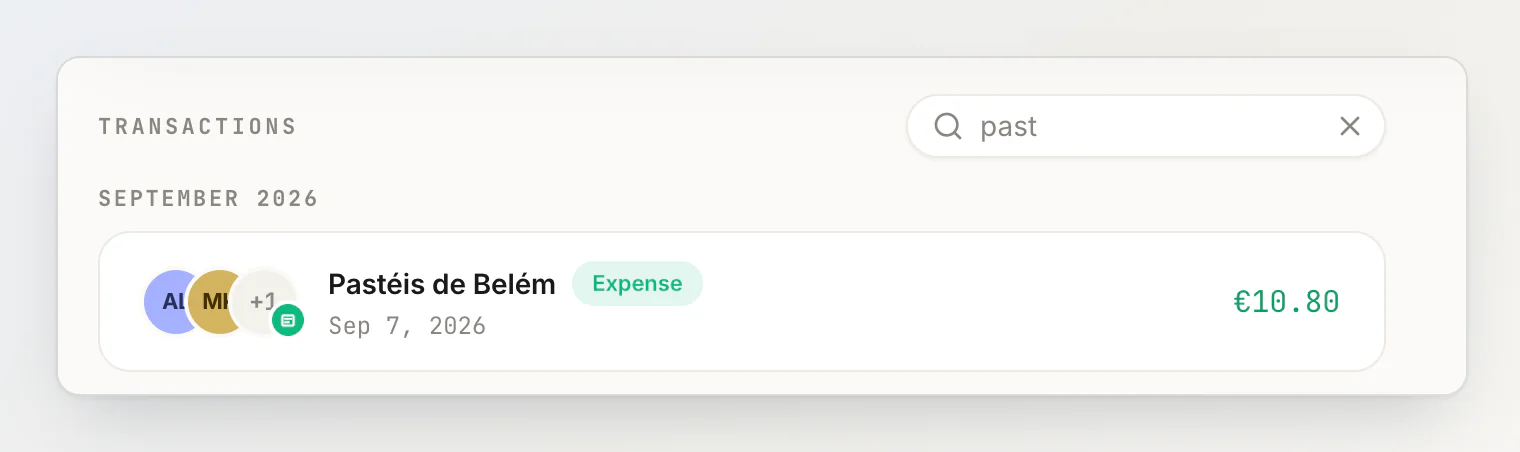
The box beside Transactions narrows the list as you type. It matches the transaction's title, case-insensitively and anywhere inside it, so past finds Pastéis de Belém. Amounts, notes and the people on a transaction are not searched. Clear the box, or press Escape in it, to get the whole list back.
A person's page has the same box over the transactions the two of you share.
There are three ways to tag one:
Add it from the group's page. The sentence field there puts the roster on it and adds the tag together, so most transactions are filed without you thinking about it. Once the sentence names someone, it decides who is on it:
taxi 20, Anna paidis split between Anna and you, andtaxi 20, Anna paid, all of uskeeps the whole group.Pick a group while adding it anywhere else. Type
in @and the group's name in the sentence, or use Add to group beside Date and Category in the form. It stays hidden until you have made your first group.Tag it afterwards. Open any transaction and use the Group row in its details. The same row changes the tag or clears it.
Tagging is only a label. It moves no money, changes no balance, and does not decide who is on the transaction — the people on it are still whoever you added as payers and participants.
The list shows the transactions you are part of. Being in a group does not let you read transactions you were not on, so what you see on a group's page is your own share of the trip rather than everybody's.
For the same reason there is no trip total. Any figure would be your total rather than the group's, and wrong for anyone who missed a dinner. A group still holds no balance of its own.
Filing something after the trip is over
The usual moment for remembering an expense is after everyone has gone home. Archived groups still accept transactions, so the airport taxi receipt found in a coat pocket in October can still be tagged to last summer's trip. Archiving tidies a group out of your active list; it does not close the books on it.
Connections outlast the group
When someone joins, what is actually created is a relationship between them and each other member — the same connection as adding a person by hand.
So after a trip, everyone you met is in your People list permanently. You can split with them individually forever, whether or not the group is still active. Archive the group when the trip ends; you keep the people.
When you don't need one
For two people, skip it. A group for you and one other person is pure overhead. Add them directly and split.
Groups start paying off at more than three people who don't all already know each other in the app. Below that, adding people directly is faster.
Managing a group
Some actions belong to the person who created it:
The owner can remove a member at any time. It does not touch balances or delete the relationship — the person stays in your People list, and they are notified they were removed.
The owner cannot be removed from their own group.
Anyone else can leave a group themselves.
The owner can archive the group when it is done, and unarchive it later if you need it again. Nothing financial is affected either way, and an archived group keeps its transaction list and still accepts new tags.
Archive, Restore and Leave are in the ⋯ menu beside the group's name.
There is no limit on members per group. Groups themselves are capped at 200 on Free and 2,000 on Pro — see plans and limits.
You get a notification when someone joins or is removed from a group you are in — see notifications.
Continue reading
Adding a transaction by typing a sentence — how to put a whole group on a bill with
in @and its name.Understanding balances — why every balance lives between two people, never in the group.
How to split expenses on a group trip without ruining the trip — a system for the whole trip, from the first bill to settling up.