HiBill keeps track of what you owe people and what people owe you. This guide gets you from an empty account to your first tracked balance.
1. Create your account
Sign up with an email address, Google or Apple. There is nothing to configure afterwards — no budget to set up, no bank to connect. HiBill never connects to your bank; you tell it what happened and it remembers.
You can also try it as a guest without creating an account at all, and keep your data when you sign up later.
2. Add a person
Everything in HiBill happens between you and another person, so start by adding one.
Go to People and add someone. You have two options:
Invite them by email. They get an invitation and, once they accept, both of you see the shared history.
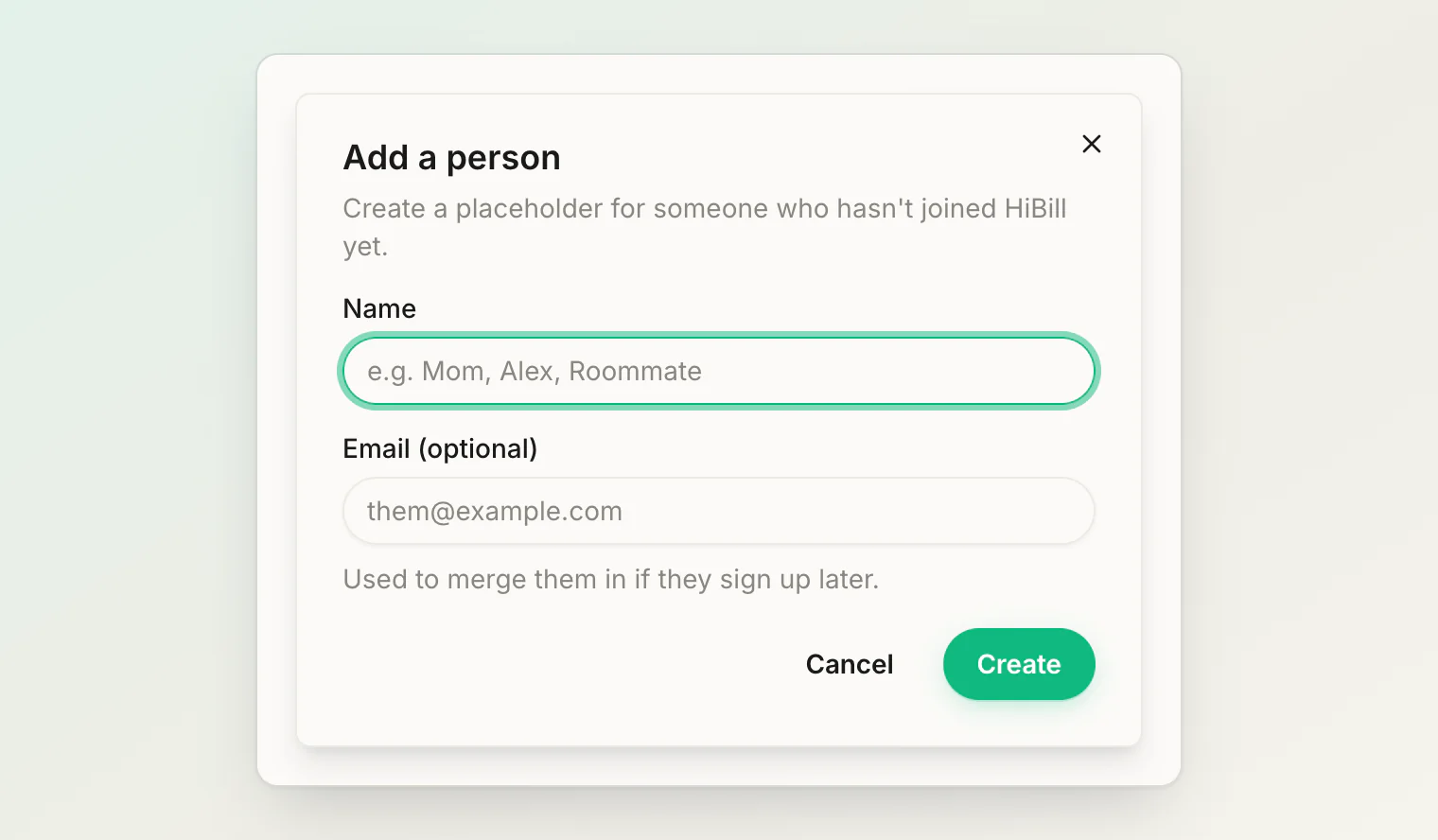
Add them as a placeholder. Just a name. They do not need an account, and you can start splitting with them immediately. If they sign up later you can merge the records so nothing is lost.
Placeholders are the right choice most of the time. Do not let "they need to install something first" stop you from recording an expense.
3. Record your first expense
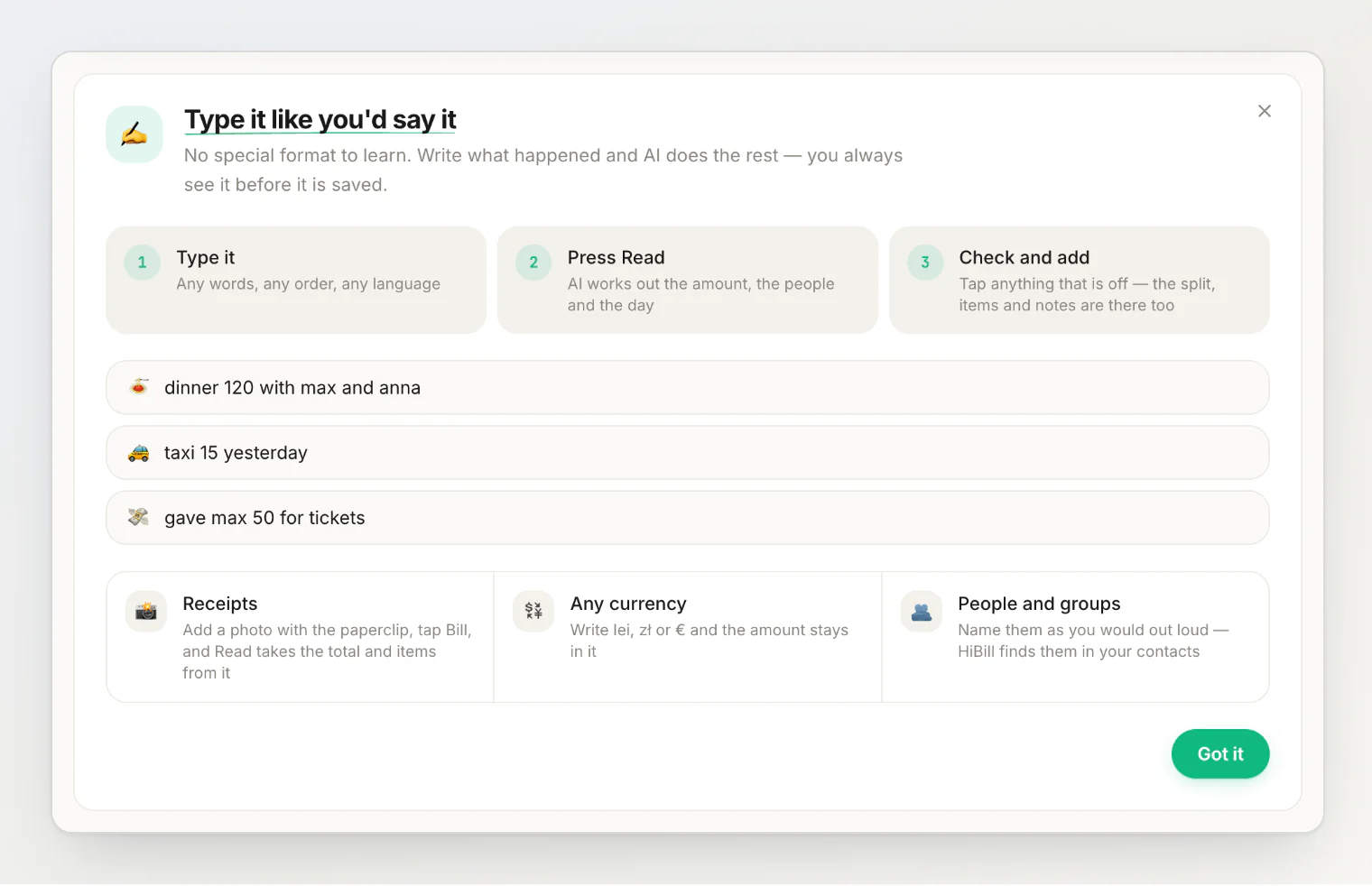
An expense is when somebody paid for something that several people share. On the dashboard, type it into the field at the top, the way you would say it. A new account shows a short guide there: type it, press Read, check and add.
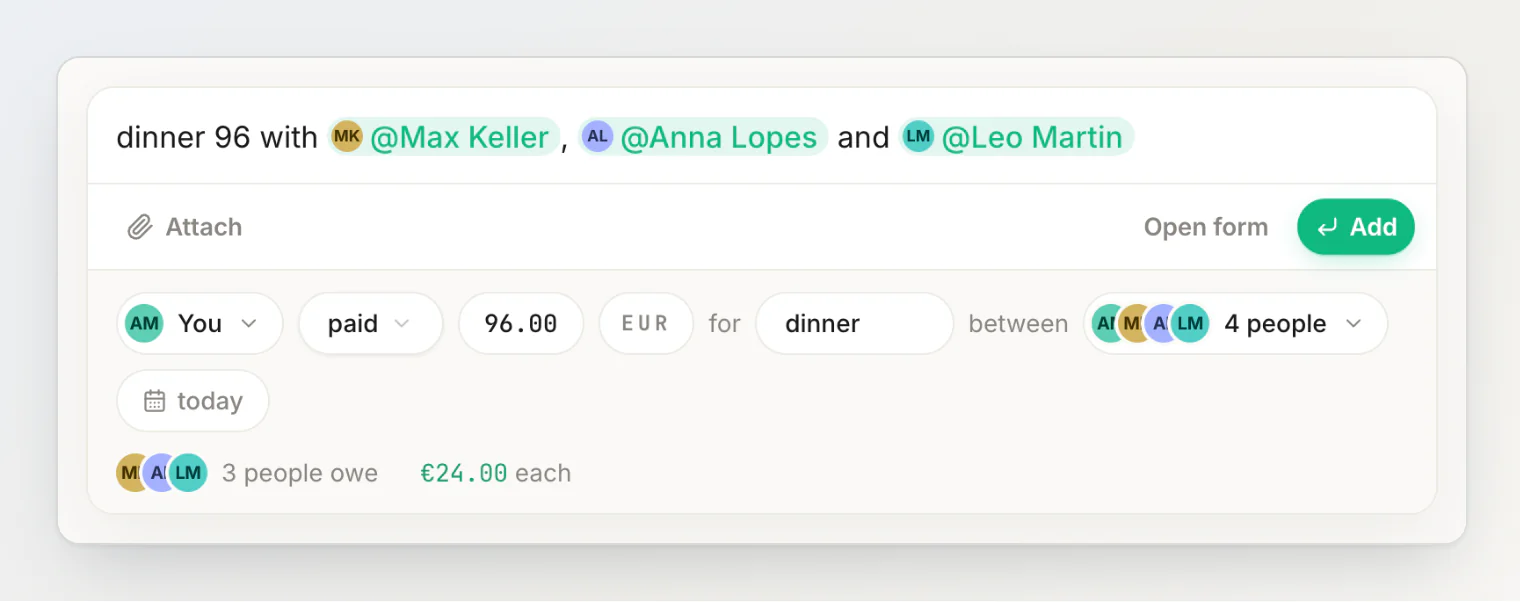
dinner 96 with Max Keller, Anna Lopes and Leo Martin
Press Read (or Enter). HiBill reads the sentence and shows a review under the field: you paid €96.00 for dinner, split equally between the four of you — the other three owe €24.00 each. Every part of the review is a chip you can tap to change it. When it looks right, press Add (or Enter again) and it is saved. That is a tracked balance.
The sentence covers the everyday case. For an unequal split, tap the split chip in the review and pick by amount, by percentage or by items; for several payers, tap who paid and pick Split between multiple payers. See split methods for the options, and adding a transaction by typing a sentence for everything the field understands.
Instead of typing it all in, you can photograph the receipt and let HiBill fill in the details. There is a full worked example in recording your first shared bill.
4. Read the balance
Open the person you just split with. You will see the two-person ledger: every transaction you both touched, and what it comes to right now.
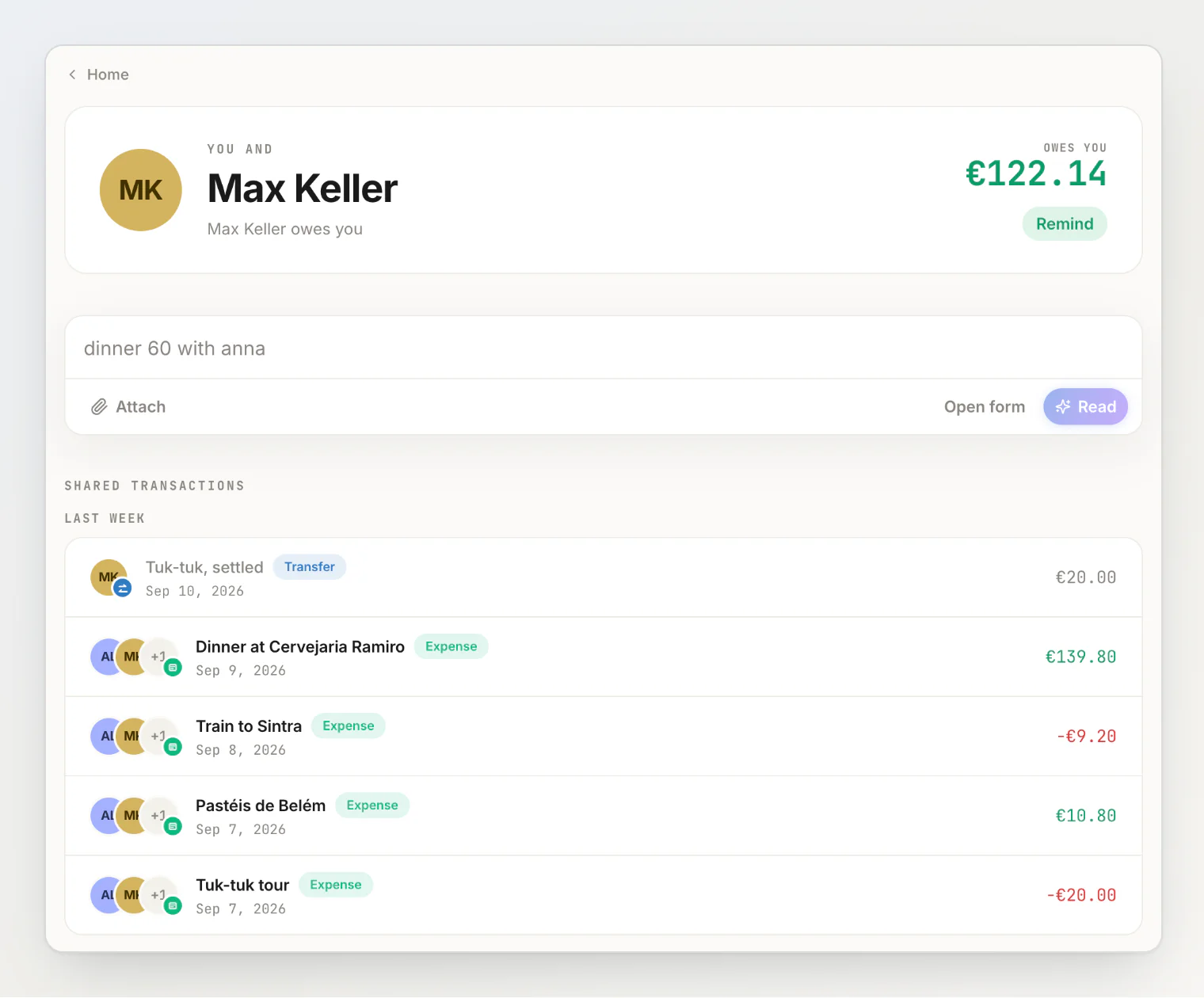
The balance is always between you and one other person, in one currency. If you owe someone in two currencies you will see two figures — HiBill does not convert them into one.
5. Settle up
When money actually changes hands, record a Transfer — type Max gave me 20 for the taxi, or gave 20 to Max if the money went the other way, then press Read and Add. The review reads it as Max Keller gave €20.00 to you. That is the second kind of transaction: money moving from exactly one person to exactly one person.
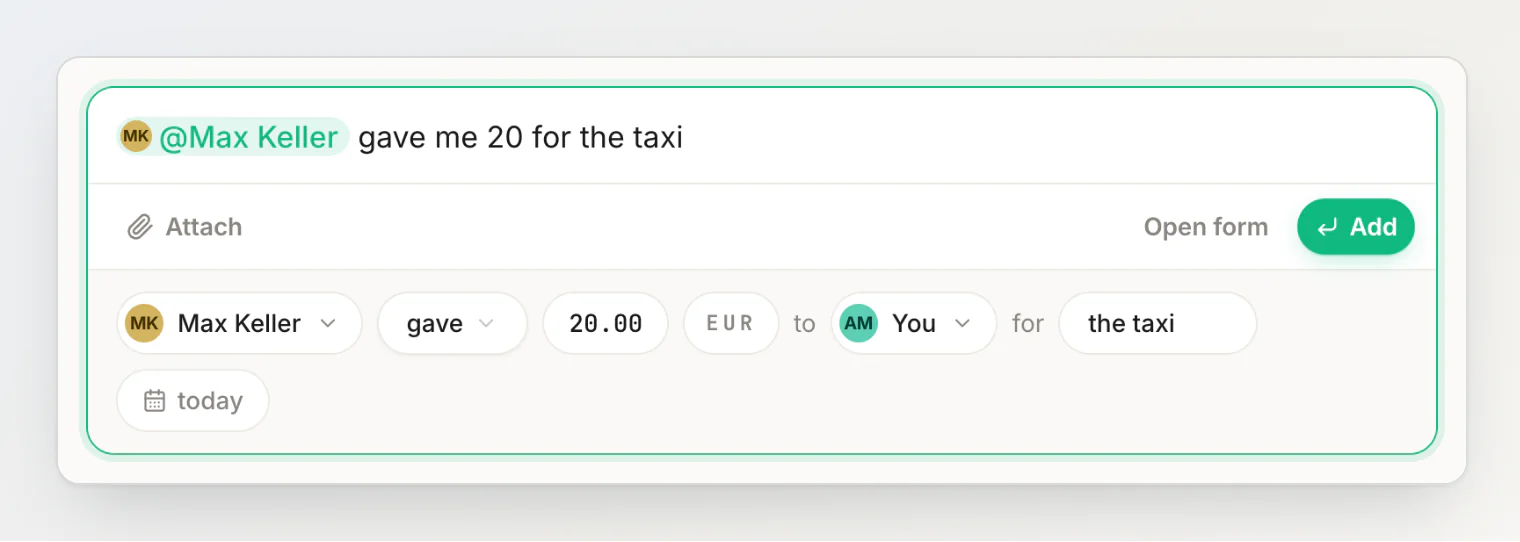
There is no separate "settle up" transaction — on a person's page, the handshake button in the sentence field (Settle up with …) just opens a transfer with the amount filled in. Paying someone back is a transfer, lending them money is a transfer, squaring off at the end of a trip is a transfer. Record it and the balance moves.
Continue reading
A quick tour of the app — where everything lives: dashboard, people, groups, activity and settings.
Understanding balances — what the number means and when it changes.
Creating and using groups — connect several people at once for a trip or a flat.