A complete worked example, from the restaurant to a settled balance.
The situation
Dinner for four. The bill is €96. You paid the whole thing with your card. The other three are Max Keller, Anna Lopes and Leo Martin.
1. Type the expense
In the field at the top of the dashboard, type:
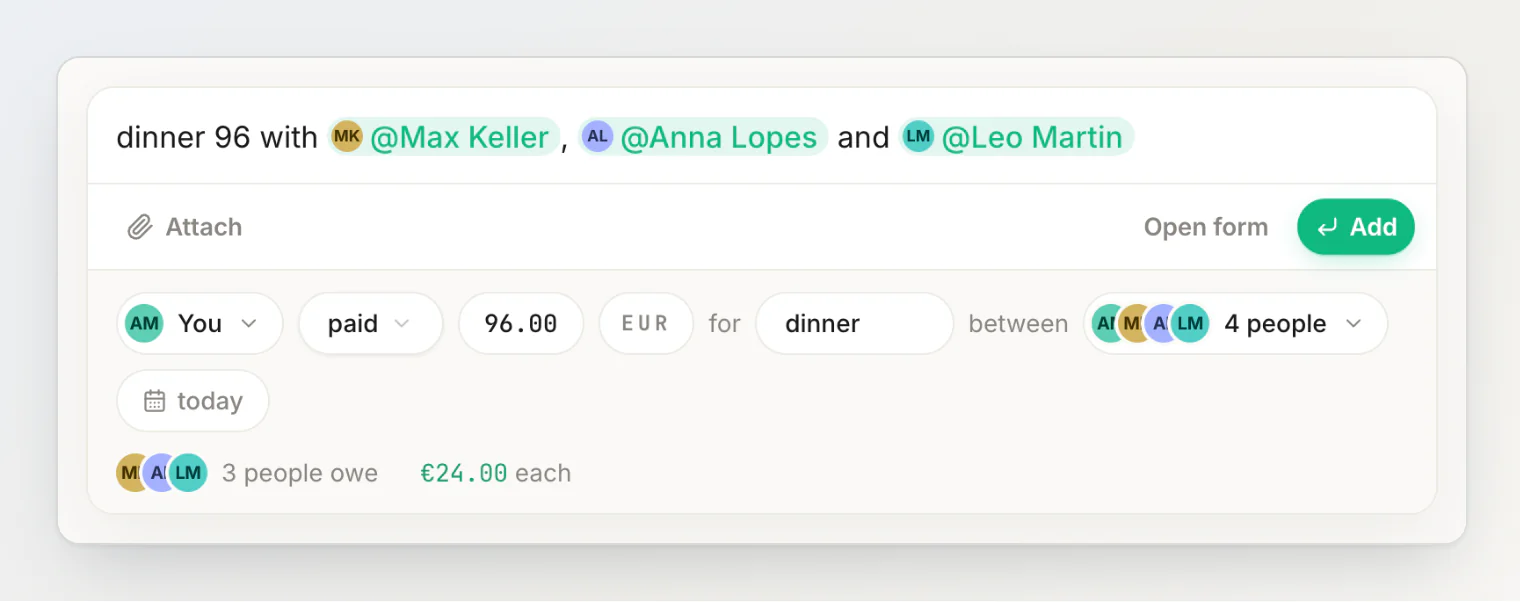
dinner 96 with Max Keller, Anna Lopes and Leo Martin
Names are matched to your contacts as you wrote them, so there is nothing special to type. If you like, pick each person from the suggestions as you type (or type @ for the full list) — they become pills, but that is optional. That one line is the whole transaction: €96 for dinner, dated today, paid by you, shared by the four of you.
Press Read (or Enter). A review appears under the field showing how the sentence was understood. Nothing is saved yet.
2. Check who paid
The sentence names no payer, so it is you, for the full €96 — the review's first chip reads You, followed by paid. If someone else had paid, you would say so in the sentence (Max paid 96 for dinner…), or tap the You chip and pick them.
If two of you had split the card — say you put in €60 and Max €36 — tap who paid in the review, choose Split between multiple payers and add both. What the payers put in has to add up to the total.
3. Check the people
Max, Anna and Leo are on it alongside you — the between chip reads "4 people". Tap it to add or remove someone.
If they are not in your list yet, add them as placeholders — just names, no accounts needed. If all three were on a trip together, a group would add them in one tap.
4. Check the split and save
"With" splits the cost equally, which suits a dinner where everyone ate roughly the same: €96 ÷ 4 = €24 each. The rows under the chips already say so — "3 people owe €24.00 each". Press Add (or Enter again) to save.
5. What just happened
You paid €96 and your own share was €24, so you are €72 out of pocket — and that is split across three separate balances:
Max owes you €24
Anna owes you €24
Leo owes you €24
Not one €72 debt. Three pairwise balances, because balances always live between two people.
6. Someone pays you back
Max sends you €24 the next day. Record it as a Transfer by typing:
Max gave me 24
Press Read: the review shows Max Keller gave €24.00 to You. Press Add. A transfer reads the same way whatever it was for — here is one for a taxi:
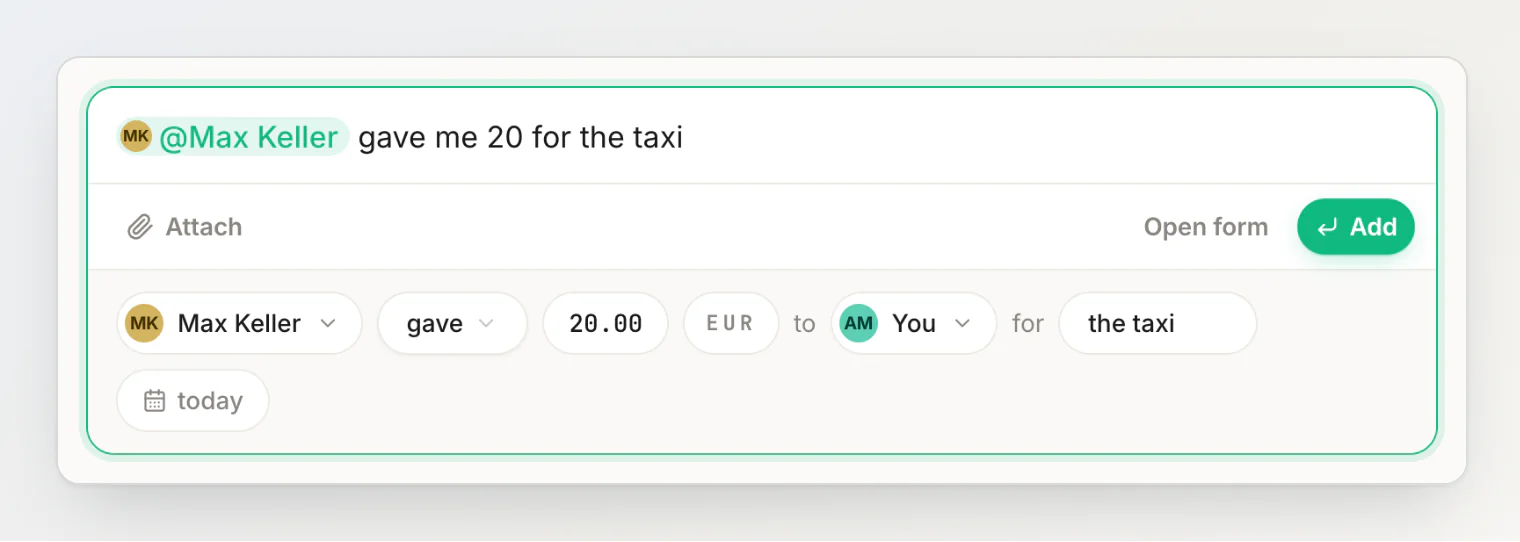
Your balance with Max now reads Settled up. The dinner and the repayment both stay in your shared timeline — settled does not mean deleted.
Anna and Leo still owe €24 each, untouched.
If it hadn't been equal
Say Leo only had a starter and everyone agreed he owed €12. That is beyond a sentence, so tap the split chip in the review, choose by amount and enter each share by hand — they must add up to €96. So €28 each for you, Max and Anna, and €12 for Leo.
For a long bill with wildly different orders, itemize it or let people claim their own share instead.
The faster version
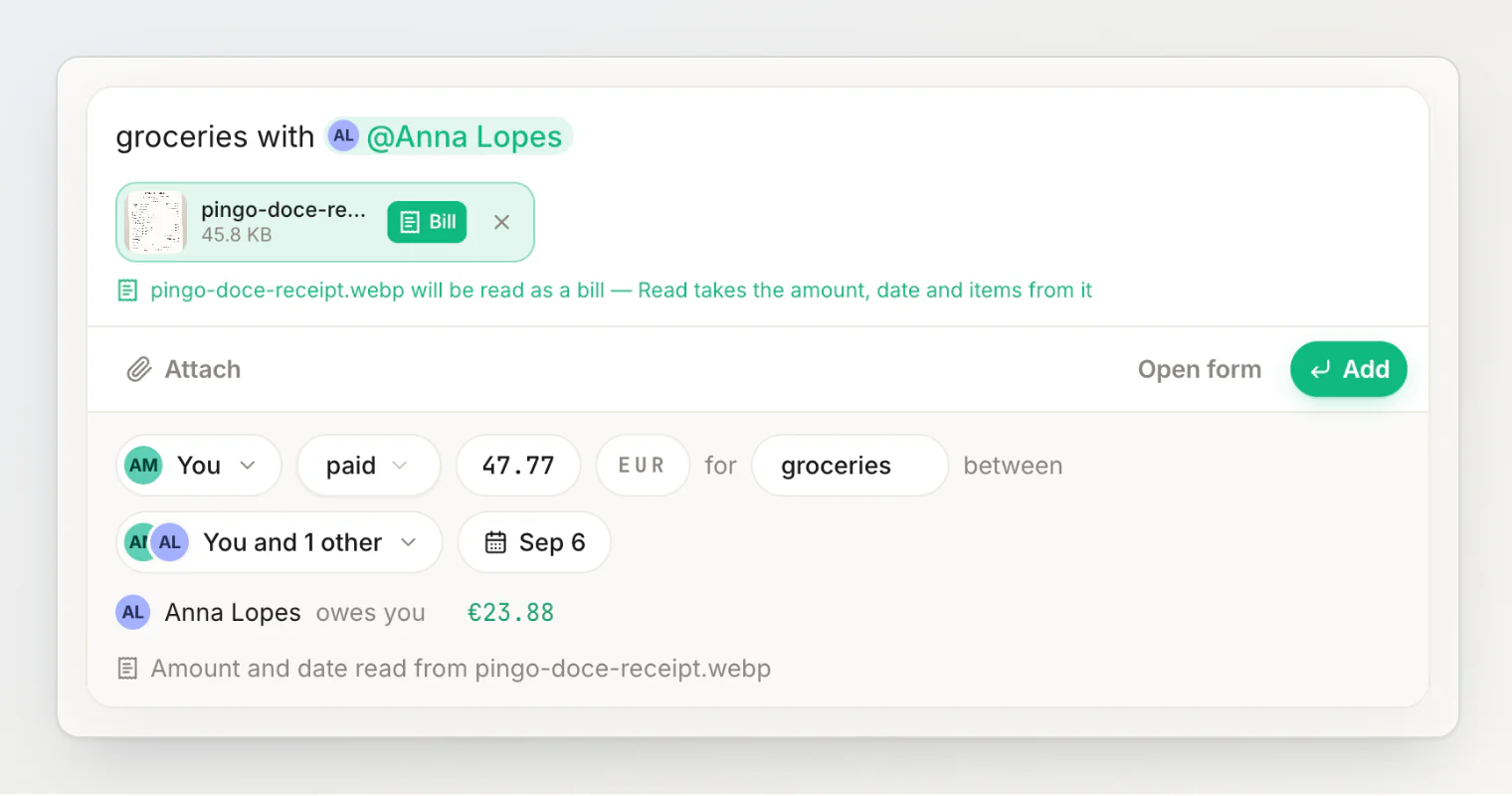
Next time, attach the receipt photo to the sentence with the paperclip (Attach a photo or file) and tap Bill on its chip. When you press Read, receipt scanning takes the amount, currency, date and line items from the paper, and the people come from what you typed.
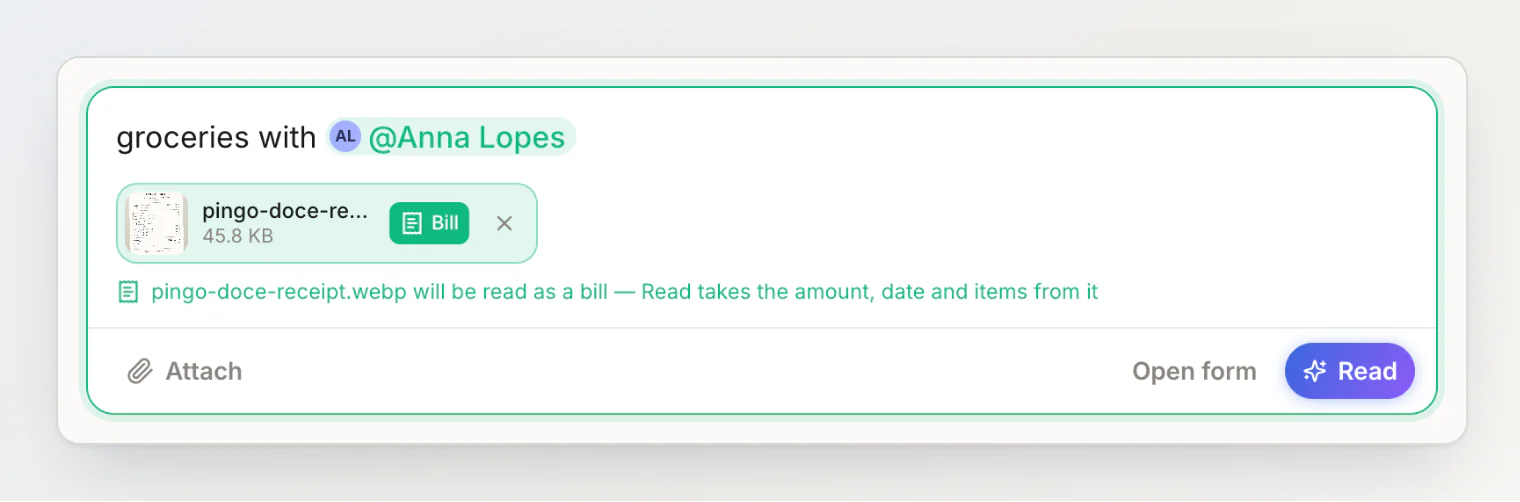
The review then says the amount and date were read from the photo. Check it and press Add — the transaction is saved with the receipt's line items.
Continue reading
Choosing a split method — the split methods beyond equal, and when each one fits.
Settling up and payment reminders — recording the rest of the repayments, and reminding whoever still owes.
Adding a transaction by typing a sentence — everything the sentence field understands.